
DynamicsCon LIVE 2023 takes place May 22-25 at The Scottsdale Plaza Resort & Villas in Scottsdale, Arizona. Over 115 sessions are available over the three days, focusing on Dynamics GP, Power Platform, and the following Dynamics 365 products: Business Central, Customer Engagement, and Finance & Operations.

The host resort is just minutes from Old Town Scottsdale's restaurants, shops, and art galleries, the world-class golf courses at McCormick Ranch, and the sights at Salt River Fields. The property features over 40 acres of gardens, swimming pools, tennis courts, and other onsite amenities.
Liberty Grove Software will be there, and we're delighted to announce two speaker sessions from our executive team.
Here are the sessions the Liberty Grove Team will be teaching at DynamicsCon LIVE 2023 :
BC Manufacturing Setup A to Z
Andrew Good, CEO, Liberty Grove Software
BC has excellent functionality to help you run your manufacturing operations, but the choices you make or have made with your configuration can make or break it.
We'll review the building blocks you can use to set up and run manufacturing. These include the Bill of Materials and Routings, which allow you to include required costs.
Learning Objectives:
- Learn what capacity means in BC
- Learn how to set up in-house and subcontract production
- Learn what capacity means in BC
Session Track: Business Central
Session Type: Functional
Content Level: Beginner
Setting Up Approval Workflows – BC Makes it Easy
Andrew Good, CEO, and Brad Hearn, Analyst, and Architect, Liberty Grove Software
This presentation will demonstrate how you can configure workflows in BC to approve master records, journals, sales, and purchase documents.
You will also learn how to define financial approval thresholds, multiple approvers, and different sets of approvers based on dimension values.
We'll discuss the following:
- How to set up Workflow User Groups
- How to set up Workflows
- How to define multiple approvers
- How to define financial thresholds
- How to limit approvers to specific dimension values
Session Tracks: Business Central Power Platform
Session Type: Functional
Content Level: Intermediate
Business Central And Power BI, Best Buddies
Brad Hearn, Analyst and Architect, Liberty Grove Software
This presentation will show you how easy it is to access your Business Central data in Power BI to gain powerful insights into your operational data. And how easy it is to share these insights with your colleagues through the Power BI App in the cloud. We'll cover advanced reporting techniques for understanding your Business Central data, how to publish your reports to the Power BI App, what Power BI App Workspaces are and how to use them to organize and share your reports, and how to use the Power BI App Data Hub and Gateways to manage your report data.
Session Tracks: Business Central Power Platform
Session Type: Functional
Content Level: Beginner
Explore the full speaker lineup and plan your conference sessions to the max. And if you haven't already, Register Today! - DynamicsCon LIVE.
Liberty Grove hopes to see you there!
About Liberty Grove Software
Liberty Grove Software is an established Microsoft Partner that focuses on providing customers with sales, service, and support for Microsoft Dynamics 365 Business Central/NAV solutions and training and upgrades.
Over more than 25 years, Liberty Grove has assisted hundreds of customers with businesses ranging from small to mid-sized to Microsoft Partners in implementing, training, customization, and upgrading Microsoft Dynamics ERP solutions.
The organization is one of only a few companies worldwide that Microsoft recognizes as qualified to provide Business Central/NAV Upgrade Service Centers.
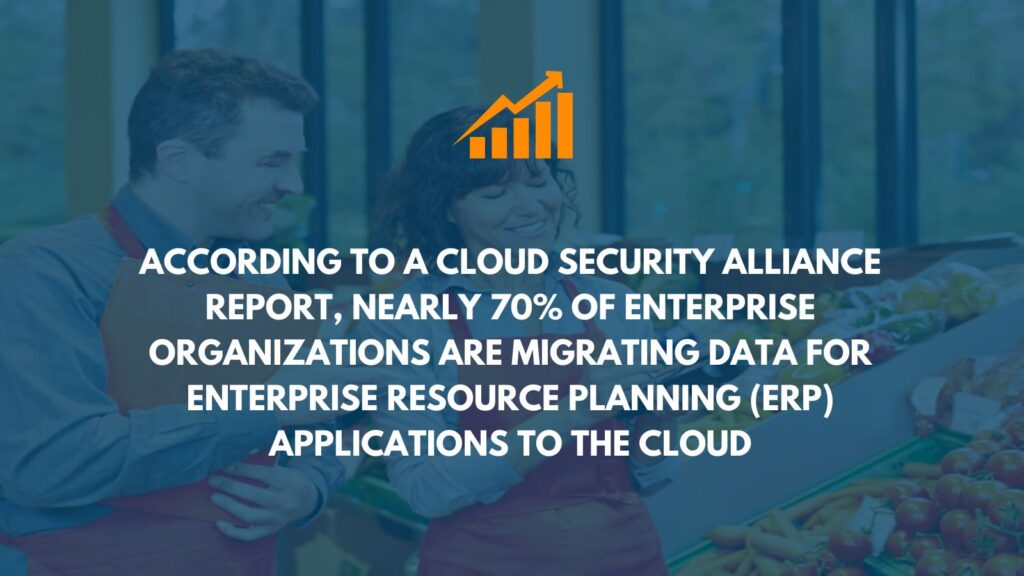
As the food and beverage industry continues to become increasingly more competitive, you likely implemented an ERP system because you understood the myriad benefits to your organization. Now it's time to ask the million-dollar question: Is your Food ERP delivering a solid ROI?
Or is it time to upgrade?

And it's an excellent question to ask. The next question is: how do we measure it?
It can be a complicated process, but one thing never changes – the ROI equation.
ROI = [(Value of Investment – Cost of Investment) / Cost of investment] x 100%
So, where do we start?
Let's look at the costs associated with your ERP solution over its lifetime.
These almost certainly include the following:
- Cost of licensing: What is the fee if you have a monthly Software as a Service (SaaS) agreement?
- Implementation costs: You've likely invested significant monies from consulting to installing the solution.
- Hardware and maintenance costs would be significantly higher if you selected an on-premise solution over a cloud solution.
- Training costs: Getting employees up to speed on the new working method.
- Cost of upgrades: If your vendor improved your solution as technology advanced, this may or may not have come at a cost.
Balance these costs against the value the system has provided over time; this is where things become complicated.
If your company still needs to actively work out the savings and improvements that ERP has brought, you'll need to dig into your historical operations records.
There are some critical areas to consider, such as comparing performance levels before and after implementation. Consider the following:
- Savings in time and labor
- Waste reduction
- Warehouse efficiency
- Productivity
- Supply chain administration
- Cost of operations
- Benefits of integrating data across the organization
Making these decisions is a complex science. Some of these criteria are far more abstract than others, so the more data you review and the more time you spend examining it, the more accurately you'll be able to define the actual value of the ERP to the company.
Solutions with superior reporting, data interpretation, and Business Intelligence capabilities will make ROI calculations more straightforward and accurate.
Is it time to upgrade to a cloud-based ERP system?
You may feel underwhelmed after researching the value your system brings to the business. When using an older ERP, it is common to discover that the ROI was high initially but has since declined.
The food industry is constantly changing, as are the demands placed on businesses and employees. The most advanced technology assists you in meeting these challenges.
If this raises red flags, consider whether your current system is the best option for you now and in the future. If any of the following conditions apply, perhaps it's time to consider upgrading to a modern ERP:
Your ERP is on-premise: These solutions are far more prone to quickly becoming obsolete and are less future-proof than cloud and hybrid options.
Your ERP is a one-size-fits-all solution: The advantages of such a system may have initially boosted your business. Still, food and beverage-specific ERP has never been more important in meeting the industry's modern challenges.
Your supplier is small: Small, regional vendors were once ideal for food businesses. However, those who can provide the best-funded, most-advanced platforms, such as Microsoft Dynamics, are now leading the way.
5 Reasons Why ERP Modernization Is Critical
- Gain a competitive advantage
According to a Deloitte study, 9 out of 10 respondents said modernization techniques helped them stay competitive. Finding people with the necessary skills to manage complex legacy systems is challenging. Cloud ERP systems that are modern and intelligent are simple to maintain and allow technology to advance.
- More opportunities for expansion
Does your legacy system expand as your company grows? If your system cannot meet your rapidly changing business requirements, it is time to upgrade to modern software. Cloud ERP provides an important feature called scalability.
- Performance and security
To ensure maximum security, Cloud ERP supports multi-layer firewall testing. Cloud ERP systems are more comprehensive and integrated, avoiding the vulnerability and risks associated with a multi-vendor landscape.
- Future-proof your organization
AI (Artificial Intelligence), ML (Machine Learning), IoT (Internet of Things), and other intelligent technologies are built into SaaS or cloud platforms. These technologies communicate with machines and sensors to send data to the cloud in real-time.
- Improved understanding and connectivity
While legacy ERP provides reporting and management tools, cloud ERP unlocks Big Data and allows access to previously hidden information. It operates on a single database to improve speed, visibility, connectivity, and accuracy.
Employees can access information and manage tasks on mobile devices with cloud ERP.
A modern user interface (UI) enables users to complete tasks more quickly and easily. Suppliers, trading partners, third-party vendors, and customers can access real-time information through portals tailored to each stakeholder.
Advantages of Migrating from Legacy ERP to Cloud ERP
Shifting from legacy to modern cloud ERP can provide numerous advantages to your organization. Current ERP can transform the entire business, from allowing employees to manage tasks remotely to tracking departmental operations and resources.
Let's look at why cloud ERP is superior to legacy ERP.
- Application
Cloud ERP does not necessitate the installation of any hardware. As a result, depending on the complexity of the business, implementing a cloud system can take anywhere from a few weeks to a few months. Legacy ERPs are much more challenging to implement, requiring hardware installation and a team of IT professionals to get the software up and running.
- Reduced expenses
With one-time subscription fees, cloud ERP reduces the organization's upfront costs. Rather than purchasing multiple software programs to manage finances, warehouses, accounts, material requirements, and so on, it is preferable to pay for a single system that provides connectivity and real-time data access across departments.
A modern ERP system helps businesses reduce inventory costs by tracking it efficiently to avoid overages, waste, and stock-outs, which can halt production. Furthermore, demand forecasting can lower purchasing costs by allowing companies to negotiate discounts in advance and determine which will yield the most significant dividends.
- Data accessibility in real-time
Cloud-based ERP allows users to track, streamline, manage, and report on tasks and resources in real-time from any device – employees in this technologically advanced era work from all over the world. Businesses have several warehouses, shop floors, and offices in various locations.
- Maintenance
We've seen that legacy system providers don't keep ERP software current. Cloud ERP vendors manage all IT issues and software updates remotely and around the clock. Furthermore, cloud systems provide the modern user interface that today's employees expect.
- Transformation to the digital age
Cloud ERP integrates cutting-edge technologies such as IoT, Machine Learning, Data Analytics, AI, and others to help manufacturers automate their day-to-day operations and differentiate themselves from the competition. Cloud computing enables organizations to scale their infrastructure to meet changing priorities while addressing regulatory compliances to ensure quality.
Ready to evaluate and upgrade your ERP?
Replacing a legacy ERP system with cloud ERP will result in significant organizational changes. Suppose you want to learn more about updating your ERP to a modern cloud solution or about the cost of ERP for small businesses. In that case, the Liberty Grove Software team of ERP consultants can guide you to the right ERP solution for your organization.
We'll provide the services you need to guide you through evaluation, project planning, implementation, testing, training, and ongoing support.
Contact Liberty Grove for a complimentary consultation on how Cloud ERP can reduce costs and elevate your business to the next level.
Related reading:
Best 10 Reasons to Move Your On-Premises ERP to the Cloud - Liberty Grove Software
Move into 2023 without Your Legacy ERP! - Liberty Grove Software
About the author
Liberty Grove Software is an established Microsoft Partner that focuses on providing customers with sales, service, and support for Microsoft Dynamics 365 Business Central/NAV solutions and training and upgrades.
Over more than 25 years, Liberty Grove has assisted hundreds of customers with businesses ranging from small to mid-sized to Microsoft Partners in implementing, training, customization, and upgrading Microsoft Dynamics ERP solutions.
The organization is one of only a few companies worldwide that Microsoft recognizes as qualified to provide Business Central/NAV Upgrade Service Centers.
Have you wondered why so many organizations are implementing cloud ERP solutions? When you see how ERP can help international and local organizations, it's not hard to understand.

A look in the rear-view mirror
Remember the olden days? You know, circa 2019, when we dressed in fancy suits, commuted long hours to and from the office, and conducted business face-to-face in crowded meeting rooms.
Then, during the pandemic, businesses were forced online, trying to collaborate with remote employees in multiple locations – and investing vast sums of money to do so.
Fast forward a few years, and not much has changed in how people work.
Unsurprisingly, ERP (Enterprise Resource Planning) solutions are becoming increasingly crucial in facilitating communications between the now-remote human minds and hands that power the business world.
For many companies, that meant complex changes and expensive upgrades. But for global organizations, the rising adoption of ERP solutions is a boon.
Imagine a scenario
As a manufacturing organization, you have facilities based in the US, India, Spain, and Brisbane. It's mid-afternoon on a Wednesday, and the CFO just told you that she needs a global sales and distribution report on her desk by the following afternoon.
Your colleagues are spread across the globe in different time zones. How are you going to pull that off?
Enter ERP. Your team members will receive any emails you send now when they reach their desks. And depending on your access privileges, you might be able to pull those critical numbers yourself.
Phew. That was a close one.
The CFO gets what she needs, and you didn't waste countless hours on a busy day hunting down the information.
But that's just one situation for one person. Now imagine how your global organization, running 24/7, could be more productive and profitable if everyone had the same flexibility.
What exactly is an ERP system?
ERP systems aid in automating, streamlining, and optimizing organizations by integrating data and information into connected applications across departments, cities, and countries.
An ERP provides a single pane of view for all aspects of the business, regardless of where it operates.
Many businesses need help to keep up with everything from supply chain shortages and rising gas prices to inflation and shifting customer needs. They increasingly need intelligent, automated processes that can adapt to any situation. They require cutting-edge technology to support new business models. They also require real-time – and predictive – insights to steer the ship in the right direction.
Companies that have done so successfully almost always use the same engine: a cloud ERP. This type of software enables super agility and digital transformation, providing numerous advantages to modern businesses.
What's the best news of all? A modern ERP's user-friendly technologies and automation will reduce tedious manual work, boost productivity, and improve employee experiences.
10 cloud ERP benefits – that apply to almost every organization:
#1 Constant innovation
Many businesses are migrating to cloud ERP software to improve operations, replace outdated business models and processes, and introduce new capabilities that support best practices. Cloud ERP improves and accelerates not only finance and accounting practices but also operations throughout the organization - and can even extend to business partners and networks.
#2 Reduced expenses
Cost savings can be substantial, especially with a public cloud ERP deployment. There is no upfront cost for hardware or ERP software with a subscription service. Since the provider handles upgrade and maintenance expenses, ongoing IT and related staff costs are reduced.
#3 Ease of use and automation
A modern cloud ERP allows companies to consolidate legacy applications, integrate and standardize existing and new applications, and eliminate disconnected systems. They can streamline workflows, intelligently automate processes, and increase overall business efficiencies.
#4 Improved functionality
Continuous upgrades, as well as several more significant releases per year, are used by cloud ERP vendors to deliver new functionality and application improvements to all companies that use their software. Updates are distributed to everyone simultaneously, so you never have to worry about downtime while waiting for an ERP system upgrade. Customers can also request changes from the ERP vendor if they identify similar requirements. As a result, the overall rate of innovation is much faster and more responsive.
#5 Insights in real-time
Modern cloud ERP systems are designed to unlock Big Data, allowing you to access information hidden within large and complex data sets. The ability to identify trends, predict changes, and automate processes improves resource utilization and significantly improves customer service. Although there are reporting tools in legacy ERP systems, they do not provide the integrated, real-time analytics available through the cloud, which is essential for better decision-making.
#6 ERP on the Go
Today, mobile capabilities are built into ERP products. Employees, subcontractors, vendors, and customers must now have access to information at all times and from any location. That necessitates the use of secure mobile device support. Users require modern user interfaces (UI) responsive to mobile screens.
#7 Intelligent technologies
Intelligent technologies are being integrated into modern ERP solutions to boost productivity. These allow devices such as machines or sensors to feed data to applications via the cloud for up-to-date status information.
#8 Top-tier security
Cloud vendors typically provide the best data security available; on-premise systems often cause security breaches in large and midsize businesses. With cloud ERP systems, things like security, data backups, and disaster recovery are all handled by full-time, professional security experts. Because cloud ERP systems are more comprehensive, connected, and collaborative, they avoid vulnerabilities at integration points and reduce the risks associated with a multi-vendor landscape.
#9 Quick implementation
Because your ERP provider handles hardware and software installations and provides dedicated staff with data center management expertise, ramp-up for a cloud ERP system is much faster than on-premise deployment. Cloud ERP business applications, like consumer mobile apps, are simple to configure. The app's intuitive user interface makes learning to use it quick and straightforward, allowing businesses to capitalize on opportunities.
#10 Scalability
Scalability is important because growth can be challenging to predict. If you experience rapid growth, you can add more computing power or data storage capacity with a cloud ERP solution rather than incurring a significant capital expense.
ERP has numerous advantages
The benefits of ERP systems are numerous for many organizations. Beyond reducing manual work, for example, automating workflows addresses top priorities such as increasing process accuracy and ensuring compliance.
Advanced analytics can detect inefficiencies and uncover opportunities for business growth by providing data-rich, actionable insights. In addition, the cloud can help simplify multi-vendor networks for supply chain teams to gain a 360-degree view of their ability to meet demand profitably and sustainably.
Cloud ERP systems can provide the modern tools and technologies required by the entire organization, not just finance functions, to move the company forward – and pivot and scale operations to keep up with the relentless pace of change.
Ready to implement cloud ERP?
Whether considering upgrading your ERP or implementing a system for the first time, the Liberty Grove team of ERP consultants can guide you through each step for a smooth ERP solution.
We ensure that your new system receives the attention required to be ready to go in your business environment from the moment you engage with Liberty Grove Software. We'll provide the services you need to guide you through project planning, implementation, testing, training, and ongoing support.
Contact Liberty Grove for a complimentary consultation on how Cloud ERP can reduce costs and elevate your business to the next level.
About the author
Liberty Grove Software is an established Microsoft Partner that focuses on providing customers with sales, service, and support for Microsoft Dynamics 365 Business Central/NAV solutions and training and upgrades.
Over more than 25 years, Liberty Grove has assisted hundreds of customers with businesses ranging from small to mid-sized to Microsoft Partners in implementing, training, customization, and upgrading Microsoft Dynamics ERP solutions.
The organization is one of only a few companies worldwide that Microsoft recognizes as qualified to provide Business Central/NAV Upgrade Service Centers.
Are you attending Directions North America April 16-19 at the Hyatt Regency in Florida?

Liberty Grove will be there with great topics to discuss – and we hope to see you there too!
Read on to know which sessions you want to mark in your calendar during Directions North America 2023!
Andrew Good, CEO of Liberty Grove, will discuss how manufacturers can do more with Dynamics.
Date: Monday, April 17
Topic: Let's Talk Manufacturing and the Dataverse - Doing More with Dynamics
Room: Regency 8-9 – 2:15 – 3:00 p.m.
Description
Are you running BC (Business Central) Manufacturing and need to streamline your data collection from the floor? Let's explore your options with Dataverse and Power Apps.
Learning Objectives
- Learn how consumption and output can be captured from the floor
- Learn how complementary activities can be tied into production reporting
--------------
Anantha Subramanya, Senior Business Analyst, Liberty Grove, will explain how Central Implementations provides unique value to clients.
Date: Tuesday, April 18
Topic: Jobs in BC to manage projects? - Yes, of course!
Room: Regency 3 – 3:15 – 4:00 p.m.
Description
In this presentation, Anantha will discuss Intercompany Transactions & Consolidation and show you how the Jobs tool in BC (Business Central) can be used to manage projects.
Anantha's presentation will help you with the projects you perform for your clients or for internal projects. "Tasks" within a Job helps you to define budgets by task and record the actual time spent and the expenses incurred on the project.
The Work-In-Progress calculation for each job helps you to know where you stand on a financial basis – and what to tell the CF0.
Learning objectives:
- How to create Job Cards
- How to consolidate multiple companies
- How to define tasks for each job
- Recording time spent on the job
- Recording expenses incurred on the job through a journal or purchase documents
- Creating a Job Sales Invoice
--------------
Anantha Subramanya, Senior Business Analyst at Liberty Grove, will discuss how to record intercompany transactions.
Date: Wednesday, April 19
Topic: Intercompany Transactions & Consolidation - How BC helps?
Regency 3 – 9:15 – 10:00 a.m.
Description
This presentation will show you how to record Intercompany transactions using different methods of file transfer and how to consolidate multiple companies with different currencies.
Learning objectives:
- How to record Intercompany transactions at both ends.
- How to consolidate multiple companies.
Who are the people behind the thinking at Liberty Grove?
Andrew Good, CEO, is an Engineer, project manager, analyst, manufacturing expert, and Microsoft Certified Trainer. Andrew does implementation, project management, business process design, application analysis, end-user training, and implementation project management training. In his commitment to training, Andrew was a successful candidate for the new Microsoft Dynamics 365 Business Central Exam. Andrew continues the tradition of sharing with the Community by presenting at various events.
Anantha Subrananya, is an ERP implementation consultant, Senior Business Analyst, and Project Manager with over 10 years of experience with MS Dynamics NAV/Business Central. As a CPA, he comes with a solid financial and accounting background. His exposure to various business environments and finance functions coupled with NAV/Business
And for the fun times... whether it's just you, or the whole family
While you're at Directions North America 2023, check out the amenities and activities the Hyatt Regency Grand Cypress offers. You have your theme parks covered with complimentary shuttle service to Walt Disney World Resort, Universal Orlando Resort, and an evening trip to Disney Springs.
Lagoon Pool – With an 800,000-gallon water pool and twelve waterfalls, this water park will not disappoint you and your family.
Private Cabanas – Reserve a poolside cabana to relax in privacy while soaking up the sun. You can reserve one here.
Spa and Salon – Pamper yourself from head to toe with a massage, facial, nail service, or any other relaxing spa service at the Marilyn Monroe Spa.
Outdoor Activities – Enjoy one of the hotel's many outdoor activities, including water sports, golf, fishing at Lake Windsong, and more.
Dining – Whether you need something quick on the go or want to enjoy a nice meal, there is something for everyone. Check out the complete dining options the Hyatt Regency Grand Cypress offers here.
And then, there are the memories... but those are yours!
See you soon in Orlando, Fl for the Directions North America conference.
About the author
Liberty Grove Software is an established Microsoft Partner that focuses on providing customers with sales, service, and support for Microsoft Dynamics 365 Business Central/NAV solutions and training and upgrades.
Over more than 25 years, Liberty Grove has assisted hundreds of customers with businesses ranging from small to mid-sized to Microsoft Partners in implementing, training, customization, and upgrading Microsoft Dynamics ERP solutions.
The organization is one of only a few companies worldwide that Microsoft recognizes as qualified to provide Business Central/NAV Upgrade Service Centers.
CDC estimates that roughly 1 in 6 Americans (or 48 million people) get sick yearly, 128,000 are hospitalized, and 3,000 die of foodborne diseases. (Burden of Foodborne Illness: Findings | Estimates of Foodborne Illness | CDC)
That's a food manufacturer's nightmare.
Recalls occur. Often, the problem is beyond your control. In a recall emergency, it can be challenging to know what to do and in what order to expedite the recall process with as little friction as possible.
If you're using an ERP solution, you're already ahead of the situation. Many tools you'll need for recalling goods are already available within your ERP.
This checklist has two sections:
Section 1: What to consider before a recall occurs
- Planning for the worst-case scenario ensures preparedness for what you hope will never happen. That's where your ERP comes in – it's your recall assistant.
Section 2: Step-by-step procedures to work through the recall process
- When the unthinkable happens, being prepared enables swift team action and helps maintain customer confidence – and your brand reputation.
Part I: Getting Ready
- Establish a Documented Recall Team
Those responsible for decision-making, quality assurance/technical advisory, media communication, complaint investigation, contacting accounts, government contact, and legal counsel.
- Complaint Form
While you may only need this once a recall occurs, preparation is a good idea. The complaint file has three sections:
• Documentation of the initial complaint information
• Investigation of the complaint and documentation of the findings
• Acting on the findings of the investigation
- Quick Information Access
An ERP solution enables quick access to critical information about products, manufacturing processes, the location of items in the supply chain, and contact information for those during a product recall.
- Capability to Find Any Item in the Supply Chain
Throughout the supply chain, an ERP solution (along with barcodes and RFID) enables traceability down to specific ingredients. Connect production and quality management testing to determine which other products may pose a risk due to cross-contamination or faulty processes.
- Actionable Communication Transparency and Openness
Open communication with suppliers, customers, and government agencies helps mitigate the impact of a food product recall. ERP users can quickly email documents, alerts, instructions (such as how/where to dispose of products, etc.), and updates to contacts in bulk or individually from the software's interface. When a faster recall is required, manufacturers can temporarily open access to product location information by authorizing external users, such as suppliers or customers, to access and pull data from their systems.
Contact your Food Inspection Agency immediately if you suspect you sold an unsafe or illegal food product to another manufacturer, distributor, or retailer.
Part II: Plan of Action
- Engage the Recall Management Team
- Inform the Food Inspection Agency
- Identify all products in the recall
- Detain and segregate all recalled products under your company's control
- Create a Press Release (if required)
- Make a Distribution List
- Prepare and distribute the Recall Notice
- Check the recall's effectiveness
- Control the recalled item(s)
- Decide what to do with the recalled product(s)
- If the recall occurred at your facility, resolve the issue
Quickly tracking and removing defective problems with clear communications can significantly mitigate a product recall's financial and brand reputational consequences. A company with the tools and procedures for a covert recall shows its customers and supply chain partners that it values its relationships.
Customers judge a company on how well it prepared for a recall and how it responded when things went wrong.
Be prepared.
About the author
Liberty Grove Software is an established Microsoft Partner that focuses on providing customers with sales, service, and support for Microsoft Dynamics 365 Business Central/NAV solutions and training and upgrades.
Over more than 25 years, Liberty Grove has assisted hundreds of customers with businesses ranging from small to mid-sized to Microsoft Partners in implementing, training, customization, and upgrading Microsoft Dynamics ERP solutions.
The organization is one of only a few companies worldwide that Microsoft recognizes as qualified to provide Business Central/NAV Upgrade Service Centers.
You might find the meat industry safety regulations daunting as a meat production facility manager. Perhaps you spend more time ensuring legal and food safety compliance than working in the business.
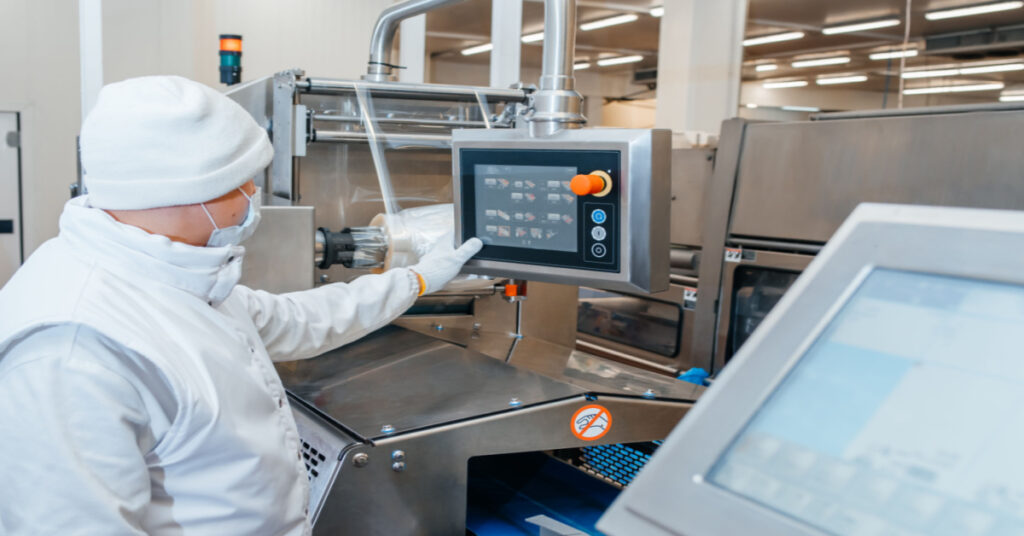
If so, you're not alone – and we get it. But there is a viable solution in a DynamicsFoodERP system.
Read on to learn more.
According to the U.S. Department of Agriculture's Food Safety and Inspection Service (FSIS), there were at least four major recalls of ground beef products due to possible contamination with E. coli O157:H7 or extraneous materials. There was also a recall of raw bone-in goat products imported from Australia that were not presented for import re-inspection. The total amount of recalled meat products was over 336,000 pounds in weight.
Why is meat subjected to rigid regulations?
Meat is likely to have the most stringent regulations of any mass-produced food. And for a good reason; for one thing, meat can be more dangerous than other foods. Disease in meat can originate anywhere along the supply chain, from how the animal was raised to poor storage or cross-contamination by retailers. When mishandled, it is far more likely to carry diseases, some potentially fatal to humans.
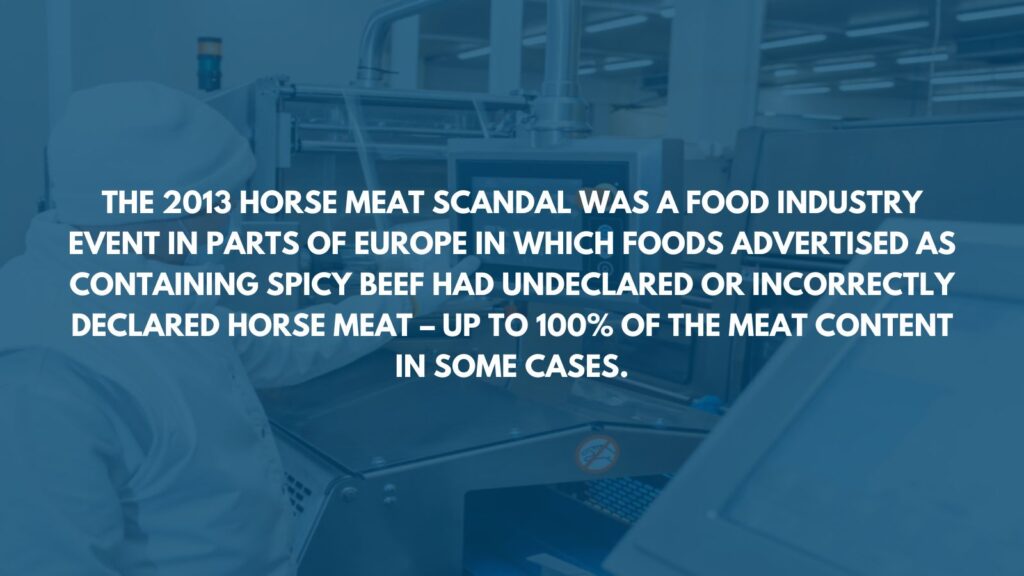
Numerous other vital factors necessitate stringent regulations. The quality and source of meat must be proven to maintain strong nutritional, flavor, and trust standards. The infamous horsemeat scandal is one instance in which quality and provenance checks failed, damaging public trust. Then there's animal welfare: each jurisdiction has requirements for the conditions where animals are raised for meat.Any business that keeps livestock or is involved in animal slaughter, preparation, or sale of meat must be strictly regulated. However, the rules that meat businesses of all sizes must follow are frequently complex and challenging to keep track of.
They can easily impede an efficient production schedule and impact the bottom line.
Regulations for meat businesses are complicated
The meat industry's rules and regulations may constantly shift as industry consensus shifts, and regulators learn from new problems. The outbreak of Covid-19 infections linked to meat packing plants is an example of this.
Specific requirements will vary depending on location, type of business, and other factors. For example, in the United Kingdom, all of the following establishments require special permission from the Food Standards Agency (FSA) to operate:
- Slaughterhouses
- On-farm slaughterhouses
- Establishments that handle game meat
- Plant pruning
- Wholesale meat markets
- Restaurants that serve minced meat
- Establishments for the preparation of meat
- Meat processing plants that use mechanical separation
- Plants for processing
- Cold storage facilities
- Re-wrapping businesses
Consider the complexities of purchasing and selling meat across national borders, where businesses must comply with new safety regulations. The rules themselves are covered in minute detail and shrouded in jargon. The FSA's 'meat industry guide' contains 20 technical chapters.
The scale of regulations, in particular for small and medium-sized meat businesses, can be a burden. However, the alternative is even worse.
Failure to meet industry standards is a nightmare scenario for any food business, and the nature of the meat industry makes failure to meet industry standards more likely.
With the average recall cost estimated to be around $10 million and the potential for reputational damage to be even more costly, businesses must tread carefully.
How can food ERP aid in regulatory compliance?
You've probably heard of Enterprise Resource Planning (ERP) and its ability to increase efficiency and help a business grow. However, you may not have given as much thought to how an ERP solution can assist your meat business in meeting regulatory requirements.
Food-specific ERP, such as DynamicsFoodERP, is ideal because it is designed with specific tools to meet the industry's challenges. For example:
- Traceability of lots. ERP increases the transparency of the traceability process for all parts of the supply chain. As the origins of meat products become more scrutinized, the visibility ERP provides is invaluable.
- Quality assurance. Food ERP provides superior quality control at a consistency that would otherwise be impossible. ERP tailored to the meat industry can ensure that products meet predefined quality standards. Because of the interconnectedness of ERP, companies can extend this control seamlessly across entire inventories.
- Management of shelf life. Controlling every aspect of your inventory is essential for avoiding a significant food safety disaster. Not only will ERP prevent meat that does not meet industry standards from being sold, but instances of meat being stored incorrectly or past its expiry date will be far less common due to the technology's logistical intelligence. Most importantly, this reduces revenue lost due to waste.
- Functionality for recall. If the worst happens and subpar meat is shipped, ERP's specific recall functionality is available to mitigate the damage through timely and intelligent communication.
- Ensuring compliance. Keeping your ducks (or cows) in a row with FDA, FSA, FSSAI, FSMA, HACCP, and other relevant food safety authorities is a critical success strategy. It ensures that your routine inspections run smoothly and frees your organization from penalties or being forced to shut down your production operations.
- Protocols are enforced throughout a company. ERP integrates the compliance process across all aspects of a business, making it more difficult for individual errors to slip through the cracks. The centralized database of an ERP system can be extended to all workers via mobile technology, as can the creation of checklists and reminders of correct standards, protocols, and testing regimes.
ERP for the meat industry can be beneficial in avoiding disastrous safety breaches. Beyond that, its value is in allowing businesses to focus on growth and improvement while their technology solution handles regulatory compliance.
Ready to make a meaty profit from your meat production and processing business?
Contact Liberty Grove for a complimentary consultation on how cloud ERP can help you maintain meat safety standards, mitigate risk, and give you a competitive advantage.
Whether you want to get more out of your existing ERP or are considering implementing a system for the first time, the Liberty Grove team of ERP consultants can guide you through each step for a smooth ERP solution.
We use the best technology available to deliver a simplified, fully integrated Cloud ERP solution designed to address the challenges of the Food & Beverage industries. The Liberty Grove team has years of distribution and manufacturing experience, ensuring your products reach customers safely and securely while meeting complex supply chain requirements and regulatory demands.
We'll provide the services you need to guide you through project planning, implementation, testing, training, and ongoing support.
About the author
Liberty Grove Software is an established Microsoft Partner that focuses on providing customers with sales, service, and support for Microsoft Dynamics 365 Business Central/NAV solutions and training and upgrades.
Over more than 25 years, Liberty Grove has assisted hundreds of customers with businesses ranging from small to mid-sized to Microsoft Partners in implementing, training, customization, and upgrading Microsoft Dynamics ERP solutions.
The organization is one of only a few companies worldwide that Microsoft recognizes as qualified to provide Business Central/NAV Upgrade Service Centers.
In today's business environment, IT staff are highly skilled workers who can demand a significant salary. Do you ever wonder how you can justify the expense of your IT team to the CFO? If IT cost reduction is on your mind, perhaps you look for ways to increase productivity to show a higher ROI on salary expenses.
What if there was a way to reduce IT costs without eliminating staff?
Good news: there is. Move your ERP to the Cloud. Not only will you reduce your IT expenditure, but your organization will also realize a host of benefits ranging from staff efficiency across the board to greater data security – and an increased competitive edge.
Why Cloud ERP?
Cloud ERP checks many boxes as a comprehensive solution, not the least of which is its role as a financial management tool. While Cloud ERP appeals to many because of its back-office capabilities, for some businesses, the most significant benefit of ERP is the transformation it brings to IT.
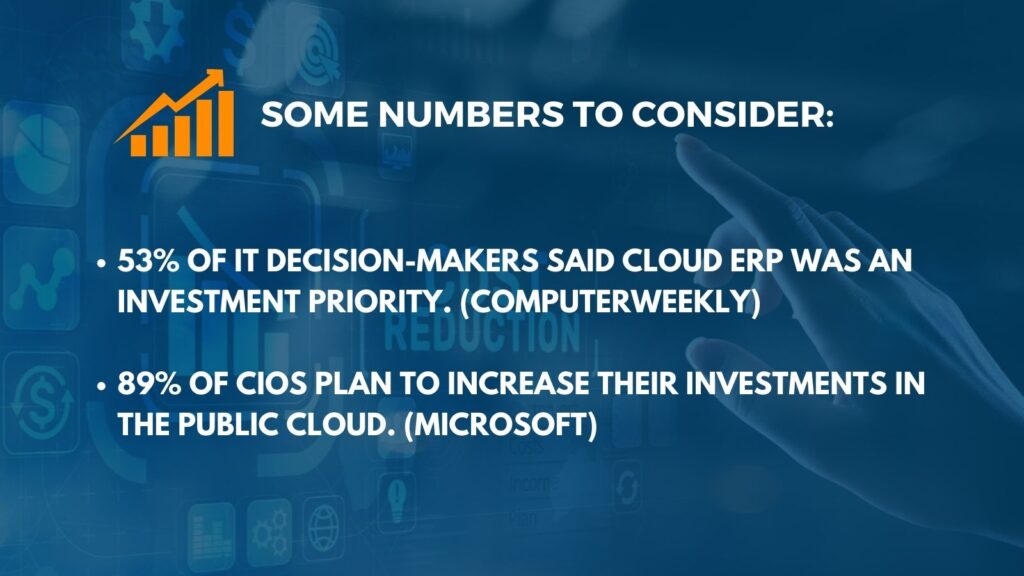
IT department staffing and costs have skyrocketed in recent decades. Cloud ERP
can free your skilled workers from time-consuming tasks, allowing them to focus on more profitable work. Let's start with some numbers that show the relationship between cloud ERP and IT.
IT Costs and Cloud ERP
Surprisingly, smaller businesses spend a higher percentage of their revenue on information technology than larger ones.
Small businesses with less than $50 million in revenue spend 6.9% on IT. IT spending accounts for 4.1% of revenue for mid-sized companies, with revenues ranging from $50 million to $2 billion. Finally, enterprise-scale businesses only spend 3.2% of their revenue on IT.
IT has historically been burdened by extensive maintenance work. Historically, this was due to the significant upfront capital expenditure inherent in many IT solutions. Modern solutions, such as cloud ERP, have alleviated these problems. Is there still room for cost-cutting in terms of staffing?
ERP as a tool for IT transformation
Consider the impact of cloud ERP on the quality of work done in IT. Many companies embrace the opportunity to reallocate resources. That may be a more valuable way to consider the impact of cloud ERP on IT staff.
Cloud ERP as an IT solution can save your IT staff a lot of time by offloading infrastructure and reducing work hours dedicated to infrastructure maintenance. Your IT team can then concentrate on what they do best: innovate.
Introducing cloud ERP into your organization allows IT to pivot, focusing on the technologies and innovations your company requires to stay competitive.
Greater staff efficiency throughout the organization
Cloud ERP can transform how everyone in your company works. ERP exists to transform the "how" of work, not the "what." Rather than cutting staff in any department, you can use IT to reposition employees, streamline workflows, and create a new environment where each task yields significant ROI.
Cloud ERP systems use a combination of technologies linked by high-speed internet networks. The Cloud ERP is always online, and the ERP provider handles security updates. All your team needs to do is log in and use the ERP and its underlying data. That results in a lower total ownership cost than previous-generation ERP systems hosted on company-owned servers.
Cloud ERPs are accessible via mobile devices or desktop computers. They include diverse business applications designed to keep your company running smoothly, providing a positive customer experience and achieving profitable business outcomes.
Cloud-based ERPs enable your team to access any information they require wherever their work takes them, from customer sales meetings to remote work sites to your home office. With more workers than ever working from home or other locations since the pandemic, the ability to securely log in from anywhere cannot be overstated.
Among the highlights are easy access to customer information, sales histories, financial data, human resource management tools, live operating metrics, supply chain status, and other features. A cloud ERP can connect virtually any computer system your business requires.
Unlike on-premise ERP systems, cloud-based ERP is hosted and managed by the vendor, who offers the software "as a service" via the Cloud. The vendor is in charge of the application, data storage, underlying operating system, servers, physical data center infrastructure, and the installation of security updates and feature upgrades.
8 Advantages of Cloud ERP Software
In addition to the staffing cost efficiencies that can be realized, cloud ERP offers many other benefits that can lead to greater productivity and profitability in every aspect of the business.
Here are some of the features and benefits that our customers find most valuable:
- Infrastructure and operational costs. One of the most significant advantages of a cloud-based ERP solution is lower overall costs, which begin with implementation. With on-premise ERP, a company incurs many expenses, including servers, database creation, initial implementation, consultants, IT staffing, security, and backup.
Cloud ERP is typically 30% less expensive than on-premise ERP. Companies that use an on-premise ERP system will incur additional costs for maintenance, specialized in-house or on-call resources, upgrades and updates, and additional servers as their business grows. Companies avoid upfront infrastructure and other expenses for IT staff, maintenance, security, and updates because your cloud ERP partner hosts and manages the software on its servers. The vendor offers ongoing IT assistance.
- Rapid implementation. A cloud-based ERP system can typically get a business up and running faster than an on-premise ERP system because it does not require selecting and configuring hardware or hiring and training IT staff. One of the most significant challenges of any new ERP solution is implementation time, which can directly affect business downtime and time to value.
- Accessibility. Users of cloud-based ERP can access business information in real-time from any location and on any device. Regardless of the business unit or location, employees work with the same data and can make decisions more quickly and confidently.
- Scalability. Cloud-based ERP solutions simplify scaling a business by eliminating the challenges of adding more servers for more users, locations, or subsidiaries. As a company grows, so does its use of cloud ERP.
An organization can begin with the fundamental core functionality and expand as needed—all without additional hardware. A cloud ERP solution enables users worldwide to access business information by connecting to the internet. Because no local servers are required, new units can come online quickly as a company grows through mergers or acquisitions. Cloud vendors typically own data centers worldwide and store each customer's data in multiple locations, providing a better and more reliable service than most businesses can manage. Cloud software vendors typically strive for 99.999% availability, which translates to less than eight minutes of unplanned downtime per year for customers.
- Customization and adaptability. Cloud-based ERP can scale with an organization and be more easily customized to meet the needs of the business, either from the start or over time, as the business grows and evolves. You can customize your on-premise ERP software, but those customizations anchor you to the current software. They may be challenging to reimplement with future versions, especially with in-house developed integrations. It's one of the primary reasons some companies delay upgrading their on-premise ERP systems and continue using outdated technology.
Furthermore, cloud ERP systems integrate well with other cloud-based products, and you can add new modules to a cloud ERP system without downtime or additional hardware. This type of agility allows a company to be proactive rather than reactive, adapting more quickly to industry changes, consumer trends, unforeseen circumstances, and other factors.
- Upgrades. Cloud ERP partners manage all system upgrades and updates continuously, keeping up with changing business needs and ensuring customers can access the most recent technology. Cloud ERP updates are quick to execute and are typically performed during off hours to avoid business disruptions. Updating or upgrading on-premise ERP software takes more time and may even necessitate hiring contractors to oversee the process.
- Security, compliance, and disaster recovery. They are all priorities. Many businesses are understandably concerned about entrusting their data to an external vendor. Cloud-based ERP providers, on the other hand, can provide better security and compliance than companies could otherwise afford. Furthermore, a company can be confident about its data backups and that the vendor has disaster recovery procedures that have been planned and practiced.
On-premise ERP solutions risk catastrophic data loss in the event of hardware or software failure, natural disaster, fire, or break-in unless organizations have a disaster recovery and business continuity plan.
Cloud providers typically provide enterprise-grade security and end-to-end data encryption between the vendor and the organization. Companies are responsible for cloud ERP users' identity and access management and the security of devices such as PCs or smartphones.
- Storage availability and resilience. If on-premise hardware fails, a company may have to spend significant time and money transferring data to a new storage system. The ERP partner stores the data in its data centers, which are usually geographically distributed. It's also advantageous in providing internet access to business information and data. It is becoming increasingly important as more jobs and operations move online, and businesses seek to automate and streamline business processes.
Ready to implement cloud ERP?
Whether considering upgrading your ERP or implementing a system for the first time, the Liberty Grove team of ERP consultants can guide you through each step for a smooth ERP solution.
We ensure that your new system receives the attention required to be ready to go in your business environment from the moment you engage with Liberty Grove Software. We'll provide the services you need to guide you through project planning, implementation, testing, training, and ongoing support.
Contact Liberty Grove for a complimentary consultation on how Cloud ERP can reduce costs and elevate your business to the next level.
About the author
Liberty Grove Software is an established Microsoft Partner that focuses on providing customers with sales, service, and support for Microsoft Dynamics 365 Business Central/NAV solutions and training and upgrades.
Over more than 25 years, Liberty Grove has assisted hundreds of customers with businesses ranging from small to mid-sized to Microsoft Partners in implementing, training, customization, and upgrading Microsoft Dynamics ERP solutions.
The organization is one of only a few companies worldwide that Microsoft recognizes as qualified to provide Business Central/NAV Upgrade Service Centers.
One of the top questions on the lips of many executives today: Is our organization recession proof?

As a Food and Beverage executive, you are likely considering the state of your ERP solution and whether it can weather future economic storms.
While the recession probability of the U.S. hovered near zero after the initial phase of the global pandemic from September 2020 to March 2022, it rose to over 30 percent in April. Sadly, it reached 50 percent by June of the same year.
We get it: knowing how well your chosen solution will hold up over time is crucial to your success.
Your ERP should be a flexible, adaptable foundation for your company's operations to run smoothly.
It shouldn't just be a single technology. Future difficulties, environmental shifts, and the advent of new technology are all considerations in whether your current system is robust and can weather the storms of change.
'Out-of-the-box' thinking is no longer sufficient
Because of the capabilities of industry-specific ERP solutions, the more standard packages are no longer sufficient for Food and Beverage companies. Solutions claiming to be all things to all people may fall short of the requirements needed in a particular sector. It's crucial to have faith that the software is made for the food sector when choosing a system to last.
The best providers should assist you in customizing their solutions to your significant demands, but not every firm can consider a fully customized system. Nevertheless, it's crucial that you feel confident that experts in the food industry have developed the system you choose. It comes down to two factors:
Industry-specific modules for tasks like warehousing can significantly improve daily operations by speeding up the search for the best answers.
You can be sure that a professional Food and Beverage ERP provider will concentrate all enhancements on the upcoming difficulties and shifting nature of the sector.
Finding the appropriate source is essential
Your relationship with your supplier is equally important as ensuring any software or hardware you purchase is appropriate for the Food and Beverage sector. Consider the supplier's service to be of equal importance and inquire:
- Do they comprehend my company's unique needs and requirements?
- How will they support the ERP solution's implementation?
- How effective is their support system? Will they contribute to employee training and rapid resolution of problems?
Consider your ERP partners as more than just suppliers; they will play a significant part in the transformation of your company.
Global versus local
A sizable portion of the food ERP industry has always consisted of small, regional vendors that provide services to local businesses. Although many people find local expertise and the prospect of a personal relationship attractive, this approach is no longer the most effective. Consider the sector's difficulties, such as addressing climate change and rising food consumption, not to mention the recent pandemic and the challenges it brought. Significant concerns call for effective solutions and engagement from bigger businesses that can allocate more funds to R&D.
The smart money is to continue with them because of the significant position that firms like Microsoft have in the global food ERP sector with their Dynamics platforms. Finding a vendor that can offer all the software benefits while having a solid support system and a vision for how ERP may help your organization is challenging for the food industry.
Scale and scope: preparing today for tomorrow's needs
Even if you believe your solution currently benefits your company, it's crucial to consider whether this will continue to be true. Is your existing solution well-integrated enough to let you scale up quickly in light of the development of your business?
Beyond this, your company's direction is another important consideration. Ensure your ERP is adaptable enough to handle changes like introducing additional packaging lines, growing your personnel, or investing in new technologies.
Delivery options
On-premise hardware and software were once the standard method for delivering ERP in the food business, but more adaptive cloud-based approaches are now taking place. There is a lot to be said about comparing on-premise ERP and cloud-based ERP, but solely in terms of flexibility for the future, cloud-based solutions offer greater flexibility.
SaaS (Software as a Service) ERP ensures that updates are immediately available, reducing the time required of your IT team. Additionally, it makes it simpler for companies and providers to collaborate to pinpoint areas that need improvement.
Whether you're considering upgrading your ERP or implementing a system for the first time, the Liberty Grove team of ERP consultants can guide you through each step for a smooth ERP solution and improve your odds when it comes to recession proof.
About the author
Liberty Grove Software is an established Microsoft Partner that focuses on providing customers with sales, service, and support for Microsoft Dynamics 365 Business Central/NAV solutions and training and upgrades.
Over more than 25 years, Liberty Grove has assisted hundreds of customers with businesses ranging from small to mid-sized to Microsoft Partners in implementing, training, customization, and upgrading Microsoft Dynamics ERP solutions.
The organization is one of only a few companies worldwide that Microsoft recognizes as qualified to provide Business Central/NAV Upgrade Service Centers.
Looking back a little, in September 2021, Microsoft launched the Bridge to the Cloud promotion to help current SMB customers (Dynamics NAV, GP, SL, and Business Central on-premises) who are committed to moving to the Cloud and are on an active Enhancement Plan (EP) get discounted cloud licenses through the Cloud Solution Provider (CSP) program. Roll forward and now we have Microsoft Bridge to the Cloud 2023.

What will the Microsoft Bridge to the Cloud 2023 promotion change in 2023?
In anticipation of the shift, many businesses created budgets and made plans for change. Investing heavily in new business software and technology is a strategic decision that can position your company for future success. Businesses and organizations still using legacy ERP may experience sluggish productivity, mediocre functionality, laborious procedures, and an antiquated user interface and would benefit from a more up-to-date, comprehensive system.
With Business Central available for an inexpensive license and a guided migration path from a reputable technology solutions partner, the Microsoft Bridge to the Cloud campaign is a fantastic opportunity to adopt a cloud-hosted ERP solution at a fraction of the usual cost.
The promotion was planned to run until 2022, then extended to allow more firms to switch to Business Central, ending on December 31.
Continue reading to learn more about the promotion and what you need to know moving ahead.
What's new?
The promotion began on February 1, 2023. With a three-year migration period, eligible customers will enjoy a 40% discount on licensing expenses.
It's a fantastic chance to upgrade to Business Central for less money.
What happens when the promotion period is over?
This deal is a one-way transition, which means customers will completely switch to Business Central online when the promotion expires and will no longer have access to their old ERP solution or licenses.
It's a fantastic chance for companies who intend to relocate but aren't quite ready to commit.
What are the rights to dual access?
Dual access privileges are available to promotion customers, allowing you to continue using your current ERP system throughout the migration until the end of your offer period. You can use your existing ERP normally while implementing, customizing, and testing Business Central. You should know that only one of these solutions can be active simultaneously. Therefore, Business Central will only be used for testing while you continue to utilize your Dynamics GP, Dynamics NAV, or Dynamics SL solution.
Benefits specific to each eligible application: During the promotional period, all eligible Microsoft ERPs (NAV, SL, and GP) will enjoy substantial license cost reductions, dual access rights to their current system and Business Central, and a no-rush migration to Business Central. Of course, once they switch to Business Central, the ERP's cutting-edge features and user-friendly design will be of immeasurable value to the company going forward. Each legacy application benefits specifically from a switch to Business Central on an individual basis:
- Dynamics NAV
Any organization using Dynamics NAV will want to upgrade to Business Central because it is the most recent NAV generation built on the same foundation as Dynamics NAV. Since Business Central is essentially the next stage of NAV's development, people familiar with NAV will quickly adapt to the new system. It leads to quicker upgrade adoption and less disruption of daily operations.
- GP Dynamics
There is no sunset date for the ERP, and GP is still supported; however, there will be no future significant updates or features. Bug fixes and tax-related adjustments will be the only minor upgrades. Although many GP users are devoted to the old program, Microsoft has made it evident that Business Central is their top priority.
As a result, Dynamics GP will serve as a technological time capsule that will never again be in contact with cutting-edge technology. Users of Dynamics GP who switch to Business Central will see many advantages, including a more contemporary and user-friendly design, incredible customizability, the usage of dimensions, the absence of batch processing bottlenecks, and more.
- SL Dynamics
In January 2024, Microsoft will stop offering general support for Dynamics SL 2018. That alone should be enough motivation to look for a new, more advanced ERP that will continue to get updates and support. Beyond that, switching to a cloud-based ERP offers advantages like not relying on or investing in hardware or a remote desktop service, flexible licensing, scalability, and enhanced security.
A robust, out-of-the-box solution with a high degree of customizability to make it ideal for your industry and your procedures, Business Central is an excellent option for practically any company.
After the initial promotional period, what happens?
Three alternatives will be available to customers following the initial one-year promotional period:
- The customer can stop the cloud migration and return to their old solution and licensing. For the promotional term, customers who choose this option and intend to re-enroll in their Enhancement will be responsible for any lapsed payments. A buyer can only alter their mind once during this deal.
- At that point, the client can migrate to Business Central.
- Bridge to the Cloud 2 has a fixed 3-year term from enrollment. If accepted, the customer is committed to moving entirely to the Cloud once they stop renewing the promotion's yearly extensions.
Although the Microsoft Bridge to the Cloud 2023 campaign, which began in February 2023, offers customers several significant advantages. It's a great chance to cut costs and is perfect for companies who need to switch to a new ERP soon but don't want to rush the process or don't have the time to devote to deployment.
Microsoft offers dual-use access to current on-premises licenses for qualified existing clients who move to Dynamics 365 Business Central online via Bridge to the Cloud. It's now possible for clients to switch to Business Central on the Cloud while still using their existing system.
In contrast to the three years of the CSP-EP Renewal offer, Bridge to the Cloud has a maximum four-year term. Customers that sign up for the Bridge to the Cloud promotion commit to transferring to the Cloud, assuming they will eventually switch to a CSP license and complete a full migration to Business Central online once the promotional period has passed.
Changes to the promotion concern which customers are eligible for it as well as a reduction in the discount over a predetermined 3-year period.
Only on-premises Business Central, NAV, GP, and SL clients are eligible for the initial program. All on-premises Dynamics products, such as AX, Dynamics 365 for Operations, and Dynamics CRM, are included in the promotion with Bridge to the Cloud 2.
Additionally, the term restriction will now be three years, and the discount will reduce from 60% to 40%. The following table highlights the main variations:
Microsoft Bridge to the Cloud 2023 Overview
| Client Eligibility | Migrating from most on-premises Dynamics products (NAVGP/BC/AX) to the Dynamics 365 online equivalentCloud SKU must be commercial on New Commerce Experience (NCE) with a three-year term (see SKU list in complete terms and conditions) |
| Pricing/Terms | 40% discount3-year fixed term (non-renewable) |
| Sign-Up Period | February 1, 2023, to December 31, 2024 |
| Licensing Requirements | On-premises system must have an active Enhancement Plan (EP)Annual Cloud Solution Provider (CSP) cost (after 40% discount) ≥ the annual on-prem EP costCustomer must be new to the online SKUCustomer must have deployed on-premises system before 9/1/22 |
| Additional Benefits | Dual access rights to use existing on-premises system (does not support adding online users to the on-premises system)Most SKUs offer monthly and annual billing options (partner decides concerning individual customers) |
| For customers migrating to Dynamics 365 Business Central | Dual use rights for Dynamics 365 Business Central ONLY, for the latest version (not the existing on-premises version)$0.00 Users – 50 users (with cap), if cost after 40% discount > 2X prior EP (applies primarily to clients with old Dynamics ERP systems) |
| Partner Margin | Standard Dynamics 365 CSP/NCE margins |
To see all the details behind the terms and conditions, partners can visit the Bridge to the Cloud 2 website, available to authorized Microsoft partners.
Are you eligible for the Microsoft Bridge to the Cloud 2023 promotion?
Not sure? Or perhaps you need help navigating how the changes will impact or help your organization.
Our complimentary consultation will assist you in determining your eligibility. If you decide that a Microsoft Bridge to the Cloud 2023 program is the correct move for you, the Liberty Grove experts can explain the process and get you started.
About the author
Liberty Grove Software is an established Microsoft Partner that focuses on providing customers with sales, service, and support for Microsoft Dynamics 365 Business Central/NAV solutions and training and upgrades.
Over more than 25 years, Liberty Grove has assisted hundreds of customers with businesses ranging from small to mid-sized to Microsoft Partners in implementing, training, customization, and upgrading Microsoft Dynamics ERP solutions.
The organization is one of only a few companies worldwide that Microsoft recognizes as qualified to provide Business Central/NAV Upgrade Service Centers.
As a food and beverage industry professional, you’re probably already aware of the term "catch-weight" and the difficulties the idea creates. Suppose you operate in the meat, seafood, or poultry industries. In that case, you are all too familiar with the challenges brought on by the nature of your products and the importance of catch-weight management.

What exactly is catch-weight management, however? And how might enterprise resource planning (ERP) systems help organizations like yours address the issues raised by this challenge?
Here, we'll discuss these issues and why they're crucial.
So, What is Catch-Weight, Anyway?
Catch-weight, commonly referred to as "variable weight," is the precise weight of a single serving of food. The most common use is for goods whose weight varies on a case-by-case basis, like meats, blocks of cheese, fruits, and vegetables.
Weight typically determines the price of these goods (usually bulk sold) rather than specific units of measurement. Think about steaks: the price is based on the weight of the meat, not the quantity of a single steak.
To better clarify the concept, one can consider the situation of two distinct packets of chicken wings. Two packages with the same number of pieces may contain different amounts of chicken as measured by weight since the pieces are uneven in size and form and vary depending on how the chicken is sliced and packaged after slaughter. Therefore, prices the prices of those packages must account for the distinction.
As an intriguing side note, "catch-weight" refers to how fighters are weighed before a battle or match to confirm that both participants are within the weight class range for the event. It is used in boxing and wrestling and is essential for keeping the playing field level in many sports – and preventing injuries.
Why It's Important to Take Catch-Weight Into Account
There are two reasons why companies like yours that produce food need to consider catch-weight management. There is the price issue as well as the client happiness issue.
Pricing
You need to know how much each piece weighs to fairly price a piece of meat or other food product with a varied weight. Applying an "average" weight and price to all items of a particular sort would frequently result in undercharging the seller or the buyer.
Because of this, if you priced all of your fish filets the same, buyers would overpay for those that ran lighter while you wouldn't be recovering the actual cost of those that ran heavier than the average weight utilized. The latter scenario would undoubtedly result in complaints, which brings us to our second argument.
Customer Satisfaction
It’s essential to avoid giving the impression that you would "rip off" a customer in this way if you want to keep people happy and maintain the reputation of your business. The easiest way to ensure the accuracy of your items and their pricing is to transparently account for catch-weight, even going so far as to print the actual weight on the package label to highlight the cause of the price discrepancy.
Some food firms incorporate a buffer for their variable-weight products to ensure that they never run into problems in this area, even though doing so necessitates selling heavier products at a little discount. However, with the right technology, you can reduce or do away with this buffer.
How ERP Solutions Enable a Full Catch-Weight Management System
ERP systems provide various essential catch-weight management functions that aid food firms in managing and pricing their variable-weight items. First, the unified databases that these systems offer make it much simpler to track the weight of your goods and ensure that this number stays associated with the item throughout the supply chain journey.
By synchronizing with connected scales in your facilities, cutting out the possibility of human errors, and relieving your staff of tiresome manual work, cutting-edge ERP platforms can even automate the weighing process. Additionally, once the weight is in the system, a label indicates the price based on the model you define.
Your team can identify anomalies through data captured outside the permissible range for a particular product. For example, a cut just too small to be sold as a pork chop can be taken off that line and used for another. Users can change the tolerance percentages to fine-tune this phase better.

A Single System To Address Catch-Weight Management And Many Other Issues
Foods with different weights can't be sold in packages or as separate items like other goods. Operating in the meat, fish, and poultry segments, not to mention other variable weight items, demands a detailed grasp of catch-weight and how to tackle the challenges it generates.
As mentioned above, relying on technologies created for that purpose is a smarter way to approach catch-weight control at your facilities. You can be confident that your company and the final customer will experience fair results when you put your trust in an ERP system to precisely record the weight of individual products and then take that information into account when pricing the goods.
With all the catch-weight management capabilities you'll need, a modern ERP is jam-packed with other features created with industry best practices in mind. It’s the right foundation for any modernization project or digital transformation, from traceability and food safety compliance to robust profitability analytics that can give your organization a competitive edge.
Ready to take your legacy, on-premises ERP to the Cloud? We’re here to help.
Small to medium-sized food and beverage distributors and producers can stay on top of quickly evolving laws, spot and prevent possible supply chain disruptions, and more with the help of Liberty Grove's Dynamics Food ERP. With the reliable technology of Microsoft Dynamics 365 Business Central Cloud ERP, food and beverage businesses can streamline operations to gain a competitive edge.
Reasons a Generic ERP Solution is Insufficient
The food and beverage sector is unique compared to others. It's essential to have software that can do the following when managing products with a short shelf life:
- Control expiration dates
- Control date selection
- Create a flexible manufacturing schedule
- Track every product (where and when products were produced and by whom)
- Observe constantly evolving regulations
- Quality Assurance
- Container control
- Catch-Weight management
Manufacturers are trying to address these issues with more complex ERP settings, which leads to isolated systems that are challenging to maintain and don't integrate well.
The Experienced Liberty Grove Team Is The Answer
We use the most powerful technology on the market to create a streamlined, wholly integrated Cloud ERP solution designed specifically to address the difficulties facing the food and beverage sectors. With years of production and distribution experience, the Liberty Grove team is well-equipped to ensure that your products reach your clients securely and safely while also adhering to stringent supply chain regulations.
About the author
Liberty Grove Software is an established Microsoft Partner that focuses on providing customers with sales, service, and support for Microsoft Dynamics 365 Business Central/NAV solutions and training and upgrades.
Over the course of more than 25 years, Liberty Grove has assisted hundreds of customers with businesses ranging from small to mid-sized to Microsoft Partners in implementing, training, customization, and upgrading Microsoft Dynamics ERP solutions.
The organization is one of only a few companies worldwide that Microsoft recognizes as qualified to provide Business Central/NAV Upgrade Service Centers.
Related Reading:
Digital Transformation Benefits in the Food & Beverage Industry: Part 1 - Liberty Grove Software
Digital Transformation in the Food & Beverage Industry: Part 2 - Liberty Grove Software
Best 10 Reasons to Move Your On-Premises ERP to the Cloud - Liberty Grove Software
