

Precision data tracking for delivered goods is not just important; it's a critical necessity in the food & beverage sector.
Any room for error is unacceptable in an industry where product quality and consumer safety are paramount to a company's profitability and reputation.
Manual data tracking is not just inefficient; it's a risk that may result in lost or unsafe products. It’s why many manufacturers understand the importance of pallet barcoding today.
Automation solutions, like industrial barcode scanners, offer the only reliable data tracking methods for preventing these errors and ensuring product traceability throughout Food and Beverage logistics.
Pallet labeling is not just a formality; it's a necessity for food manufacturers. Barcode labeling is vital in product traceability, regulatory compliance, and efficient inventory management.
As food products go through the supply chain, clear and accurate pallet labels provide essential information to handlers, distributors, and retailers.
Some critical considerations for adequate pallet labeling of food products:
Regulatory Requirements
Food labeling is heavily regulated, with strict guidelines from the FDA, USDA, or other regulatory bodies. Pallet labels must include all mandatory information, such as product name, ingredients, allergen statements, nutrition facts, and lot/batch codes. Compliance issues may result in costly recalls and penalties.

Traceability
Traceability is crucial in food and Beverage manufacturing should a food safety issue or recall occur.
Pallet labels should feature GS1-compliant barcodes, lot numbers, and production dates to enable tracking of products through the supply chain.
This data allows for rapid identification and isolation of affected products.
Legibility
Pallet labels must be legible to workers handling the products at every stage.
They must also be made of high-quality materials resistant to tearing, smearing, and environmental factors like moisture and temperature extremes.
The text should be printed in a large, easy-to-read font.
Product Identification
Beyond regulatory data, pallet labels should display product descriptions, SKU numbers, and quantities to assist inventory management and order fulfillment processes.
Using separate labels for human-readable text and barcodes can improve scanning accuracy.
Handling Instructions
For perishable or fragile food items, include any necessary handling instructions on pallet labels.
That may include temperature requirements, stack height limits, "This Side Up" arrows, or icons indicating if items are frozen or require refrigeration.
Branding
While not a regulatory necessity, many food brands incorporate logos, slogans, and branded colors into their pallet labels. That supports brand recognition and consistency throughout the distribution chain.
Sustainability
With growing environmental concerns, eco-friendly label materials derived from recycled or plant-based sources are increasingly important for food manufacturers' sustainability initiatives.
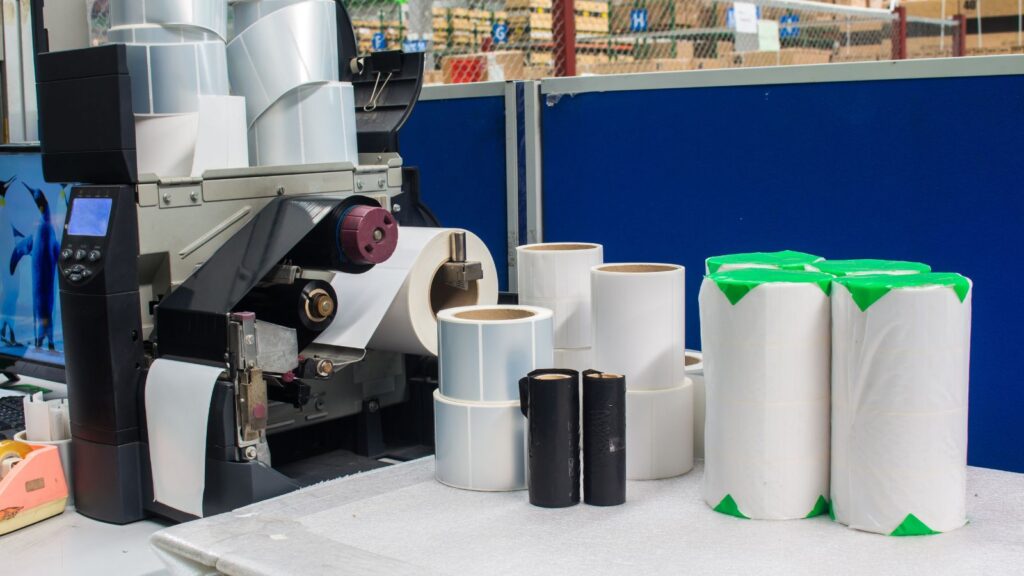
5 Pitfalls to Avoid in Pallet Barcoding Implementation
Implementing adequate pallet labeling processes requires careful consideration of regulatory standards, product traceability needs, and supply chain efficiencies.
Well-designed labels ensure food products remain identifiable, secure, and compliant every step of the way to the consumer.
Correct pallet labeling in warehouse operations and inventory management is essential in Food and Beverage supply chain management. However, many companies make preventable errors that lead to inefficiencies, wasted time, and mistakes down the supply chain.
Here are some of the most common pallet labeling mistakes and recommendations on how to avoid them.
- Unclear, Inaccurate, or Missing Information
One of the biggest problems with pallet labels is that they often need more vital details or contain unclear descriptions. The pallet label should identify the contents, quantity, weight, destination, and special handling instructions. Vague labels like "Assorted Goods" or labels with missing quantity information can lead to confusion and mistakes. Make sure labels accurately and readably describe the pallet contents.

- Poor Label Placement
Where you place the pallet label matters; labels should be visible on at least two sides of the pallet at eye level. That avoids situations where workers can't find the label during put-away or picking processes because it is buried under wrap or facing the wrong direction. Consistent label placement also helps when searching for pallets in storage. Having a company standard for label placement is recommended.
- Label Damage and Wear
Cheap label materials, improper application, and wear over time can lead to damaged labels that are unscannable or unreadable. Investing in high-quality label materials suitable for warehouse environments can prevent many issues. Periodic audits of label conditions and relabeling worn pallets also help maintain accuracy. Protecting labels with clear tape or laminate can extend lifespan as well.
- Incorrect Labeling Methods
Applying labels by hand is inefficient and prone to human error. Using automated labeling systems dramatically improves consistency and accuracy. For hand labeling, provide clear protocols and training to reduce mistakes. Well-defined label contents, formats, and barcoding standards across products also help promote accuracy regardless of labeling method.
- Lack of Unique Identifiers
Unique serial numbers, batch codes, and barcodes should be used on labels whenever possible. This allows for precise pallet identification and simplifies inventory tracking and management compared to general descriptions alone. The unique numbers on the label also provide an additional lookup method if it is damaged or otherwise unreadable.
Conclusion
Food and Beverage manufacturing companies can prevent common pallet labeling issues through training, standardized labeling protocols, durable label materials resistant to damage, and automated systems.
Precise, readable labels with unique identifiers applied consistently improve warehouse efficiency and inventory control. Avoiding these pitfalls allows companies to reduce errors and optimize their supply chain.
Is Your Food and Beverage Company Taking Advantage of Pallet Barcoding Technology?
Liberty Grove can help you implement an effective pallet barcoding system that lets you track your products and be prepared should a recall occur.
Contact Liberty Grove for a complimentary consultation on how the Liberty Grove team can help you maximize your raw materials and track your products throughout the supply chain.
Related reading:
Food Traceability | How Cloud ERP Can Help
Compliance Matters: 8 Ways ERP Can Help Food and Beverage Manufacturers
About the author
Liberty Grove Software is an established Microsoft Partner that focuses on providing customers with sales, service, and support for Microsoft Dynamics 365 Business Central/NAV solutions and training and upgrades.
Over more than 25 years, Liberty Grove has assisted hundreds of customers with businesses ranging from small to mid-sized to Microsoft Partners in implementing, training, customization, and upgrading Microsoft Dynamics ERP solutions.
The organization is one of only a few companies worldwide that Microsoft recognizes as qualified to provide Business Central/NAV Upgrade Service Centers.

A Food and Beverage ERP implementation is no small feat – and it’s fraught with unique challenges that executives must navigate carefully.
After all, it’s not just the efficiency of the manufacturing operation that’s at stake; it’s your reputation and career.
It’s why many Food and Beverage executives turn to experts like Liberty Grove Software to ensure they know the scope of ERP implementation challenges and how to overcome them.
Understanding the potential risks and challenges of ERP implementation is crucial for many Food and Beverage manufacturers considering an ERP system.
Despite the significant benefits ERP systems can offer regarding integration, efficiency, and scalability, the journey to successful implementation is often full of minefields, particularly for small-to-medium companies with limited resources.
Why Implement a Food and Beverage ERP?
A modern Food and Beverage ERP is a robust software solution that integrates and manages various organizational business processes.
Think of it as the backbone of your operations, connecting different departments and streamlining data flow.
But it goes beyond data management. ERP automates tasks, enhances decision-making, improves efficiency, and boosts productivity.
Supply Chain Transparency: An ERP ensures transparency and traceability throughout the supply chain. Features like batch tracking, expiry date, and recall management help maintain quality standards and comply with safety regulations.
Production Optimization: An ERP is your key to better production planning and control, optimizing inventory levels, reducing waste, and minimizing costs. With real-time insights into demand forecasting, it ensures timely product availability, avoids stockouts, and maximizes customer satisfaction. An ERP empowers food manufacturers to thrive in a competitive landscape by enhancing operational efficiency and ensuring compliance.
A modern Food and Beverage ERP like DynamicsFoodERP from Liberty Grove, built on Microsoft Dynamics 365, is industry-specific yet fully customizable to your operational needs.
Before You Begin
If you’re considering a modern Food and Beverage ERP, there are some essential strategic organizational steps to take before you engage in implementation:

Decide on Objectives: Having clear goals for your ERP project is crucial. This means understanding your goals and ensuring the ERP system aligns with those objectives.
Achieve Buy-In: It is essential to gain support from top management and key stakeholders. Their endorsement can drive the project forward and encourage wider acceptance within the organization.
Choose a Vendor: Selecting the right vendor is a significant decision. You should assess their experience, support, and ERP system functionality to ensure it meets your needs.
Re-Validate Your Data: Data accuracy is paramount when migrating to a new ERP system. It’s essential to clean and validate your data to ensure it’s consistent and reliable in the new system.
Once you’ve addressed these points, you’re ready to begin. Let’s examine the ERP implementation challenges and discuss solutions to overcome them.
11 Common ERP Challenges Food and Beverage Managers Must Overcome
Once the decision to proceed has been made at the executive level, Food and Beverage manufacturers must overcome many challenges for a successful ERP implementation.
The following are 11 of the most common challenges and suggestions for addressing them.
Resistance to Change
In the fast-paced Food and Beverage sector, employees may resist changes that disrupt their quick decision-making processes and time-sensitive tasks. Employees often resist routine changes, and an ERP implementation can significantly alter daily workflows.
This resistance can stem from fear of job loss, lack of understanding of the new system’s benefits, or simply a preference for familiar processes. They may resist the change to a new ERP system due to fear of the unknown or comfort with current methods.
Solution:
- Communicate the benefits of the new ERP system clearly and frequently to all levels of staff.
- Involve employees in the selection and implementation process to increase buy-in.
- Take time to listen to their daily challenges and aim to address them with the ERP implementation.
- Provide adequate training and support to ease the transition.
Lack of Expertise
Modern Food and Beverage ERP systems are complex and require a certain level of expertise to implement successfully. A common pitfall is underestimating the skill set needed to navigate this process. Many organizations lack employees with the necessary skills, hindering the implementation process.
Implementing an ERP system requires specific skills that may not be present within the current workforce.
Solution:
- Hire or contract experienced ERP professionals for the implementation phase.
- Invest in training and development for internal staff to build expertise.
- Consider partnering with the ERP vendor for expert guidance and support.

Data Migration Issues
Transferring existing data into a new ERP system is often one of the most challenging implementation aspects. Inaccurate or incomplete data migration can lead to significant operational disruptions.
To function in the new system, the data must be accurate, complete, and formatted correctly, which can be a considerable challenge. Migrating data from old systems to the new ERP can be fraught with issues such as data loss, corruption, or incompatibility. Accurate data is vital for tracking inventory, expiration dates, and Food and Beverage industry safety standards.
Solution:
- Conduct a thorough audit of existing data and clean it before migration.
- Use automated data migration tools with robust error-checking features.
- Test the migration process thoroughly before going live.
Customization vs. Standardization
Deciding between customizing the Food and Beverage ERP to fit existing processes or standardizing processes to fit the ERP can be difficult. Customization offers familiarity but can be costly and complex, while standardization may streamline operations but require significant changes to current workflows.
Balancing regulatory compliance with operational efficiency requires a nuanced approach to customizing or standardizing processes within an ERP system. Organizations must decide whether to customize the new ERP system to fit their existing processes or adapt their processes to fit the ERP system's standard functionalities.
Solution:
- Conduct a cost-benefit analysis to determine the value of customization versus standardization.
- Engage stakeholders from various departments throughout the process to understand their individual needs and concerns.
- Aim for a balance where critical processes are customized for efficiency while non-critical processes are standardized to reduce complexity.
Underestimating Time and Budget
ERP implementations are complex projects that often take longer and cost more than initially expected. That can be due to unforeseen technical issues, scope creep, or inadequate planning.
The cost of downtime or a rushed implementation can be exceptionally high in the Food and Beverage industry due to its slim margins and high competition. These challenges highlight the importance of careful planning and management throughout the ERP implementation process.
Solution:
- Develop a detailed project plan with realistic timelines and budget, including contingencies for unexpected issues.
- Regularly review project progress against the plan and adjust as necessary.
- Communicate any changes in scope or budget to stakeholders promptly to manage expectations.
Inadequate Testing
Testing is a critical phase in Food and Beverage ERP implementation, but it’s often given insufficient attention. Inadequate testing can lead to undetected issues that cause disruptions when the system goes live.
Plan the testing phase to ensure the ERP system can handle the complex batch tracking and recall management processes inherent in the Food and Beverage industry. Overlooking testing can lead to critical issues such as system errors, process inefficiencies, and user or customer dissatisfaction.
Solution:
- Develop a comprehensive testing strategy, including unit, system integration, and user acceptance testing.
- Involve end-users in the testing process to ensure the system meets their needs and to gain their buy-in.
- Plan multiple testing cycles to catch and fix issues before going live.

Poor Project Management
Food and Beverage ERP implementation is a complex project that requires strong management to stay on track. Poor project management can lead to delays, cost overruns, and failure to meet project goals.
Effective project management is essential to handle the multifaceted aspects of Food and Beverage operations, from raw material sourcing to distribution; it helps avoid scope creep, miscommunication, and the risk of project failure.
Solution:
- Appoint a dedicated project manager with experience in ERP implementations.
- Assemble a cross-functional team to represent and engage all business areas.
- Use project management tools to track progress, manage tasks, and facilitate communication.
Insufficient Training
Training users on the new ERP system is essential for successful adoption. Insufficient training can result in underutilization of the system and a lack of proficiency among users.
Staff training must cover the specific functionalities that support unique Food and Beverage processes, such as recipe management and shelf life tracking. Without proper training, staff may not fully adopt the new ERP system or may misuse it, leading to inefficiencies and errors.
Solution:
- Develop role-specific training modules that cater to different user needs.
- Provide hands-on training sessions and access to a sandbox environment for practice.
- Offer ongoing support and refresher courses post-implementation to ensure continued proficiency.
Vendor Support
Reliable vendor support is crucial for resolving system issues and facilitating updates. Problems with vendor support can lead to prolonged downtimes and operational inefficiencies, hindering the resolution of system problems and updates and affecting the smooth operation of the ERP system.
Ongoing vendor support is crucial for addressing Food and Beverage companies' ever-changing regulatory requirements and market demands.
Solution:
- Choose vendors with robust support offerings, including clear service level agreements (SLAs).
- Ensure the vendor has a proven track record of responsive and practical support.
- Establish a direct line of communication with the vendor for timely assistance.

Integration with Existing Systems
Integrating the new Food and Beverage ERP system with existing software and systems can be technically challenging. It requires ensuring compatibility and seamless data flow between systems to avoid information silos and inefficiencies.
Integrating an ERP system with existing production and quality control systems is vital to maintaining seamless operations in the Food and Beverage industry.
Solution:
- Plan integrations early in the implementation process to identify potential issues and requirements.
- Use middleware or integration platforms to facilitate communication between the ERP system and other software.
- Test integrations extensively to ensure they work as intended and don’t disrupt existing workflows.

Keeping Up with Updates
Food and Beverage ERP systems are continually evolving, with vendors releasing updates that can include new features, security patches, and performance improvements. Keeping up with these updates is essential to maintain system efficiency and security.
Staying current with ERP updates is essential for food safety compliance, recall readiness, and maintaining a competitive edge through technological advancements.
Solution:
- Establish a process for regular review and application of ERP system updates.
- IT staff must continuously learn to stay informed about the latest ERP developments and best practices.
- Schedule updates during off-peak hours to minimize disruption to your business operations.
Conclusion
Understanding these challenges is critical for Food and Beverage executives looking to implement an industry-specific ERP system that enhances efficiency while meeting sector demands.
It is essential to select a vendor who recognizes these challenges and has a proven track record of successfully navigating them.
The solutions provided focus on proactive communication, stakeholder engagement, skill development, and meticulous planning to address the challenges associated with ERP implementation.
While they might seem daunting, they can be easily overcome with the help of your Food and Beverage ERP implementation specialist.
Is It Time for a Modern Food and Beverage ERP Solution?
Whether you’re considering upgrading your ERP or implementing a system for the first time, the Liberty Grove team of ERP consultants can guide you through each step for a smooth ERP solution.
Liberty Grove’s DynamicsFoodERP is powered by Microsoft Dynamics 365 and can help your team streamline your operations, ensure quality products, and achieve greater profits.
Contact Liberty Grove for a complimentary consultation on how its team of experts can guide your Food and Beverage manufacturing operation through a successful ERP implementation.
Related reading:
7 Advantages of a Food and Beverage Cloud ERP Deployment (libertygrove.com)
Increase Employee Productivity with A Modern ERP Solution (libertygrove.com)
5 Ways an ERP Helps with Compliance in Manufacturing (libertygrove.com)
About the author
Liberty Grove Software is an established Microsoft Partner that focuses on providing customers with sales, service, and support for Microsoft Dynamics 365 Business Central/NAV solutions and training and upgrades.
Liberty Grove Software helps manufacturing firms compete by automating tedious operations with Microsoft technologies. Our extensive manufacturing knowledge has established us as the preferred Microsoft partner for assisting mid-sized manufacturers in increasing production.
Over more than 25 years, Liberty Grove has assisted hundreds of customers with businesses ranging from small to mid-sized to Microsoft Partners in implementing, training, customization, and upgrading Microsoft Dynamics ERP solutions.
The organization is one of only a few companies worldwide that Microsoft recognizes as qualified to provide Business Central/NAV Upgrade Service Centers.
While profitability is essential in Food and Beverage manufacturing, food safety is mission-critical. No food manufacturing executive wants that dreaded Monday morning call from the FDA announcing that over the weekend, a salmonella outbreak traced to their product has resulted in 7 hospitalizations, 2 of which are in critical condition.
The Food and Beverage business prioritizes food safety and compliance to provide consumers with high-quality products. As the industry's focus on health and severe laws grows, food and beverage firms must implement robust procedures to assure compliance.
The Food and Drug Administration and the U.S. Department of Agriculture announced 313 food recalls (impacting products that were still on sale) and alerts (involving products no longer on sale but may be in consumers’ homes) last year, an 8% increase from 2022 and the highest number since the COVID pandemic began in 2020, according to a report released Thursday by the nonprofit U.S. Public Research Interest Group Education Fund.
Contaminated food resulted in six deaths and over 1,100 illnesses last year, though the researchers suspect there were more illnesses since most people recover from food poisoning without medical attention.
Source: Report Finds 2023 Had Highest Food Recall Levels Since Start Of COVID-19 Pandemic (forbes.com)
Enterprise Resource Planning (ERP) systems, like DynamicsFoodERP from Liberty Grove, powered by Microsoft Dynamics 365, can help meet and maintain these standards. ERP systems offer a comprehensive solution for simplifying procedures and guaranteeing compliance with food safety laws. By combining all internal company capabilities and methods into one solution, ERP solutions improve operational efficiency, reduce risks and errors, and increase compliance and visibility across the supply chain.

Understanding Food Safety Regulations
The Food and Drug Administration (FDA) establishes regulations and guidelines governing food safety in the United States. These standards cover proper manufacturing procedures, labeling requirements, allergy management, and hazard analysis. For example, the Food Safety Modernization Act (FSMA) promotes preventative measures, risk assessments, and control strategies to avoid foodborne illness. Regulatory compliance is critical for protecting consumers, preserving a healthy brand reputation, and avoiding costly penalties.
Modern ERP systems provide a comprehensive solution to help Food and Beverage manufacturers satisfy regulatory demands. They address supply chain complexity, varying ingredient quality, and human record-keeping processes. ERP systems offer an integrated approach to regulatory compliance by automating operations, providing real-time data visibility, and maintaining traceability throughout the production cycle.
Food and Beverage manufacturers often face significant challenges in meeting regulatory standards. However, modern ERP systems offer comprehensive solutions to these challenges. They effectively manage the complexity of supply chains, variations in ingredient quality, and manual record-keeping processes.
With an industry-specific ERP solution, manufacturers can automate processes, enable real-time visibility, and ensure product traceability throughout the food production cycle – an integrated approach to regulatory compliance.
ERP Features for Food Safety and Compliance
Traceability and Lot Tracking
ERP systems record and track comprehensive product information, such as lot numbers, expiry dates, and supplier details. ERP systems allow for speedy traceability during product recalls or safety concerns by assigning unique identifiers to each batch. In a quality issue, manufacturers can promptly identify the affected batches, establish the leading cause, and implement corrective activities, reducing the possible impact on consumers and the company's reputation.
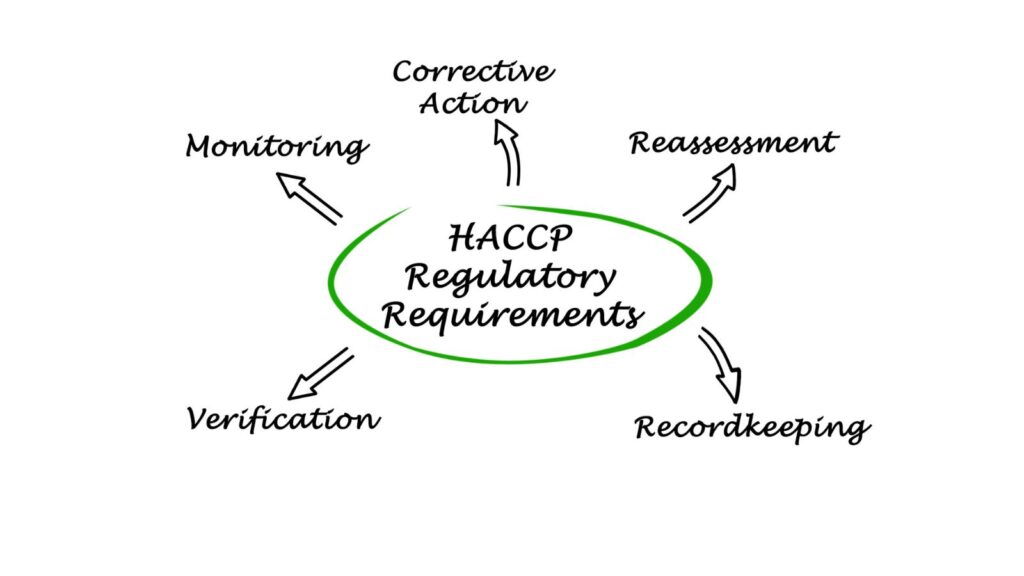
Integration of HACCP (Hazard Analysis and Critical Control Points) Principles
A modern ERP system includes HACCP concepts for more than just compliance. The technology incorporates a proactive approach to food safety, identifying critical control points in the production process and eliminating or lowering them to acceptable levels. Real-time monitoring of critical control points, alerts, and notifications for deviations enables firms to fix issues quickly and deliver safe products to customers.
Supplier Management and Compliance
ERP systems are vital in managing supplier relationships and ensuring compliance with FDA regulations. Food and Beverage manufacturers can track supplier qualifications, certifications, and performance metrics through integrated supplier management modules. An ERP ensures that suppliers meet the necessary standards for ingredient sourcing and safety. By maintaining accurate supplier information within the ERP system, businesses can quickly identify and address compliance issues, reducing the risk of non-compliant materials entering the production process.

Allergen Management
Allergen control is crucial for food safety because allergenic substances can pose severe dangers to people with allergies or sensitivities. ERP solutions enable organizations to manage allergens throughout their supply chain better. Food and Beverage companies can establish adequate segregation and cleaning methods to avoid cross-contamination by identifying and tracking allergy ingredients throughout manufacturing. ERP systems' automated alerts and notifications provide rapid risk resolution, allowing businesses to meet allergy labeling standards while protecting customer protection.
Improved Product Quality and Safety
ERP systems are essential in improving control over production operations and ingredient procurement. By adding food safety procedures to their operations, businesses enhance product quality and safety. Real-time data visibility helps firms recognize and manage quality concerns early, assuring safe and high-quality products for consumers. This quick discovery and resolution of quality issues reduces product recalls and associated expenses, preserving the company's brand and consumer trust.

Streamlined Compliance Processes
ERP systems make data gathering and reporting more accessible, lowering the administrative load associated with regulatory compliance. They offer standardized workflows for gathering and evaluating data needed for inspections and audits. Automated report production guarantees that firms may efficiently present required paperwork to regulatory authorities, speeding compliance processes and lowering the risk of noncompliance penalties. ERP systems reduce human errors and paperwork, increasing compliance accuracy and efficiency.
Enhanced Transparency and Visibility
ERP solutions enable real-time access to vital data and insights throughout the supply chain. Businesses can generate comprehensive reports and analytics to improve food safety and compliance decision-making. Food and beverage firms can improve their food safety practices by monitoring key performance metrics and evaluating data patterns. ERP systems provide enhanced transparency and visibility to enterprises, giving them a sense of control over their operations and compliance.
Ready to be on the Right Side of Food Safety?
Whether you're considering upgrading your ERP or implementing a system for the first time, the Liberty Grove team of ERP consultants can guide you through each step for a smooth ERP solution. Liberty Grove’s DynamicsFoodERP is powered by Microsoft Dynamics 365 and can help your team simplify procedures, ensure compliance with food production laws, and guarantee your food safety record.
Contact Liberty Grove for a complimentary consultation on how a Food and Beverage ERP can help you monitor product quality and protect your customers and your reputation.
Related reading:
Modern ERP for Food & Beverage: Enhancing Traceability & Recall
Compliance Matters: 8 Ways ERP Can Help Food and Beverage Manufacturers
5 Ways an ERP Helps with Compliance in Manufacturing
About the author
Liberty Grove Software is an established Microsoft Partner that focuses on providing customers with sales, service, and support for Microsoft Dynamics 365 Business Central/NAV solutions and training and upgrades.
Liberty Grove Software helps manufacturing firms compete by automating tedious operations with Microsoft technologies. Our extensive manufacturing knowledge has established us as the preferred Microsoft partner for assisting mid-sized manufacturers in increasing production.
Over more than 25 years, Liberty Grove has assisted hundreds of customers with businesses ranging from small to mid-sized to Microsoft Partners in implementing, training, customization, and upgrading Microsoft Dynamics ERP solutions.
The organization is one of only a few companies worldwide that Microsoft recognizes as qualified to provide Business Central/NAV Upgrade Service Centers.
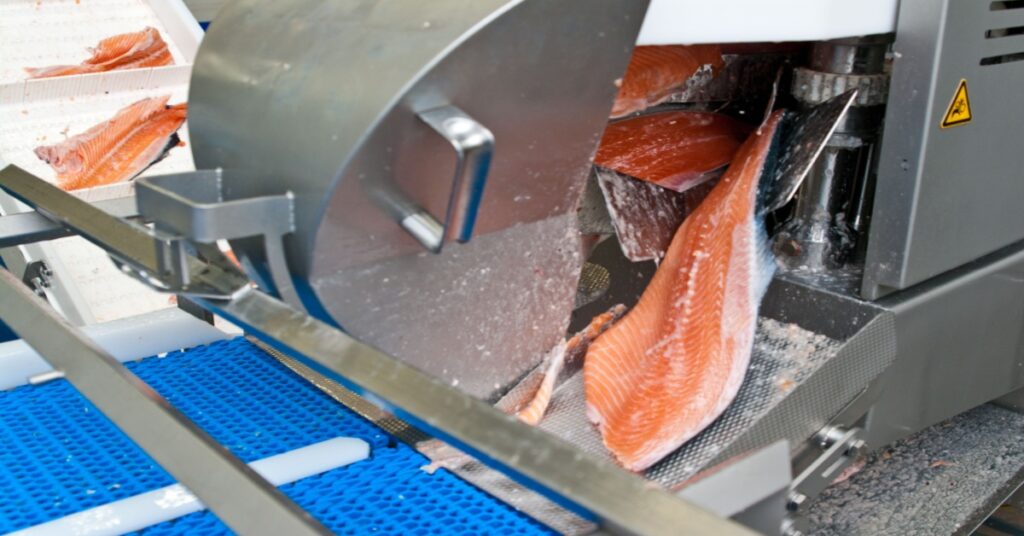
As a Food and Beverage manufacturer, you’re likely familiar with the term "catchweight" – and its related challenges. Individual product intricacies can present problems for meat, seafood, or poultry manufacturers. This is why increasing numbers of food and beverage manufacturers are turning to industry-specific enterprise resource planning (ERP) solutions for catchweight management.
ERP systems help businesses rely on real-time data and analytics to ensure precise weight measurements and accurate product labeling. This level of precision is crucial in meeting consumer expectations for accuracy.
Utilizing ERP systems enables monitoring resource use, optimizing production processes, and providing traceability data. ERPs, in turn, support sustainability initiatives and ethical sourcing practices.
ERP systems are crucial in the food and beverage industry. They significantly improve efficiency, accuracy, and compliance with regulations. They also play a vital role in effectively managing catchweight intricacies.
So, what exactly is catchweight?
Catchweight, also known as "variable weight," represents the precise weight of a single food item. Food manufacturers handle many items with variable weights, such as cheeses, meat, fruits, and vegetables.
These items are commonly sold in large quantities and are always priced based on weight rather than individual units of measure.
An example that can illustrate the idea is comparing two different packages of salmon fillets. Due to the irregularity in size and shape, as well as the variations in how the fish is cut and packaged, it is possible for two packages with the same number of pieces to contain different amounts of fish, as determined by weight. The prices of those packages should reflect the difference accordingly.

Accounting for Catchweight
There are two essential reasons why Food and Beverage manufacturers might consider accounting for catchweight. First, manufacturers must address concerns regarding pricing and customer satisfaction.
- Pricing
Knowledge of the specific weight of each piece of meat or any other food item with a fluctuating weight is essential to accurately determining the price. Applying a uniform weight and cost to all products of a specific variety would often disadvantage the seller or the buyer.
- Ensuring customer satisfaction
To maintain customer satisfaction and protect your brand reputation, manufacturers must avoid creating the impression that they would take advantage of a consumer in this manner. It's crucial to account for catch weight transparently to ensure your products' integrity and pricing. One practical approach is to display the actual weight on the package label, providing a clear justification for any cost differences.
Some food companies incorporate a safety margin for their variable-weight products to prevent potential issues, even if it means selling slightly heavier and slightly underpriced items. With the right technology, you can minimize or even eliminate this buffer.
Benefits of ERP Solutions for Effective Catchweight Management
ERP systems like DynamicsFoodERP from Liberty Grove, powered by Microsoft Dynamics 365, are essential for food businesses to manage and price their variable-weight products effectively. These systems offer a range of catchweight management functionalities crucial for success. They also provide unified databases that streamline the process of logging the weight of your goods. That ensures that the weight remains associated with the item throughout its supply chain journey, making tracking and management much more efficient.
With Liberty Grove ERP, you can streamline your weighing process by seamlessly integrating with connected scales in your facilities. It eliminates the risk of human error and frees your employees from the monotonous task of manual weighing. With the weight in the system, the price can be automatically calculated based on the model you choose, and the suitable label can be applied accordingly.
With this data capture process, your team can identify any irregularities outside the acceptable range for a specific product. This ensures that products that do not meet the required standards, such as a too-small chicken breast, can be promptly removed from the line and repurposed for other uses. Users have the flexibility to fine-tune this step even more by adjusting the tolerance percentages.
Furthermore, Liberty Grove’s ERP system includes a specialized catchweight module that allows for selling by the pound instead of by the case. This module also provides detailed data for analyzing the average weight of items delivered in specific lots or from suppliers. It effectively optimizes resource utilization and ensures strong financial performance.
An All-Inclusive Solution for Catchweight and Beyond
Manufacturers cannot handle foods with different weights the same way as other products sold by the package or individual item. Operating in the meat, seafood, and poultry segments and selling other variable-weight goods requires a deep understanding of catchweight and effectively addressing its challenges.
A more efficient approach to catchweight management in your facilities involves utilizing purpose-built technology. When relying on an ERP system to accurately record the weight of individual items and use it to determine the correct pricing, manufacturers know that their organization and the end consumer will benefit from fair and balanced results.
Liberty Grove’s DynamicsFoodERP has comprehensive catchweight management functionality and other features carefully crafted to align with industry best practices. With its focus on traceability, food safety compliance, and profitability analytics, this solution provides a strong foundation for any modernization initiative or digital transformation.
Implementing an ERP system can significantly benefit Food and Beverage manufacturers by streamlining catchweight management, which involves measuring and pricing products based on weight.
ERP systems enable businesses to adapt to changing consumer preferences by offering valuable insights into sourcing and production processes. They promote transparency and help meet the growing demand for various food options. A modern ERP solution provides modules that track and manage product quality at every production step.
Ready to Take Control of Catchweight?
Liberty Grove can help you use many tools and services to derive the most from your technology investment, improve your organization's ability to manage catchweight and raw materials, and increase your profitability.
Contact Liberty Grove for a complimentary consultation on how a Food and Beverage ERP can uncover hidden expenses and increase your bottom line.
Related reading:
Importance of Catch-Weight Management in the Food Industry – And How ERP Can Help Manage It
Streamlining Raw Materials in the Food and Beverage Industry
6 Ways a Food and Beverage ERP Can Uncover Hidden Savings
About the author
Liberty Grove Software is an established Microsoft Partner that focuses on providing customers with sales, service, and support for Microsoft Dynamics 365 Business Central/NAV solutions and training and upgrades.
Liberty Grove Software helps manufacturing firms compete by automating tedious operations with Microsoft technologies. Our extensive manufacturing knowledge has established us as the preferred Microsoft partner for assisting mid-sized manufacturers in increasing production.
Over more than 25 years, Liberty Grove has assisted hundreds of customers with businesses ranging from small to mid-sized to Microsoft Partners in implementing, training, customization, and upgrading Microsoft Dynamics ERP solutions.
The organization is one of only a few companies worldwide that Microsoft recognizes as qualified to provide Business Central/NAV Upgrade Service Centers.
It’s no secret that margins in the Food and Beverage ERP industry are slim.
That represents a consistent challenge for managers striving to produce quality products while keeping costs down to optimize profits. But what if we told you there is a way to identify areas where your company could be missing valuable savings?
An Enterprise Resource Planning (ERP)solution could uncover hidden savings and increase your bottom line.

ERP analytics can be a powerful tool for Food and Beverage manufacturers to unlock hidden cost savings. Manufacturers can implement data-driven decision-making and optimize operations for improved profitability by leveraging advanced analytics within ERP systems.
Discovering innovative ways to boost efficiency and income while decreasing waste and uncovering savings are top goals for Food and Beverage manufacturers. And there’s a solution that all companies can use to improve financial outcomes.
Wait, What?
The solution is industry-specific (ERP) software for food producers, like DynamicsFoodERP, powered by Microsoft Dynamics 365, from Liberty Grove.
ERP analytics can find cost-saving opportunities without compromising quality or efficiency in the Food and Beverage manufacturing industry, such as:
- Optimizing Resource Allocation: Analyzing data allows firms to deploy resources more effectively, ensuring that every dollar spent contributes to the bottom line.
- Analyzing Data: ERP analytics can improve supply chain management by providing actionable insights, streamlining operations, and reducing waste.
- Predictive Analytics: real-time data improves inventory control by avoiding stockouts and overstocking, resulting in significant cost savings.
- Streamlining Production Processes: Data-driven improvements can increase efficiency and save time and resources.
The following are 6 features of a Food and Beverage manufacturing ERP that can uncover hidden expenses and help guarantee your company's bottom line remains healthy.
Optimized Production Scheduling

Every hour – even every minute – is valuable in Food and Beverage factories, and production must be maximized to achieve targets and satisfy consumer demand. That’s why it’s essential to plan your runs and shifts so that downtime is minimal and no lines idle when they could contribute to your output.
A modern Food and Beverage ERP will provide the necessary tools to maximize every minute. DynamicFoodERP's production scheduling capabilities help you manage resources, reduce slack times, and improve operational efficiency while delivering flexible production order scheduling options and clear visibility into work and machine center capacities.
Benefit: no downtime, which optimizes your budget.
Effective Production Planning
Correctly aligning supply and demand is critical for preserving Food and Beverage industry margins. Excess inventory represents lost resources, while material shortages can result in missed opportunities. You must plan to ensure that you have enough to fulfill requests without overbuying and ending up with unused ingredients or unsold goods.
Food and Beverage manufacturing software's production planning capabilities help eliminate the guesswork in achieving this delicate balance, providing your employees with the information they need to make wiser, faster decisions. A modern ERP displays all existing sales order lines alongside available inventory and sends alerts if changes will result in misalignment, allowing you to stay ahead of possible concerns.
Benefit: no waste, which equals no monies lost.
Flexible Production Scenarios
Not everything goes as planned, especially in the Food and Beverage industry, where supply chain interruptions and resource scarcity continue to impact everyday operations. To fully prosper in today's business landscape, you must be able to respond to changing events with agility and make adjustments as unexpected challenges arise and must be addressed.
Preparing various production scenarios ahead of time is critical for maximizing manufacturing uptime. You may need to pivot if deliveries are late or essential team members are unavailable. DynamicsFoodERP ensures that your operations remain productive even in an emergency.
Benefit: effective planning means optimal financial management.
Proactive Expiration Management

As a Food and Beverage manufacturer, you know the devastating consequences of ingredient spoiling. Not only can it disrupt your plans and prohibit the manufacturing of goods required to fulfill orders, but it also represents a loss of investment in raw materials with little hope of recoupment.
Tracking the expiration dates of all your lots and completed products is simply too hard to do manually; therefore, using Food and Beverage ERP software is better. Our expiration management features allow you to set periods and receive proactive notifications when freshness windows close, ensuring your inventory is not wasted.
Benefit: products are scheduled for shipment well before expiry, so nothing is wasted.
Client Account Management
An ERP allows you to specify variable prices, promotions, rebates, broker fees, royalties, billbacks, and numerous tiers within a single agreement to offer varying rates as orders increase. You can also use markups and discounts per item or client based on set units of measurement or net weight to increase profitability and close deals that generate additional income.
Benefit: profitability and customer satisfaction.
Effective Pricing Calculation

A modern Food and Beverage ERP will feature extensive pricing capabilities, enabling pricing tiers that apply to specific clients. Users can also build advanced discounting methods and price structures depending on individual units, boxes, cases, or weight to increase sales and comply with various client agreements.
DyamicsFoodERP’s features allow you to establish pricing hierarchies with various tiers, including customer groups and individual clients. You can also take advantage of percentage—or dollar-value-based discounts, and our intelligent algorithms will help you choose the best approach to calculating price, whether based on the cargo or the requested/promised delivery date.
Benefit: no money is left on the table, thereby increasing your profits.
DynamicsFoodERP is built on the Microsoft Dynamics 365 Business Central platform, giving our product a user-friendly and straightforward interface. That means your production team can confidently engage with the program without extensive training to maintain high productivity and profitability.
For executives in the Food and Beverage industry, understanding and using ERP analytics could be critical to your company's success. It can reduce expenses, improve operational efficiency, and drive strategic growth.
Ready to Uncover Hidden Expenses?
Liberty Grove can help you use many tools and services to derive the most from your technology investment, improve your organization's productivity, and increase your bottom line.
Contact Liberty Grove for a complimentary consultation on how a Food and Beverage ERP can uncover hidden expenses and increase your bottom line.
Related reading:
Hungry for Profits? Or Are They Already on Your Menu for 2023?
7 Advantages of a Food and Beverage Cloud ERP Deployment
About the author
Liberty Grove Software is an established Microsoft Partner that focuses on providing customers with sales, service, and support for Microsoft Dynamics 365 Business Central/NAV solutions and training and upgrades.
Liberty Grove Software helps manufacturing firms compete by automating tedious operations with Microsoft technologies. Our extensive manufacturing knowledge has established us as the preferred Microsoft partner for assisting mid-sized manufacturers in increasing production.
Over more than 25 years, Liberty Grove has assisted hundreds of customers with businesses ranging from small to mid-sized to Microsoft Partners in implementing, training, customization, and upgrading Microsoft Dynamics ERP solutions.
The organization is one of only a few companies worldwide that Microsoft recognizes as qualified to provide Business Central/NAV Upgrade Service Centers.
In the fast-paced realm of business, it is crucial to prioritize efficiency and precision in financial transactions. Microsoft Dynamics 365 Business Central provides a solid solution to this requirement with its payment automation feature.
It’s more than just a convenience; it's a strategic tool that offers many benefits for businesses of all sizes.
Integrating payment automation into a business's financial strategy goes beyond simply staying current with technology; it involves proactively striving for operational excellence.
With the help of tools like Dynamics 365 Business Central's payment automation, businesses can stay ahead in a rapidly evolving business landscape and gain a competitive edge.
Small and mid-sized businesses can rely on Microsoft Dynamics 365 Business Central to manage all their business operations, including sales, services, finance, and operations.
Here, we explore the benefits of using payment automation in Dynamics 365 Business Central.
Efficient Financial Operations
Payment automation streamlines the entire payment process.
By streamlining routine financial transactions, businesses can significantly decrease the time and effort required for manual data entry and processing.
The result is a more efficient operation, enabling staff to concentrate on higher-level tasks and contributing to the business's success.
Improved Precision and Minimized Errors
Manual processes are susceptible to human error, resulting in discrepancies in financial records and potentially expensive mistakes.
Payment automation in Business Central reduces these risks by guaranteeing accurate transaction processing according to predefined rules and parameters, thus preserving the integrity of financial data.
Enhanced Cash Flow Management
Automated payment systems enable businesses to manage their cash flow effectively.
The system offers up-to-date insights into financial standings, empowering users to make better-informed decisions.
It also guarantees prompt payments to vendors, which can result in more favorable negotiation terms and discounts, further enhancing cash flow.
Enhanced Security
Payment automation in Dynamics 365 Business Central prioritizes security.
It enhances security measures by implementing secure transaction protocols and access controls, reducing the risk of fraud and unauthorized access.
That protects valuable financial information and offers reassurance to businesses and their clientele.
Compliance and Reporting
Adherence to financial regulations is a significant priority for businesses.
Business Central payment automation ensures strict compliance by meticulously documenting every transaction.
It also streamlines reporting, making it more convenient to generate financial statements and audits that comply with regulatory standards.
Ensuring Customer Satisfaction
Automated payment systems have the potential to enhance customer satisfaction. By prioritizing prompt and precise billing, businesses can bolster their image as dependable and professional.
That can boost customer loyalty and deliver a higher rate of repeat business.
Scalability
As businesses expand, their financial operations tend to become more intricate.
Payment automation in Dynamics 365 Business Central handles increasing transaction volumes seamlessly, ensuring minimal errors and processing time.
This level of scalability guarantees that the system can accommodate business expansion without requiring substantial additional investment.
Maximizing Savings
With payment automation, businesses can save substantially by eliminating manual processing. It helps avoid hiring more staff to manage higher transaction volumes and minimizes the risk of expensive mistakes.
In time, savings can add up significantly, boosting the overall profitability of the business.
Case Study
A mid-sized manufacturing company grappling with issues in its accounts receivable (AR) processes strategically shifted its payment processing to Microsoft Dynamics 365 Business Central.
Before the move, the company faced payment processing delays and high transaction costs caused by manual entry and a lack of interchange optimization.
With the implementation of an integrated payment solution, it optimized its AR operations, resulting in a 68% reduction in overdue accounts and a substantial decrease in processing costs.
The company improved its payment efficiency and financial management capabilities with this strategic move.
Conclusion
Utilizing the payment automation function in Microsoft Dynamics 365 Business Central can give businesses a distinct advantage.
It optimizes financial operations, improves accuracy, enhances cash flow management, enhances security, ensures compliance, increases customer satisfaction, offers scalability, and delivers cost savings. Companies can maximize their financial processes and prioritize strategic initiatives that lead to growth and success.
In addition, payment automation helps with cash flow management by ensuring timely supplier payments.
That helps maintain good relationships with suppliers and opens the possibility of receiving discounts for prompt payments.
Does Your Company’s Payment Processing Deliver the Results You Need?
Liberty Grove can help you use the many tools and services in Microsoft Dynamics 365 Business Central to optimize payment processing and streamline accounting processes.
Contact Liberty Grove for a complimentary consultation on how Dynamics 365 Business Central can improve your accounting processes and give your business a competitive edge.
Related reading:
Leveraging AI in Microsoft Dynamics 365 Business Central
What is Dynamics Copilot? How Can It Elevate Your Business
About the author
Liberty Grove Software is an established Microsoft Partner that focuses on providing customers with sales, service, and support for Microsoft Dynamics 365 Business Central/NAV solutions and training and upgrades.
Over more than 25 years, Liberty Grove has assisted hundreds of customers with businesses ranging from small to mid-sized to Microsoft Partners in implementing, training, customization, and upgrading Microsoft Dynamics ERP solutions.
The organization is one of only a few companies worldwide that Microsoft recognizes as qualified to provide Business Central/NAV Upgrade Service Centers.
Microsoft Dynamics 365 Business Central is undergoing another update. If it feels like a chameleon in the business world, it’s not surprising. Microsoft frequently updates Business Central (BC) in response to the ever-changing business environment, enabling customers to scale as their business needs evolve. Keep reading to learn what’s included in the Microsoft Dynamics 365 Business Central 2024 Release Wave 1.

What is Business Central?
Microsoft Dynamics 365 Business Central is a business management program for small and medium-sized businesses that automates and simplifies operations. Business Central is highly scalable and customizable, with a wide range of functions that allow businesses to manage finances, supply chain, manufacturing, shipping, projects, services, and other operations. Companies can add features relevant to their industry or location of operation by selecting apps from industry-leading ISVs and customizing them to meet their specific business requirements. Business Central is quick to install and simple to configure. Simplicity drives creativity in product design, development, implementation, and usability.
The Microsoft Dynamics 365 2024 Release Wave 1 plan includes all new functionalities available to customers between April 2024 and September 2024. This article provides a product overview and information on what is new and planned for Dynamics 365 Business Central.
The 2024 release is a significant step forward for Microsoft's Copilot investment. The company is expanding its Copilot capabilities to help people streamline their business processes and perform tasks faster. Developers are already enhancing their efficiency with GitHub Copilot in Visual Studio Code, and these world-class development tools will continue to innovate for AL developers. With this release, they can add more details to the application metadata to improve the Copilot experience.
By automating regulatory activities, Microsoft will let firms focus on their core business while maintaining compliance with numerous government requirements. Usability is always a priority, and this update improves efficiency with selection-aware, context-based actions.
So, What’s Hot in BC 2024 Release Wave 1?

Adapt faster with Microsoft Power Platform: Workflows are easy to set up in Business Central. New templates cover more scenarios out of the box, allowing you to automate more operations and become more productive.
Application: This release includes improvements to project and service management features. In the finance sector, we improved the consolidation experience.
Country and Region: Business Central's global availability has increased! It is now available in over 155 countries and regions.
Development: Microsoft continues to invest in areas that improve productivity for developers working with GitHub, Visual Studio Code, and the AppSource marketplace. AL GO for GitHub introduces new code refactoring tools, a straightforward path to functional and performance testing, and support for ISVs and custom code.
Governance and administration: Business Central adds self-service features to help administrators manage more granular access to environments and audit critical admin operations. Microsoft 365 Audit Log offers even more options for enforcing data privacy with customer-managed encryption keys and Azure Lockbox.
Legislation: This update includes new functionality for retrieving VAT dates while previewing posting transaction results. This edition now includes the sustainability notebook, which can help you with sustainability reporting.
Reporting and data analysis: Microsoft is expanding the capabilities of Analysis mode, and Power BI and Excel Layouts are now available.
Service and platform: Microsoft continues to invest in its service foundation, focusing on high availability, performance, stability, resource governance, security, and compliance.
Dynamics 365 Business Central 2024 Release Wave 1: Investment Areas

Adapt faster using the Power Platform
The seamless connection of Business Central and Power Platform enables you to boost organizational efficiency by automating repetitive operations. Use Power Automate templates to create workflows that improve your business operations for your specific needs. Investment in tight integration with Power Platform will continue to make it more powerful and provide more ways to use your company data efficiently. For example, you can use the Power Platform's Copilot cloud flow features to develop linked business workflows and experiences. Furthermore, you can accomplish this using simple natural language terms.
Application
Microsoft prioritizes client requests and market trends to determine what gets into each program edition. For example, it has invested in assisting customers in using Copilot to streamline their business operations.
Building on Previous Successes

In the last few releases, Microsoft invested in multi-company capabilities since many firms utilize Business Central to manage multiple companies across borders. It will continue to improve the experience of managing numerous firms through Business Central, investing throughout the application to improve inventory management, service, and project management experiences and integrations with other Dynamics 365 services.
Copilot and AI Innovation
According to the most recent business trends poll, nearly nine out of ten employees want to embrace artificial intelligence to minimize repetitive work chores. However, until recently, AI was a commodity that few small and medium-sized businesses could fully invest in.
Microsoft Dynamics 365 Copilot allows professionals to complete their daily tasks with the support of cutting-edge AI. With Copilot in Business Central, customers can provide their employees with intuitive AI tools to help them do more with less effort without becoming data scientists.
This wave builds on using Copilot capabilities to improve productivity for a more extensive range of SMB tasks.
Country and Regional
Business Central is now available in an increasing number of nations and areas. Partner-led localizations primarily drive this expansion. Partners develop and maintain apps for specific countries and regions and publish them on AppSource. Business Central can service consumers in over 155 countries and regions worldwide thanks to its built-in language solutions. In addition, Microsoft provides updates for all regulatory features in countries where Microsoft is responsible for localization.
Development
Microsoft created the groundwork for introducing namespace support to the platform and application to empower AL developers and boost efficiency. Namespace support simplifies app structure, improves object names, and prevents identifier collisions. As apps evolve, the need for refactoring becomes unavoidable. Microsoft has added the ability to transfer ownership of a database and its data between extensions. Additionally, developers can hide specific variable data so that other parties cannot access it while debugging, thus protecting internal data.
When it comes to data analysis and reporting, developers have greater control. For example, you can disable Analysis Mode on pages and select how to incorporate content from Power BI.
Consultants and developers can quickly launch Visual Studio Code in a production or sandbox environment to examine and comprehend objects across installed extensions, read code for owned extensions, and troubleshoot—all without explicitly configuring Visual Studio Code. Similarly, profiling in the client and Visual Studio Code is improved to make it easier to identify database-related performance issues.
AppSource publishers can sell through CSPs, and improved handling of AppSource runtime packages allows publishers and resellers to design and troubleshoot apps with different dependencies.
Governance and Administration
Microsoft offers Business Central admins new options for managing environments, apps, and data migrations. The goal is for administrators to be self-sufficient, capable of addressing their customers' needs, and capable of handling a wide range of administrative scenarios. Here’s how:
- More granular administrator roles give administrators greater control over their access.
- Improved procedures for minor update releases.
- Ability to integrate Business Central and Power Platform environments to reliably configure integrations and apply Power Platform environment settings to Business Central.
- The option to cancel Cloud Migration replication runs.
Legislation

Business Central upgrades regulatory features in response to popular requests for enhancements and changing local authority regulations. Microsoft automates various processes to provide customers peace of mind, allow them to focus on their primary business, and ensure that features follow government standards. For example, you can automate the process if local requirements compel you to create vouchers that serve as proof of transactions and provide a complete audit trail. Business Central can automatically generate and link vouchers to general ledger entries, allowing accountants to be confident that they are compliant without having to do any additional actions.
The retention policy features will enable you to determine how long you want to keep vouchers before cleaning them up, giving you more control over the quantity of data you store.
Microsoft is trying to make regulatory features a standard component of Business Central to deliver enhancements that are out of the box in the nations and regions where they are required. For example, the E-documents module serves as a framework for sales and purchase invoicing operations, and partners can easily extend it by developing country-specific e-invoicing applications.
Reporting and Data Analysis
Data has become a vital resource, the foundation for decision-making and advancement in all areas. Recent breakthroughs in AI technology and data analytics tools have allowed businesses to condense complex information into usable insight, unveil hidden patterns and trends, and uncover previously unknown correlations.
Data analysis offers vital insights enabling firms to optimize their strategy, improve customer experiences, find potential hazards, acquire new insights into the minutiae of their operations and environments, and innovate in unimaginable ways.
As data continues to fuel innovation and generate revolutionary advances, SMBs must embrace its potential to remain competitive and shape a more efficient and sustainable future.
The reporting strategy focuses on integrating universal BI and analytics into the Business Central experience to easily integrate in-context, rich, and immersive BI and analytics content from first and third parties into Business Central. With flexible self-service features, you can easily access and exploit your data for maximum value.
User Experiences

Business Central provides diverse user interfaces, allowing users to work with their data from anywhere and on any device. There are three user interfaces: installable desktop apps, browser-based web apps, and mobile apps. Whether you need to enter data quickly, edit entries casually, or analyze relational data, Business Central has various tools that are simple to use but powerful when needed.
Conclusion
Every Dynamics 365 Business Central release improves usability, accessibility, performance, and reliability. In this release wave, Microsoft has improved performance while working with actions across choices in lists of records and seeing summarized data, allowing you to correct data entry errors quickly.
If you’re already using Microsoft Dynamics 365 Business Central, life is about to get even better! If not, it might be time to consider it—your business will love you for it.
Are you leveraging all the power of MS Business Central?
Liberty Grove can help you use all the tools in the Microsoft suite to help you improve your organization's productivity, efficiency, and profitability.
Contact Liberty Grove for a complimentary consultation on how its experts can help you identify what you need to optimize your market position.
Related reading:
The Power Pair: Business Central and Power Platform
Leveraging AI in Microsoft Dynamics 365 Business Central
About the author
Liberty Grove Software is an established Microsoft Partner that focuses on providing customers with sales, service, and support for Microsoft Dynamics 365 Business Central/NAV solutions, as well as training and upgrades.
Over more than 25 years, Liberty Grove has assisted hundreds of customers with businesses ranging from small to mid-sized to Microsoft Partners in implementing, training, customization, and upgrading Microsoft Dynamics ERP solutions.
The organization is one of only a few companies worldwide that Microsoft recognizes as qualified to provide Business Central/NAV Upgrade Service Centers.

Streamlining raw materials in the Food and Beverage industry is a complex process that depends on various factors.
Given the time-sensitivity of many raw materials and finished products, manufacturers and distributors must perform processing and product-to-market tasks within specific deadlines or risk losing considerable ROI.
In addition, legal restrictions necessitate that particular quality standards be met or products recalled from consumer distribution.
- The Food and Beverage industry is an excellent example of how modern ERP systems can efficiently solve raw material expiration concerns. In this industry, the quality and safety of raw materials are critical to ensuring that the finished products satisfy the highest requirements.
These shifting parts make managing food and beverage supply chains complex and challenging.
ERP – Your Raw Materials Streamlining Genie

Implementing an Enterprise Resource Planning (ERP) software solution like Liberty Grove's DynamicsFoodERP, powered by Microsoft Dynamics 365, designed for the Food and Beverage industry and capable of managing these complicated components, can bring significant improvements.
It can ensure speed when possible while exercising due diligence where necessary, streamlining the process, and alleviating pain points in raw materials handling.
A cloud-based system with modern functionality and dynamic features enables you to solve the challenges of Food and Beverage supply chain management by offering an accurate, real-time overview of your activities.
The enhanced visibility makes disruptions easier to detect and avoid and empowers you with better reporting, leading to more informed decision-making. With the right software solution, you can control your supply chain.
Here’s how an ERP solution can help:
- Optimize Inventory Management - An ERP solution allows you to track and change raw material quantities in real-time. It also lets you easily control inventory and prevent overstocking or shortages in your food production firm. Furthermore, robust forecasting systems can estimate future demand and enable preemptive planning.

- Improve efficiency, quality, and compliance - Raw material management is essential to quality and safety in food and beverage processing, regardless of the product.
- Overcome the challenges of raw material expiration - Raw material expiration presents a challenging dilemma for food and beverage businesses.
This multi-faceted issue results from a variety of factors, including:
- Inventory management: Managing a diverse range of raw materials can be challenging. Without efficient inventory control, workers can forget, misplace, or incorrectly store goods, resulting in spoilage and waste.
- Supplier dynamics: Suppliers' timely delivery of raw materials is critical. Delivery delays can reduce the shelf life of these materials, putting unnecessary pressure on manufacturers.
- Production schedule: Unexpected disruptions in production can result in underutilized raw materials, forcing businesses to dump expired inventory and incur significant losses.
- Regulatory compliance: The food and beverage business is heavily regulated, with stringent restrictions on using expired raw ingredients. Noncompliance can lead to fines, product recalls, and reputational damage.
An ERP Solution Extends the Shelf Life of Raw Materials
Why? It’s effective for dealing with raw material expiration challenges.
An ERP system enables real-time visibility into inventory quantities, precise locations, and expiration dates. It allows producers to plan production more effectively and ensure materials are used before expiration.
An ERP system offers the following advantages for monitoring raw material expiry:
- Demand forecasting: ERP software includes demand forecasting, which allows manufacturers to coordinate production plans with projected market demand. It avoids the risk of overstocking resources that may eventually be unused.

- Quality control: ERP solutions have quality management modules, which enable stringent quality control procedures during material acceptance. That guarantees that only materials that fulfill high-quality criteria are approved, lowering the likelihood of employing inferior or expired supplies.
- Lot traceability and tracking: ERP systems allow batch and process manufacturers to precisely track the use of specific materials in each product batch. In the event of a product recall or quality issue, traceability provides for quickly identifying and removing impacted products, reducing risks and expenses.
- Regulatory compliance: ERP software frequently contains compliance tools that help meet strict food safety requirements and industry standards. An ERP can automatically detect or limit the use of expired goods, assisting firms in adhering to industry rules and avoiding compliance-related issues.

- Real-time visibility: An ERP provides a comprehensive perspective of raw material inventory, including expiration dates, enabling managers to make informed, real-time decisions that protect the organization and the customer.
- Supplier collaboration: Facilitates communication with suppliers to ensure timely delivery. ERP systems provide seamless contact with suppliers, allowing for proactive control of material orders and deliveries. This proactive strategy avoids delays, which could reduce the shelf life of materials.
Raw material expiration issues are a perennial problem for batch and process manufacturers, particularly in the food and beverage industry.
Fortunately, cloud-based ERP software has become an effective solution to these difficulties. ERP systems help manufacturers increase raw material shelf life by providing real-time inventory management, demand forecasting, supplier collaboration, quality control, traceability, and compliance support.
Conclusion
An ERP solution eliminates waste, lowers the danger of employing expired components, improves product quality, and protects profits and reputation. In today's brutally competitive market, where efficiency and compliance are non-negotiable, food and beverage firms cannot afford to overlook the benefits of ERP software for properly managing raw material expiration.
Is Your Food and Beverage Operation Effectively Streamlining Raw Materials?
Liberty Grove can help you use many tools and services to help you achieve a successful Food and Beverage Cloud ERP deployment that will improve your organization's ability to streamline your raw materials, reduce waste, and achieve an optimal ROI.
Contact Liberty Grove for a complimentary consultation on how DynamicsFoodERP can help you maximize your raw materials and protect your products throughout the supply chain.
Related reading:
Food Traceability | How Cloud ERP Can Help
Compliance Matters: 8 Ways ERP Can Help Food and Beverage Manufacturers
Best 10 Reasons to Move Your On-Premises ERP to the Cloud
About the author
Liberty Grove Software is an established Microsoft Partner that focuses on providing customers with sales, service, and support for Microsoft Dynamics 365 Business Central/NAV solutions and training and upgrades.
Over more than 25 years, Liberty Grove has assisted hundreds of customers with businesses ranging from small to mid-sized to Microsoft Partners in implementing, training, customization, and upgrading Microsoft Dynamics ERP solutions.
The organization is one of only a few companies worldwide that Microsoft recognizes as qualified to provide Business Central/NAV Upgrade Service Centers.
As the pressure for manufacturers to be more competitive increases steadily, so does the need for more tools to drive efficiency. The race is on – and Microsoft is cheering you to the finish line with its “power pair,” Microsoft Dynamics 365 and Power Platform.
The dynamic duo is making waves with its integration capabilities, fueling efficiencies, customer satisfaction, and profitability in organizations of all sizes.
What is Microsoft Dynamics 365 Business Central?
In short, it's a cloud-based Enterprise Resource Planning (ERP) solution that simplifies the management of finances, operations, sales, and customer service. It works effortlessly with other Microsoft products like Office 365, Dynamics 365, Azure, and third-party applications to expand functionality, streamline efficiency, and manage numerous business operations.
What is the Microsoft Power Platform, and how do its essential components function together?
Microsoft's Power Platform is intuitive and collaborative. It provides several low-code tools for swiftly automating processes, building apps, and developing valuable solutions for various uses. By merging inclusive and easily accessible technology for everyday business use, it enables its users to create new end-to-end business solutions that add value to stakeholders and accelerate business success.
Microsoft Power Platform: Streamlining Operations

So, how do you connect Microsoft Power Platform with Business Central?
Power Platform consists of four components that can be used separately or combined to create applications, workflows, dashboards, and chatbots:
1. Power Apps
2. Power Automate
3. Power BI
4. Power Virtual Agents
The combination of Microsoft Power Platform with Business Central, whether in a Software as a Service (SaaS) or on-premises environment, provides many options for optimizing business operations and gaining significant data insights. Integrating Power Platform and Business Central can transform your business operations. The possibilities are endless, and you can personalize the integration according to your requirements and goals.
Connecting the Dots: A Step-by-Step Guide for Integrating Power Platform with Business Central

Step 1: Enable the integration in Business Central (via Dataverse)
Before connecting to Business Central using the Power Platform, you must allow integration in Business Central. To accomplish this, take these steps:
- Log into your Business Central account as an administrator.
- Navigate to the Setup & Extensions page and select Assisted Setup.
- In the list of aided setup guidelines, locate and pick Set up a connection to Dataverse.
To enable integration, enter your Power Platform environment information and pick the entities you want to sync between Business Central and Dataverse.
After you allow the integration, a confirmation message will appear with a link to the Data Integration page, where you can check the synchronization status.
Step 2: Connect to Business Central using the Power Platform
After you've enabled the integration in Business Central, use the Dynamics 365 Business Central connector to connect to it from the Power Platform. This connector gives you access to your Business Central data and activities using Power Apps, Power Automate, and Power Virtual Agents. To utilize this connector, take the following steps:
- Log in to your Power Platform account and choose which component to utilize (Power Apps, Power Automate, or Power Virtual Agents).
- In the component's interface, check for the option to add a new connection or data source.
- Select Dynamics 365 Business Central from the list of available connectors.
In the connection settings, enter your Business Central account information and credentials. After connecting, you will see your Business Central data and activities in the component's UI.
Step 3: Create and consume solutions on the Power Platform
You’re all set!
Now that you've linked to Business Central via Power Platform, you may utilize Power Platform to design and deploy solutions based on your Business Central data and activities.
So, What Can You Achieve After Integration?

Power Apps allows you to create custom apps that connect to your Business Central data and perform actions like tracking locations, sending 'Work from Home' notifications, placing warehouse items, capturing proof of delivery, creating sales orders, updating inventory, sending invoices, and more.
You can utilize the Dynamics 365 Business Central connector as a data source in your app, and its actions will allow you to interact with your Business Central data.
You can also utilize connectors like Office 365, Outlook, or SharePoint to link your app to other systems or services. Here are some examples of how you can increase your organizational efficiency:
- Power Apps, placed on a delivery driver's portable device, are used to obtain the receiver's signature or a photo at the delivery location using Microsoft Power Dashboard.
- Use Power Automate to create automated tasks and processes between Business Central and other systems or services. You can utilize the Dynamics 365 Business Central connector as a trigger or action in your flow; its actions will interact with your Business Central data. You can also use connectors like AI Builder, Adaptive Cards, Office 365, Outlook, or SharePoint to connect your flow to other systems or services.
- Use Power BI to visualize and analyze your Business Central data and share reports with stakeholders. You can include the Dynamics 365 Business Central connector as a data source in your report and use its queries to retrieve Business Central data.
- Create chatbots with Power Virtual Agents to connect with consumers and workers while providing information or assistance from Business Central, such as inventory inquiries, making contacts, and generating service or sales orders.
From improved efficiency to increased productivity: Real-World Applications of Power Platform with Business Central Integration
Integrating Microsoft Power Platform and Business Central has proven to be a game changer for businesses across multiple industries. By incorporating the characteristics of these two formidable platforms, companies of all sizes and types have seen significant gains in their operations, decision-making, and overall efficiency. Let's look at how this integration can benefit businesses across the board.
Digitize and automate critical activities, such as:
- Inventory Management
- Order Tracking
- Improved client communication and collaboration through production planning
Power Automate, when linked with Business Central, makes it easier to request permissions for new documents or requests and automate communications and repetitive chores, including:
- Lead Nurturing
- Campaign Management
- Freeing up time for sales and marketing specialists
Automate service delivery methods, ensuring:
- Effective resource allocation
- Prompt project completion
Improve sales performance by:
- Analyzing the sales cycle duration
- Evaluating and identifying employee performance and opportunities to improve conversion rates

Improve customer service by examining the following:
- Customer satisfaction levels
- Case resolution times
- Service activities performed over a measurable length of time
The benefits of the combined platforms are realized across sectors and organizational levels, resulting in insights into customer behavior, sales performance, and campaign efficacy, which leads to focused tactics and more significant revenue.
Conclusion
Integrating Microsoft Power Platform with Business Central provides an excellent opportunity to maximize the value of your business operations and data insights.
You can smoothly link the “power pair” and use their combined capabilities. The opportunities for automating procedures, generating new applications, and gaining essential insights through analytics are unlimited. Embrace the power of integration to help your company survive and thrive in today's digital landscape.
Microsoft Power Platform and Business Central integration has resulted in transformations in all types of enterprises. Companies in various industries, from small and medium-sized organizations to giant corporations, can use this connection to streamline operations, make data-driven choices, and provide excellent customer experiences, driving business success.
Deploying and optimizing these applications to their maximum potential may necessitate the assistance of professionals. Contact Liberty Grove for a complimentary consultation on how our experienced consultants can assist and provide the support you require to achieve a smooth integration and maximize the benefits for your company.
Related reading:
Leveraging AI in Microsoft Dynamics 365 Business Central
What is Microsoft AppSource, and Why Does It Matter?
About the author
Liberty Grove Software is an established Microsoft Partner that focuses on providing customers with sales, service, and support for Microsoft Dynamics 365 Business Central/NAV solutions and training and upgrades.
Liberty Grove Software helps manufacturing firms compete by automating tedious operations with Microsoft technologies. Our extensive manufacturing knowledge has established us as the preferred Microsoft partner for assisting mid-sized manufacturers in increasing production.
Over more than 25 years, Liberty Grove has assisted hundreds of customers with businesses ranging from small to mid-sized to Microsoft Partners in implementing, training, customization, and upgrading Microsoft Dynamics ERP solutions.
The organization is one of only a few companies worldwide that Microsoft recognizes as qualified to provide Business Central/NAV Upgrade Service Centers.
Knowing the ins and outs of your Food and Beverage profit margins can be a puzzle.
We get it.
And if you wanted a puzzle, you’d probably get the jigsaw variety or pick up a crossword or Sudoku, right?
But your business isn’t a game – and financial errors or unknowns can be costly.
That’s where a Food and Beverage ERP (Enterprise Resource Planning) system can save your bacon.

What Does a Food and Beverage System Do?
Food and Beverage ERP software can help you determine your margin by item and day by integrating and analyzing data from numerous sources, such as sales, inventory, purchasing, and accounting. An ERP can also apply price rules and margins based on various parameters, including customer, item, quantity, and date.
Using an ERP, you can accurately picture your profitability and performance for each product and day and keep your executive team informed.
A modern ERP keeps track of all the costs of a manufactured item, including material, labor, equipment, outsourced activities, and other resources that are directly necessary to produce the item. An ERP will also contain sophisticated analysis and reporting tools to help you drill down and determine your operation's actual costs – and profit margins.
Why is Food and Beverage Production Costing Important?
Knowing exact task prices is among the most challenging things for a Food and Beverage manufacturer. When all the resources and the complexities of a manufacturing operation are considered, companies find it difficult to determine how much a task costs. However, knowing how much to charge is difficult without thoroughly understanding production expenses, which can significantly reduce your profit margins.
Inaccurate job costing causes a variety of issues, including:
- Significant discrepancies between actual and anticipated expenses
- Reduced margins and profits
- Tension between project teams and management, as well as poor customer connections
- Limited understanding of your company's profitability
Precise costing informs you how much your production costs are and whether or not you make money on them. It also helps you identify areas where you can be more efficient and save money.
Accurate costing provides senior management with accurate and timely information, allowing them to make more educated decisions about production, pricing, and process efficiency. It can help you save money, pass cost savings onto clients, and increase profit margins.
How Can You Determine Your True Production Costs?
The most straightforward approach for a Food and Beverage manufacturer to understand and control project expenses is to use industry-specific ERP software, such as DynamicsFoodERP, powered by Microsoft Dynamics 365, from Liberty Grove Software.
You've heard it before: ERPs provide custom manufacturers with complete visibility, connectivity, and real-time data that they can utilize to manage company operations better.
Getting the Numbers Right
A modern cloud ERP provides Food and Beverage manufacturers with the data and connections they need to calculate costs: ERP systems enable you to track every detail of your production facility. With a better grasp of the time and resources required for each project, you can calculate how much each job costs.
It's easy to underestimate the amount of time and work that goes into production, but a modern ERP provides precise real-time data, so you don't have to guess; you know the facts and can base your decisions on them.
A fully integrated ERP system allows you to track task costs throughout manufacturing and collect cost data, such as cost allocation per employee wage rate/work center.

A Food and Beverage ERP Removes the Guesswork
Having this information at your fingertips allows you to drill down on costs, ensuring that you always know your actual work costs — and making faster, more educated decisions about how to make your firm more effective and save money.
With an ERP, you can compare your initial estimate to actual expenses to better understand costs, boost profitability, and identify profit and loss centers.
An ERP enables you to use accurate, real-time data and analytics to establish actual task expenses, including live job costing. This allows you to optimize on the fly and better estimate your profit so you always know where you stand.
Advantages of Using a Modern ERP for Food and Beverage Production Costing
Using an ERP for job costing allows you to generate an accurate and complete job cost for each task in your shop, permitting you to make faster and more informed decisions about which jobs to take on, what pricing to charge your clients, and how to save money – all while becoming a more efficient shop.
Another significant benefit of incorporating an ERP solution into your manufacturing organization is the ability to monitor real-time progress and costs and match them with your approved project plans. You'll be able to accept jobs you know will be profitable while avoiding those that will reduce your profits.
Some further benefits of adopting an ERP system for job costing include:
Increase profitability by correctly tracking task costs and comparing them to your initial estimate to identify profit/loss centers.
- Track the standard, average, and actual product costs
- Real-time job costing allows you to improve on the fly and better estimate your profits
- Quickly determine actual and standard cost variations
- Analyze profitability by work, project, or contract
- Easily calculate profit/loss down to the item number
- Create job cost budgets based on estimations or work orders
Are You Confident of Your Profit Margins?
Liberty Grove can help you use many tools and services to derive the most from your technology investment, improve your organization's productivity, and increase your bottom line.
Contact Liberty Grove for a complimentary consultation on how a Food and Beverage ERP can give you a clear picture of your profit margins by item and by day – and watch your profits soar.
Related reading:
7 Advantages of a Food and Beverage Cloud ERP Deployment
Hungry for Profits? Or Are They Already on Your Menu for 2023?
About the author
Liberty Grove Software is an established Microsoft Partner that focuses on providing customers with sales, service, and support for Microsoft Dynamics 365 Business Central/NAV solutions and training and upgrades.
Liberty Grove Software helps manufacturing firms compete by automating tedious operations with Microsoft technologies. Our extensive manufacturing knowledge has established us as the preferred Microsoft partner for assisting mid-sized manufacturers in increasing production.
Over more than 25 years, Liberty Grove has assisted hundreds of customers with businesses ranging from small to mid-sized to Microsoft Partners in implementing, training, customization, and upgrading Microsoft Dynamics ERP solutions.
The organization is one of only a few companies worldwide that Microsoft recognizes as qualified to provide Business Central/NAV Upgrade Service Centers.
