
It’s no secret that AI (Artificial Intelligence) is a hot topic right now. It's an exciting time in the evolution of technology, and there are plenty of stories about how AI alters the world. You’re probably already using it. But are you making the most of AI in Microsoft Dynamics 365 Business Central?
Read on to find out more.

From powerful machine learning models to breakthrough natural language technologies, new ways to use AI to improve our work emerge regularly. AI innovation can liberate employees from mundane and repetitive chores. It allows them to focus on the most critical work and improve their job satisfaction and productivity.
Individuals with access to automation and AI-powered solutions generally feel more fulfilled because they can devote more time to meaningful work.
Microsoft Dynamics 365 Business Central can empower small and medium-sized enterprises with AI-powered capabilities that help them work smarter, adapt faster, and perform better. Let's look at some of the ways AI in Business Central is improving work processes, such as:
- Automating repetitive chores
- Improving customer service
- Anticipating business challenges
- Improving decision-making
Automate repetitive processes with Copilot in Business Central
With this technology innovation, all Microsoft Dynamics 365 business applications now feature Copilot, which introduces the next generation of AI-powered experiences across the Microsoft stack.
It uses natural language technology to deliver AI support in the workplace, automating monotonous chores and unlocking creativity. Dynamics 365 Copilot is the world's first for CRM and ERP, ushering in a new era of productivity for organizations of all sizes.
Who Can Benefit from Using Copilot?
- Product managers: Use Copilot in Business Central to create exciting and engaging AI-generated product descriptions, saving time and increasing sales.
- Marketers and Content Creators: Eliminate writer's block in seconds by creating unique, appealing marketing language using product attributes like color, material, and size.
- Executives and Managers: Customize your brand descriptions by selecting a tone of voice, structure, and copy length. Then, publish to Shopify or other e-commerce sites with a few clicks.
Copilot in Business Central enables the release of new products quickly and easily, allowing you to focus on building your business.
Improve customer service through sales and inventory forecasting
In today's highly competitive business environment, good inventory management can be the difference between a successful organization and one that struggles to retain customers and stay profitable. Inventory management involves balancing customer service and cost management.
While less inventory requires less working capital, it can result in missed sales. The Sales and Inventory Forecast add-on uses artificial intelligence to anticipate future sales based on historical data, allowing you to minimize stockouts. Based on the forecast provided and your current inventory levels, the extension generates replenishment requests to your vendors, saving you time and improving inventory availability to satisfy your customers.
Anticipate business issues with Late Payment Predictions
Effective receivable management is crucial to a business's overall financial health. The Late Payment Prediction add-on helps you identify payment issues and reduce outstanding receivables without digging through invoices to determine what remains unpaid.
That means you can improve your collection approach by predicting the timely payment of sales invoices. For example, if you anticipate a payment will be late, you may change the payment conditions or method for the consumer. Anticipating late fees and making modifications allows you to manage better and eventually minimize overdue receivables.
Improve decision-making with Cash Flow Analysis
Imagine the benefits of understanding your company's financial future. Azure AI in Business Central can help you achieve that. It assists you in developing a complete cash flow projection, improving your decision-making, and allowing you to control your cash flow. Cash flow reflects a company's financial soundness and ability to satisfy its financial obligations on schedule.
A forward-thinking planning tool is required to ensure your company's financial stability. With AI insights, you may make proactive changes to safeguard your company's financial health, such as cutting credit when you have a cash surplus or borrowing to cover a cash shortage.
Innovate with Business Central
In today's fast-paced industry, AI has become a critical tool for businesses that plan to stay ahead of their competition. The AI technologies included in Business Central can help you improve the end-to-end client experience, cut costs, and increase financial performance.
Business Central can help you run your business more efficiently and prosper by automating monotonous operations, analyzing data, and providing targeted advice.
The Power of AI in Dynamics 365 Business Central
Copilot: get to know your new AI assistant
Microsoft Copilot for Microsoft 365 allows you to transform your words into one of the most effective productivity tools available.
External artificial intelligence engines or platforms
Data can be exported from Business Central, used by online services, or stored externally, such as in a data warehouse. From there, an AI model consumes the data to learn or deliver results, which are loaded back into Business Central. That also applies to Azure AI, which enables developers and data scientists to build, deploy, and manage AI applications at scale while using diverse AI capabilities.
External Applications
Microsoft Dynamics 365 Business Central may integrate with various Microsoft technologies, utilizing AI capabilities in applications such as Outlook, Office 365, Viva Sales, and others. AI improves Business Central's operation by providing intelligent insights, automation, and better decision-making.
5 Advantages of Using AI in Dynamics 365 Business Central
1. Customer insights
AI can help companies better understand client behavior and preferences. Business Central enables you to evaluate your customer data and provides critical insights that help you customize offers and improve the customer experience.
2. Automate repeated processes
With Dynamics 365 Copilot, AI directly contributes to the flow of work by automating monotonous tasks and unleashing creativity. It is the world's first for CRM and ERP, ushering in a new era of productivity for organizations of all sizes.
3. Automatic Data Entry
AI-powered solutions can assist with data entry by automatically extracting information from documents like invoices or receipts, helping to reduce human data entry and errors.
4. Improve Inventory Management
The Sales and Inventory Forecast add-on uses artificial intelligence to estimate future sales, allowing you to minimize stockouts. This plugin generates replenishment requests for your vendors based on your forecast and inventory levels, enabling you to save time while keeping your customers delighted.
5. Intelligent Search & Recommendations
AI algorithms improve search functionality in Business Central by making intelligent suggestions and recommendations based on user behavior and historical data.
Are You Making the Most of AI in Business Central?
Liberty Grove can help you use many tools and services to derive the most from your technology investment, improve your organization's productivity, and increase your bottom line.
Contact Liberty Grove for a complimentary consultation on how you can use AI in Business Central to boost your competitive edge.
Related reading:
Business Central 2023 Wave 2 Update: What Matters?
Top 6 Advantages of Business Process Automation
About the author
Liberty Grove Software is an established Microsoft Partner that focuses on providing customers with sales, service, and support for Microsoft Dynamics 365 Business Central and Microsoft Dynamics NAV solutions and training and upgrades.
Liberty Grove Software helps manufacturing firms compete by automating tedious operations with Microsoft technologies. Our extensive manufacturing knowledge has established us as the preferred Microsoft partner for assisting mid-sized manufacturers in increasing production.
Over more than 25 years, Liberty Grove has assisted hundreds of customers with businesses ranging from small to mid-sized to Microsoft Partners in implementing, training, customization, and upgrading Microsoft Dynamics ERP solutions.
The organization is one of only a few companies worldwide that Microsoft recognizes as qualified to provide Business Central/NAV Upgrade Service Centers.
You don’t need us to tell you that manufacturing compliance is becoming increasingly complex. Customers want top-quality products delivered in lickety-split timing at the lowest prices. That kind of pressure can result in employees making errors or taking shortcuts that can put your manufacturing compliance record at risk.

It’s why more and more manufacturing executives are turning to ERP (Enterprise Resource Planning) solutions to increase productivity, ensure compliance with regulatory requirements, and mitigate risk. A modern ERP, like Microsoft Dynamics 365 Business Central ERP software from Liberty Grove, improves your data visibility, security, and traceability – and ensures your organization is compliant across your supply chain.
An ERP is an immensely valuable tool for organizations seeking to maintain high compliance standards constantly.
Accounting standards are periodically changed to reflect new compliance demands, and compliance has recently become more challenging due to the rising use of billing systems such as subscription billing or complex leasing management.
As a result, it might become increasingly difficult to guarantee that you are checking all the appropriate boxes.
That’s where an ERP comes in. It reduces the time your employees spend on tasks that can be readily automated and manages all the moving pieces that affect compliance. In addition, it will improve efficiency throughout your company's many procedures.
Here are 5 Ways an ERP Helps with Manufacturing Compliance
1. Increases your company's visibility and transparency
Compliance relies significantly on the capacity to manage business operations visibly and transparently. One of the most difficult challenges businesses confront is accurate revenue reporting and recognition. The rise in complex billing arrangements has further exacerbated the difficulties of accurate and honest reporting.
Traditionally, this type of data would be tracked in a complex network of spreadsheets, with a small, specialized crew putting in lengthy hours of laborious and tedious data entry. Manual data entry is prone to errors due to its repetitious nature. Extracting the necessary data is not only labor-intensive but can also be daunting. All of this is easily manageable within an ERP system.
2. An ERP increases compliance by eliminating inaccuracies in data
Automating repetitive operations with an ERP system reduces errors and frees up your team's time, allowing your team to triple-check all compliance requirements. It is difficult to demonstrate compliance when there are data tracking and administration faults. Manual data entry can sometimes result in errors that cause problems later on.
All this changes with an industry-specific ERP. It provides the tools to streamline procedures and establish consistent recording and saving data standards. As a result, you have greater control over your data and may keep historical records in a single system. You reduce the possibility of inaccuracy and increase the reliability of your data.
3. Better manage complex billing cycles
As previously said, an ERP may simplify even the most complex billing cycles. If you manage a recurring billing model, look for an ERP system with features to help with compliance. Automating your processes and simplifying your data will give you rapid and effective access to reports.

4. Make your data audit-ready
Month- and year-end periods can be complex. An ERP system will centralize your organization's reports and make them easily accessible. That enables you to locate the appropriate answers when you need them. An ERP allows you to conduct audits swiftly and efficiently without searching for the necessary data. This simplifies your accounting team's life during stressful periods (such as tax season) and gives them peace of mind, knowing that their data is consistent and accurate. Nothing is worse than having to spend significant time and energy re-entering data that might have been automated.
5. Consistent reporting across various organizations in your ERP enhances compliance
Compliance becomes increasingly challenging as your firm grows and you manage additional assets. An ERP system will bring consistency to your reports across various entities or companies. As a result, it makes it easier to comply by making data more available across all institutions. Investing in an ERP that can scale with your company is critical for fast-growing businesses since it allows you to maintain track of data and remain compliant as you grow.
An Industry-specific ERP Enhances Compliance by Understanding Your Sector
A company that has developed a system for your industry has most likely worked with hundreds of other businesses with similar requirements. Organizations probably have many similarities regarding compliance, especially those in the same industry. Investing the extra effort required to guarantee that your tools are constructed to meet the demands of your industry and that your accounts are in order can save you time and money in the long run.
Often, organizations attempt to apply sophisticated workarounds with technology that has yet to prove itself in their field. Do your research and choose an ERP tailored to your business or with industry-specific add-ons designed to address the complexities of the processes that need to be made apparent and transparent.
Does an ERP Solution Protect Your Manufacturing Compliance?
Liberty Grove can help you use many tools and services to achieve a successful cloud ERP deployment, improve your organization's productivity, ensure compliance with regulatory requirements, and mitigate risk.
Contact Liberty Grove for a complimentary consultation on how Microsoft Dynamics 365 Business Central ERP software can help you maintain compliance standards and protect your reputation.
Related reading:
12 Ways ERP Improves Shop Floor Productivity (libertygrove.com)
Top 6 Advantages of Business Process Automation (libertygrove.com)
Best 10 Reasons to Move Your On-Premises ERP to the Cloud - Liberty Grove Software
About the author
Liberty Grove Software is an established Microsoft Partner that focuses on providing customers with sales, service, and support for Microsoft Dynamics 365 Business Central/NAV solutions and training and upgrades.
Liberty Grove Software helps manufacturing firms compete by automating tedious operations with Microsoft technologies. Our extensive manufacturing knowledge has established us as the preferred Microsoft partner for assisting mid-sized manufacturers in increasing production.
Over more than 25 years, Liberty Grove has assisted hundreds of customers with businesses ranging from small to mid-sized to Microsoft Partners in implementing, training, customization, and upgrading Microsoft Dynamics ERP solutions.
The organization is one of only a few companies worldwide that Microsoft recognizes as qualified to provide Business Central/NAV Upgrade Service Centers.
You've seen the stats. And you understand why Food and Beverage traceability and recall processes are essential for every manufacturer in the sector. It's a no-brainer. Traceability and recall management are two of the most critical aspects of food safety today. However, ensuring your manufacturing facility meets compliance requirements and has effective traceability and recall processes can be daunting.

That's where a modern, cloud-based ERP (Enterprise Resource Planning) system, such as DynamicsFoodERP from Liberty Grove, powered by Microsoft Dynamics 365, can assist manufacturers in improving product safety, managing recalls and traceability, and protecting their reputation.
Food and Beverage ERP software can enable detailed product tracking and tracing and handle the recall process, assisting Food and Beverage manufacturers in protecting their customers and businesses. Integrated software can track products at the lot and serial level and help execute a comprehensive recall in minutes by being able to trace products throughout the supply chain.
The Importance of Traceability Management
Traceability refers to tracking and tracing items and their components from raw materials to final goods. This functionality is critical for several reasons:
- Ensuring product safety and quality
- Meeting regulatory guidelines
- Lowering the likelihood of product recalls
- Facilitating timely and efficient recalls when necessary
- Safeguarding the company's brand and consumer trust
Recall Management Challenges
Product recalls are a common occurrence in the manufacturing business. They can be expensive, time-consuming, and detrimental to a company's reputation. Food and Beverage manufacturing managers must:
- Identify the fundamental cause of the problem
- Locate damaged items in the supply chain
- Communicate with customers and stakeholders
- Manage the logistics of product returns and replacements
DynamicsFoodERP software can assist manufacturers in overcoming these obstacles and improving traceability and recall management processes, reducing the recall's cost and reputational impact.
Food and Beverage ERP Software's Role in Traceability and Recall Management
Improved Visibility and Control: Food and Beverage ERP Software provides a centralized system through which businesses can manage all operations, from procurement to manufacturing to inventory management and distribution. That gives Food and Beverage managers more insight and control over the whole supply chain, allowing them to detect and fix issues swiftly, assure product safety and quality, and comply with regulatory requirements.
Better Data Management and Reporting: Modern ERP software enables businesses to collect, store, and analyze massive amounts of data from diverse sources. It contains raw materials, manufacturing procedures, product testing, and shipment data. Food and Beverage manufacturers can provide accurate and timely reports by combining this data into a single system, enabling speedy decision-making and effective recall management.
Simplified Recall Management Processes: Food and Beverage ERP Software automates many components of the recall management process, decreasing the time and effort needed to carry out a recall. It includes identifying concerned products, alerting customers, processing product returns and replacements, and tracking the recall's progress. It also assists manufacturers in keeping detailed records of their recall actions, assuring regulatory compliance.
An industry-specific Food and Beverage ERP system aids in tracing and recall by ensuring total traceability of raw materials and final goods throughout the supply chain. It's significant since many countries, like the United States and Europe, require it by law. ERP solutions can also make issuing and carrying out a recall easier and faster.
Case Study
XYZ Foods, a manufacturer of popular frozen foods, had to recall an entire batch of chicken nuggets due to potential salmonella contamination. Initiated after several customers reported feeling ill after consuming the product, the recall resulted in a loss of USD 4.6 million in revenue and a significant dent in the company's reputation.
After the recall, XYZ Foods realized that it needed to improve its food traceability and recall processes to avoid future recall issues and protect its reputation and the safety of its customers.
The management team selected DynamicsFoodERP from Liberty Grove, powered by Microsoft Dynamics 365. This modern, cloud-based ERP system helped XYZ Foods track and trace raw food materials and finished products throughout the supply chain. It also made issuing and executing a recall much easier and faster. The system ensured total traceability of raw materials and identification of the source of contamination, should it be identified in production facilities or further downstream. The ERP system also enabled XYZ Foods to comply with regulatory requirements regarding traceability and avoid mistakes that could result in a recall.
After implementing the ERP system, XYZ Foods improved its food traceability and recall processes, which helped the manufacturer avoid future recall issues. The ERP system enabled XYZ Foods to gain better visibility into its supply chain and make informed decisions about its operations. It also reduces the cost of recalls, should they occur, and improves the company's bottom line.
Overall, implementing the DynamicsFoodERP was a success for XYZ Foods and helped the organization achieve its business goals
.
ERP Software Advantages for Traceability and Recall Management
Quicker Issue Resolution: Food and Beverage ERP software enables manufacturers to identify and respond to issues that may jeopardize product safety and quality. By streamlining the recall management process, businesses can shorten the time necessary to execute a recall, limiting their firm's financial and reputational damage.
Reduced Recall Risk: ERP software helps firms reduce the risk of product recalls by boosting supply chain visibility and control, improving data management and reporting, and using advanced technologies such as BI and RPA. It safeguards the company's reputation and saves time and resources on recall management.
Improved Regulatory Compliance: Food and Beverage ERP software assists businesses in keeping detailed records of their traceability and recall management processes, assuring regulatory compliance. By automating several components of the recall process, the program decreases the possibility of compliance violations caused by human mistakes.
Increased Customer Trust: Maintaining customer trust in the Food and Beverage manufacturing industry requires effective traceability and recall management. By investing in modern ERP software, businesses can demonstrate their dedication to product safety and quality while strengthening their connections with consumers and stakeholders.
Best Practices for Implementing a Modern Food and Beverage ERP Software Solution
Choosing the right Food and Beverage ERP Solution: ERP software is different. Selecting a system that suits your company's specific demands and specifications, such as traceability and recall management capabilities, is critical. Vital considerations include scalability, ease of interaction with current systems, and the availability of technical support and training resources.
Involve stakeholders in the deployment process: Successful ERP deployment necessitates the participation and commitment of stakeholders from all company levels. It involves procurement, production, quality control, logistics, and other traceability and recall management departments. Engage these stakeholders in the ERP system's planning, deployment, and continuing management to ensure its success.
Invest in training and adjustment management: Implementing a new ERP system can substantially adjust staff. Therefore, sufficient training and support are required to achieve successful adoption. It includes technical software training and change management initiatives to help staff comprehend the new system's benefits and how it will affect their regular tasks.
Continuously monitor and optimize the system: As with any technology investment, ongoing monitoring and optimization are critical to ensuring that your ERP system continues to meet your company's traceability and recall management requirements. Review system performance regularly, identify areas for improvement, and make required changes to optimize the system for optimum efficiency and effectiveness.
Conclusion
Traceability and recall management are critical to product security in the Food and Beverage manufacturing industry. A cloud-based ERP solution can assist businesses in improving their traceability and recall management procedures by utilizing sophisticated technologies such as Business Intelligence, Robotic Process Automation, Mobile Applications, and the Internet of Things.
By investing in a modern ERP solution, Food and Beverage manufacturers can improve product safety, minimize the risk of recalls, comply with regulatory standards, and preserve customer trust in a competitive market.
DynamicsFoodERP provides a complete traceability system that allows manufacturers to track materials from receipt to delivery, quickly identify, quarantine, and retrieve potentially defective goods, accelerate the time to completion of product recalls, improve governance and drive compliance, continuously test and improve traceability systems, remain compliant and meet regulatory reporting requirements, and mitigate the risks associated with recalls.
Is Your Food and Beverage Operation Protected by a Modern ERP Solution?
Liberty Grove can help you use many tools and services to help you achieve a successful Food and Beverage Cloud ERP deployment that will improve your organization's ability to trace and recall products should the need arise.
Contact Liberty Grove for a complimentary consultation on how DynamicsFoodERP can help you through a smooth Cloud ERP deployment and give you the data insights you need to protect your reputation.
Related reading:
Food Traceability | How Cloud ERP Can Help (libertygrove.com)
Compliance Matters: 8 Ways ERP Can Help Food and Beverage Manufacturers (libertygrove.com)
Best 10 Reasons to Move Your On-Premises ERP to the Cloud - Liberty Grove Software
About the author
Liberty Grove Software is an established Microsoft Partner that focuses on providing customers with sales, service, and support for Microsoft Dynamics 365 Business Central/NAV solutions and training and upgrades.
Over more than 25 years, Liberty Grove has assisted hundreds of customers with businesses ranging from small to mid-sized to Microsoft Partners in implementing, training, customization, and upgrading Microsoft Dynamics ERP solutions.
The organization is one of only a few companies worldwide that Microsoft recognizes as qualified to provide Business Central/NAV Upgrade Service Centers.
The food business is one of the most strictly regulated in the world. Food traceability has become a crucial concern for manufacturers and consumers, with an increasing emphasis on food safety and quality.
The Food and Beverage industry has an increasing demand for modern technology.
CAGR
According to Report Ocean, by the end of 2024, the global food traceability market will expand to $19.22 billion from $11.89 billion in 2017 at a compound annual growth rate (CAGR) of 7.10%.
This article will cover the significance of traceability in the food sector and discuss how a cloud-based ERP (Enterprise Resource Planning) system like DynamicsFoodERP from Liberty Grove, powered by Microsoft Dynamics 365, may assist in making food traceability simple.
Because of advancements in regulatory compliance, there is a steadily increasing demand for greater control in the Food and Beverage industry. Industry leaders work harder than ever to guarantee quality standards to accommodate increased customer demand while meeting higher expectations.
Regardless of such precautions, the grim reality is that most producers will eventually have to deal with a food quality issue that necessitates the product to be recalled from shop shelves – or directly from consumers after purchase. With this possibility in mind, manufacturers are turning to modern technologies to help them overcome such a crisis.
The best safeguard for firms is to deploy a cloud-based ERP solution enabling traceability throughout the organization and distribution cycles – this allows companies to recall the product promptly, fulfilling expected timescales.
Influences in the Industry
Several issues are driving the need for stricter food safety regulations.
While the industry is striving for greater control, external pressures also directly impact how manufacturers in the Food and Beverage industry conduct business.
Food and Beverage executives are learning that transparency is the best way ahead. It's simply too dangerous to get caught up in the aftermath of a recall, mainly if harm was caused to consumers by spoilage or contamination.
High-profile leaders are collaborating with communications teams to harness the role of corporate citizens, championing the tighter requirements set by governments.
Food and Beverage manufacturers are likely to learn about a problem through the Internet – think customer reviews on X (Twitter), Facebook, Instagram, and Yelp (among others), as these are go-to platforms for dissatisfied customers to vent their disappointments. Having a long-term communications strategy for dealing with issues on the Internet can be highly effective. Meanwhile, it's essential to maintain a well-trained and prepared customer service team, as manufacturers may expect to hear directly from individuals and businesses with whom they do business.
Factors Affecting Cost
Increased regulation requires firms to do more to preserve their brand and position in a competitive market. The downside of more robust industrial controls has one evident disadvantage: price hikes are hurting the cost of food. Some producers will raise market pricing to pocket revenues while making little attempt to improve operations.
A better-managed system provides the ability to conduct a food recall from start to finish.
Manufacturers require a completely traceable system to successfully resolve a food recall, beginning with the ingredients' source, tracking the item(s) to the processing plant, and eventually identifying the store and possibly even the point of sale to the consumer.
Modern conveniences, particularly refrigeration, allow producers to deliver things rapidly and to any location, usually within 24 hours. Outdated issues, such as seasonality and distant locations, no longer play a role in the distribution of goods. Consumers may now eat anything they want, whenever they want, as long as they're ready to pay the price.
The Advantages of an ERP
More than ever before, customers want to know where their food comes from. Manufacturers are grappling with the information age, and today's consumers are demanding more information than prior generations.
For example, health-conscious customers are likely to request specifics. You can expect consumers to inquire about the source farm(s) of their goods – are they local or organic – and whether animal-based food sources have plant-based diets that are filler-free and live in a free-range environment.
Consumers are increasingly more interested in personal nutrition, health, and ethical activities. Their purchase decisions directly impact their chosen lifestyle. Regarding food safety and traceability, this is a revolution.
News headlines show glimpses of system failures with immediate consequences for customers. Examining your business system, interpreting the results, and implementing a timely plan to limit hazards to the people purchasing your products is critical.
Advantages of a Modern ERP Solution
A contemporary cloud-based ERP system can help organizations in the food and beverage industry in various ways. Some examples are:
- A modern ERP system will keep producers ahead of the curve regarding compliance with mandated food safety standards. Meanwhile, it assists the organization in better organizing its processes for maximum efficiency; this improves workflow and relations between departments within the organization, various offices separated by locale, offsite partners, and customers (whether they are meeting sales associates face-to-face or ordering from a web-based storefront).
- Investing in a business tool capable of running the entire firm and adopting additional software systems positions today's manufacturers to meet expanding industry expectations. The sooner a firm deploys an ERP solution, the better it will thrive in today's changing business environment.
An ERP system will provide the resources to guide a Food and Beverage manufacturer through an inquiry, providing information from robust datasets so that a company can mitigate crises and correctly handle incident outreach.
An ERP solution will remove the uncertainty from production, processing, and distribution while offering clients the assurance they want.
What exactly is food traceability?
Food traceability refers to the ability to track and trace the transit of food goods from farm to fork.
It's critical to ensure food safety and quality and prevent and manage food recalls. Food makers can use traceability to swiftly identify and pinpoint the source of any contamination or quality issue, lowering the risk of harm to consumers and protecting the brand's reputation.
Traceability and Its Importance in the Food Industry
The food business is subject to stringent rules imposed by government bodies such as the FDA. Food traceability is critical for achieving these rules and customers' growing demands for transparency and accountability in the food supply chain. Traceability also assists manufacturers in improving their manufacturing processes by identifying inefficiency and improvement opportunities.
Other food safety programs, such as the Global Food Safety Initiative (GFSI), which includes the Safe Quality Food (SQF) standard, a GFSI-benchmarked certification program, are recognized globally and required by many retailers and food producers before they will buy a company's products. Food distributors serving British stores must follow the BRC Global Standard for Food Safety, a widely used certification standard among food manufacturers worldwide.
Furthermore, the Hazard Analysis Critical Control Points (HACCP) method, an internationally recognized method of identifying and managing food safety-related risk, manages food safety through analysis of biological, chemical, and physical hazards throughout the production phases: raw material production, procurement, handling, manufacturing, distribution, and consumption of finished products. Many of the world's leading manufacturers and vendors now employ the HACCP system as the foundation for their food safety management programs and GFSI audit methods.
Solutions for Food Traceability
Food traceability software is one of the most effective ways to establish food traceability.
The finest food traceability software enables enterprises to track and trace items from raw ingredients to finished goods at every level of the supply chain. This software gives real-time data on product flow and status, making discovering problems or concerns simple.
How Can an ERP System Aid with Food Traceability?
Integrating all areas of a manufacturer's operations, such as manufacturing, inventory, and supply chain management, an ERP system can help simplify food traceability. An ERP system provides a single source of truth for all data connected to a manufacturer's activities, making it simple to track and trace items at every level of the supply chain.
An ERP system can also assist manufacturers in meeting laws such as the FDA food traceability rule by providing real-time data on product movement and status. This data is easily accessible and evaluated, allowing for identifying and isolating any quality or safety concerns.
The final FDA rule mandates that firms that manufacture, process, pack, or store food on the Food Traceability List (FTL) keep records that include Key Data Elements (KDEs) relevant to Critical Tracking Events (CTEs). Covered businesses and farms, retail food venues, and restaurants will be obliged to provide information to the FDA within 24 hours or a reasonable time agreed upon by the FDA.
Finally, food traceability is critical for guaranteeing food safety and quality, complying with government rules, and addressing consumer needs for transparency and responsibility.
An ERP system helps simplify food traceability, integrating all areas of a manufacturer's operations, giving real-time data on the movement and status of products, and making it easier to identify and isolate quality or safety concerns.
Is it Time to Consider a Cloud ERP?
Liberty Grove can help you use many tools and services to help you achieve a successful Food and Beverage Cloud ERP deployment that will improve your organization's productivity, efficiency, and profitability – and ensure the traceability of products should a crisis occur.
Contact Liberty Grove for a complimentary consultation on how DynamicsFoodERP can help you through a smooth Cloud ERP deployment and give you the data insights you need to improve productivity, giving you a competitive advantage.
Related reading:
7 Ways Food and Beverage ERP Can Help Track Food Quality
Increase Employee Productivity with A Modern ERP Solution
7 Ways Food and Beverage ERP Can Help Track Food Quality
DynamicsFoodERP: What Is It and How Can It Help You?
About the author
Liberty Grove Software is an established Microsoft Partner that focuses on providing customers with sales, service, and support for Microsoft Dynamics 365 Business Central / Microsoft Dynamics NAV solutions and training and upgrades.
Over more than 25 years, Liberty Grove has assisted hundreds of customers with businesses ranging from small to mid-sized to Microsoft Partners in implementing, training, customization, and upgrading Microsoft Dynamics ERP solutions.
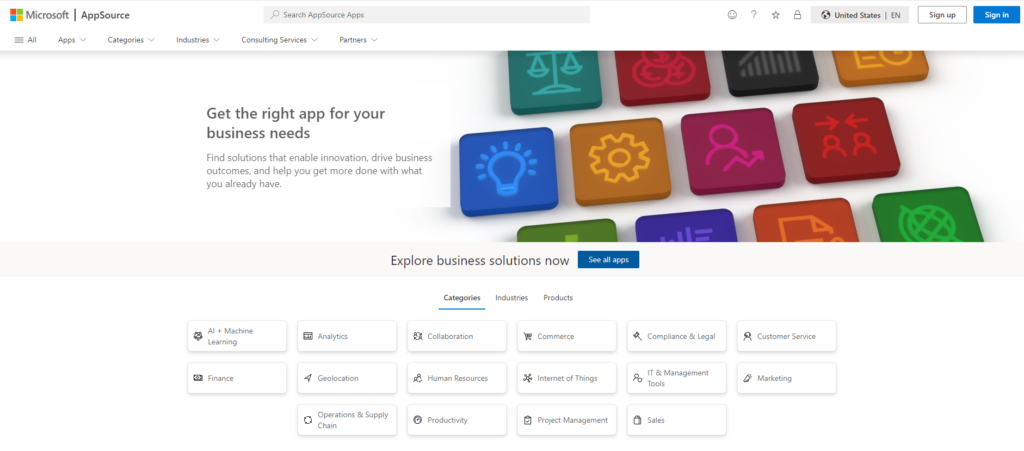
Consider Microsoft AppSource to be the ultimate app shop for Microsoft products. AppSource, according to Microsoft's concept, is the central hub for purchasing any business app. It's easy to use, and you can look for products by industry, functionality, or application.

Microsoft AppSource is an online store with thousands of business applications and services developed by industry leaders. It allows you to find, sample, buy, and deploy business software and services to help you operate your business.
And you can make all your purchases from the comfort of your office without needing to venture out to find your ideal solution. Imagine the time savings.
The Buying Status Quo is Changing
If you purchased a Microsoft business solution in the past, such as Microsoft Dynamics 365 Business Central, it was most likely through one of their salespeople or a partner. Business users are changing how they buy apps due to the market's reaction to significant changes in how consumers purchase apps online through Google Play or Apple's App Store.
According to a Forrester Consulting survey, 73% of company customers perceive the web as more convenient for shopping. According to the same study, in 2023, e-commerce was predicted to account for 17% of all business-to-business transactions.
Software as a Service (SaaS) applications, solutions created for Dynamics 365, Microsoft 365, Power BI, Power Apps, and consulting services from Microsoft partners are all available to users through Microsoft AppSource.
Microsoft AppSource solutions are accessible through Microsoft resellers participating in the Cloud Solution Provider program.
What's Available on Microsoft AppSource?
Microsoft AppSource is a service that allows business users to discover and test software-as-a-service (SaaS) programs from Microsoft and its partners. Web Apps and apps built on top of Microsoft Dynamics, Office 365, and PowerApps such as Power BI are examples of Microsoft AppSource apps.
Microsoft AppSource, which debuted with the release of Microsoft Dynamics 365, now features over 7,000 apps from Microsoft and partners and is rapidly expanding.
With Microsoft AppSource, you can access the following:
Apps: solutions catered to various industries, categories, and company requirements.
Consulting Services: including prepackaged services for your Microsoft solutions, assessments, briefings, implementations, proofs of concept, and workshops.
Profiles of Microsoft partners: profiles of trusted Microsoft partners who can use Microsoft-based services to help your organization digitally change and achieve business goals faster.
How Does AppSource Work?
AppSource offers many apps to organizations as a free trial or test drive, allowing you to assess if the app adds new features to your existing business apps before purchasing. You can find solutions that complement your needs, from Dynamics to Power BI.
Other apps, such as a PayPal for Outlook add-in, are free. Some of the more industry-specific apps created on Dynamics 365 may require the assistance of a Microsoft partner to execute.
AppSource Consulting Services
In addition to apps, Microsoft AppSource features partner offerings for Dynamics 365, PowerApps, and Power BI consulting services.
For example, in the case of a one-day evaluation for firms considering upgrading to Dynamics 365 or a more in-depth one-week examination for other Microsoft ISV partners looking to connect their solution with Dynamics 365, the result would be the development of an app published on AppSource.
What's in the Future for Microsoft AppSource?
Few apps are accessible today as transactional apps, such as those found in Google Play and Apple's App Store, where you enter your payment information (credit card or otherwise) and "play as you go." The traditional model, however, is likely to alter drastically soon.
Microsoft recently announced that AppSource will be part of a larger single Microsoft online marketplace that will simplify the process of customers and partners trying and procuring solutions through eCommerce, including the option to buy thousands of Microsoft partner apps from a Microsoft pricelist with a simplified single purchasing and billing process.
Meanwhile, have a look at what's currently available on Microsoft AppSource.
Since the first launch of Microsoft AppSource, much has changed regarding what it implies for current Dynamics clients and those considering Dynamics 365 for the first time. So, what exactly is it, and how do you utilize it?
What distinguishes Microsoft AppSource from existing ISV, Third Party, and Add-on Solutions?
Microsoft AppSource is unique because you can instantly search for and load an app. It's much like using an app store on a smartphone or tablet. You search for something you want to try, press a button, and it deploys to your application.
The old procedure of contacting an ISV, having your Partner merge the code, and managing deployments across numerous environments is becoming obsolete. AppSource app developers employ an extension approach that complies with standards that allow you to install or uninstall those apps at your leisure.
Because of the new deployment approach, AppSource is not backward compatible with previous Dynamics AX, NAV, and CRM versions.
Even if you use an older version of those programs, you may still benefit from AppSource today using Office, Power BI, or another application. Additionally, you can still browse AppSource for apps that may be useful as part of your upgrading plans.
Some Solution Apps use "Partner-led Trials," in which you receive a cloud environment to test the product and are placed in touch with the Partner to demonstrate various functionalities. Supporting trial deployments on Azure is one of the Partner's listing requirements.
What Has Changed?
At the initial introduction of AppSource, the discourse was on the Dynamics family of products (Dynamics 365, AX, CRM, NAV, etc.).
Since then, AppSource has taken on a considerably more significant role. Apps, Extensions, and Solution Apps for Office 365, Power BI, Dynamics 365, and Azure "Cloud Solutions" are now available.
Previously, Microsoft distributed these across marketplaces (Azure Marketplace, Pinpoint, etc.).
Based on the crystal ball, we anticipate more consolidation of diverse AppSource providers and additional built-in "get apps" choices within existing Microsoft programs.
Interested in Learning More About Microsoft AppSource?
Liberty Grove can help you use many tools and services to help you optimize productivity, efficiency, and profitability throughout your organization.
Contact Liberty Grove for a complimentary consultation on how Microsoft AppSource can provide you with additional tools to drive your company's success.
About the author
Liberty Grove Software is an established Microsoft Partner that focuses on providing customers with sales, service, and support for Microsoft Dynamics 365 Business Central and Dynamics NAV solutions and training and upgrades.
Over more than 25 years, Liberty Grove has assisted hundreds of customers with businesses ranging from small to mid-sized to Microsoft Partners in implementing, training, customization, and upgrading Microsoft Dynamics ERP solutions.
The recent Microsoft Dynamics 365 Business Central Wave 2 2023 upgrade provides various advantages to businesses. According to Microsoft, the upgrade contains new capabilities and improvements that will assist companies in automating and streamlining their processes. The enhancements will help small and medium-sized businesses manage their finances, supply chain, manufacturing, shipping, projects, services, and other operations.

Microsoft Dynamics 365 Business Central Wave 2 2023 is a substantial upgrade to its predecessor, with many new features. One of the most noticeable improvements is the decrease in customization and increase in user flexibility, which we'll discuss in this blog post.
The Wave 2 Release from Microsoft offers users additional features and solutions while requiring less modification and providing all-new functionality.
Its release is already underway and will continue through March 2024. The release consists of hundreds of new features across Dynamics 365 applications, including Marketing, Sales, Customer Service, Field Service, Finance, Supply Chain Management, Project Operations, finance and operations cross-app capabilities, Human Resources, Commerce, Business Central, Guides, and Customer Insights, as well as Microsoft Sales Copilot and Microsoft supply chain platform and its supporting products.
Top 6 takeaways Dynamics 365 Business Central Wave 2 2023
- A more streamlined and intuitive user interface. The contemporary action bar is now more visible, making commonly used tasks easier to find and lowering the number of clicks needed. This modification makes it easier for users to traverse the system and rapidly access the required functionality.
- More versatile menu customization system. Users can now tailor menus to their preferences and needs, providing greater flexibility over the system's layout. This functionality especially benefits firms with unique workflows and processes requiring customized UI.
- Enhanced automation and integration possibilities. Microsoft Power Platform is now linked with Business Central, making workflows and process automation easier to set up. This integration allows users to consume business events via the Business Central Power Automate connector. These qualities aid in reducing manual labor and increasing productivity.
- Additional extension support. The latest version replaces the legacy C/SIDE programming tool and language with a modern solution based on Visual Studio Code, Azure DevOps, and an AL language that provides an extension-based approach to customization. This improvement makes it easier for developers to construct and maintain extensions that bring new functionality to the system.
- Increased data loading speed. The upgrade optimizes specific scenarios inside the program, resulting in a faster and more responsive Business Central application.
- Easier automation with Microsoft Power Platform. The upgrade includes templates supporting more scenarios out of the box, making setting up workflows in Business Central easier. You can also consume business events via the Business Central Power Automate connector.
Other upgrade improvements include better inter-company collaboration and consolidation functionality, reduced onboarding time, and more. Users can now integrate financial data and form inter-company alliances across several Business Central settings. This capability is especially beneficial for firms with several subsidiaries or business divisions that must share financial data.
So, What Does It All Mean for You?
According to Microsoft, the new release will allow organizations to migrate to Microsoft Power Platform more quickly, making workflows easier to set up in Business Central.
Microsoft is releasing templates that support more out-of-the-box scenarios, allowing you to automate more operations and increase productivity.
Dynamics 365 Marketing will improve Copilot functionality, allowing marketers to swiftly design new experiences and provide unparalleled degrees of personalization to email content, graphics, and layouts.
Furthermore, B2B dashboards and the functionality to directly allocate leads to the appropriate rep will align marketers and sellers, allowing them to function as a unified team throughout the purchasing journey.
Through increased sequence capabilities, Dynamics 365 Sales will focus on allowing sales teams to prioritize and manage digital sales processes.
With improved lead assignment capabilities, users can assign and monitor lead assignment status by providing recommendations, summarizing data, obtaining information, and completing actions in context and within the flow of work.
Microsoft Sales Copilot continues to develop and improve generative AI features such as email thread summarizing, recommended CRM modifications, sales email composition, CRM entity summary, sales meeting summarization, and real-time sales tips.
Are you getting the most out of MS Business Central?
If you haven't jumped into the upgraded functionality of Microsoft Business Central, perhaps now is the time. Liberty Grove can help you optimize all the tools in the Microsoft suite to help you improve your organization's productivity, efficiency, and profitability.
Contact Liberty Grove for a complimentary consultation on how our experts can help you identify what you need and provide the right solutions to elevate your market position.
Related reading
Business Central 2023 Wave 2 Update: What Matters?
About the author
Liberty Grove Software is an established Microsoft Partner that focuses on providing customers with sales, service, and support for Microsoft Dynamics 365 Business Central/NAV solutions and training and upgrades.
Over more than 25 years, Liberty Grove has assisted hundreds of customers with businesses ranging from small to mid-sized to Microsoft Partners in implementing, training, customization, and upgrading Microsoft Dynamics ERP solutions.
The organization is one of only a few companies worldwide that Microsoft recognizes as qualified to provide Business Central/NAV Upgrade Service Centers.
If you're a Food and Beverage manager, you don't need us to tell you that compliance regulations change while you sleep–and you must keep up with those regulatory evolutions every day.

There are numerous statutory rules and compliances that every Food and Beverage manufacturer must follow. Plus, these regulations and compliance standards are constantly changing in response to changes in customer needs and government legislation, making keeping track of them a time-consuming process that, more often than not, leads to errors.
Furthermore, due to the perishable nature of some items, ensuring food safety along its extensive supply chain, which encompasses various components, procedures, and departments, becomes increasingly difficult. Keeping an accurate record of data, from product sources to their expiry dates and content, is a task that companies can best manage with an ERP system.
According to the Centers for Disease Control, 48 million individuals in the United States become ill from a foodborne illness each year, with 128,000 hospitalized and 3,000 dying. In response, the Food Safety Modernization Act (FSMA) of the United States Food and Drug Administration (FDA) attempts to ensure food safety and compliance while reducing foodborne illness outbreaks.
Today, Food and Beverage companies must adopt a more proactive approach to food safety under the FDA Food Safety Modernization Act (FSMA). It departs from the more reactive strategy that Food and Beverage firms have traditionally used. With FSMA in place, businesses must identify risks, develop procedures for mitigating hazards, and implement those procedures to ensure the containment of threats to the safety of the food supply chain.
Why FSMA Compliance Matters
The initial FSMA rules were enacted in 2015, and more requirements will be introduced through 2024. These regulations require Food and Beverage manufacturers to be more proactive in preventing food safety issues. That includes implementing preventive measures and assessing and confirming them, all while documenting every step of the process. To meet legal obligations, Food and Beverage companies, which have historically been more reactive to events such as product recalls, must commit to a significant transformation in how they do business.
Track and trace tools have long been part of the Food and Beverage industry's recall readiness planning. A single recall can have far-reaching, negative consequences for a company. However, under FSMA, Food and Beverage firms must take a broader view of the safety and quality concerns that can influence their goods and business, and documentation is a critical component of FSMA.
FSMA also mandates more stringent record and documentation storage. That entails having the necessary document management tools and processes to assure traceability, dependability, and compliance along the whole supply chain—to avoid contamination and non-conformance.
FSMA compliance emphasizes the importance of consumer safety. Food and Beverage manufacturers, central kitchens, distribution centers, food importers, and even transportation companies can ensure complete documentation and food traceability throughout their supply chain—as well as high-quality products—by adhering to FSMA's quality management mandates and taking the proper steps today.
Food and Beverage companies must monitor various things to keep their operations functioning effectively. Among their many responsibilities is ensuring that they comply with the most recent compliance regulations. ERP systems can improve compliance in the Food and Beverage industry, and integrating this technology into the manufacturing process can be a game changer for manufacturers.
Why is compliance so critical in the Food and Beverage industry?

Regulatory Prerequisites
Government agencies and industry-specific groups impose several regulatory restrictions on the Food and Beverage business. Compliance regulations cover many topics, including food safety, labeling and packaging, ingredient supply, health and safety, environmental standards, and more. Compliance ensures that Food and Beverage companies follow these standards, reducing the risk of penalties, fines, legal ramifications, and reputational harm.
Consumer Health and Safety
Compliance with regulatory standards is critical to ensuring customer safety and health. Consumer protection from potential dangers such as contamination, allergens, toxic ingredients, or misleading labeling, Food and Beverage goods must meet stringent quality and safety guidelines. Compliance guarantees that the items are safe to consume and fulfill the quality requirements.
Consumer Trust and Brand Reputation
Compliance is critical in establishing and maintaining brand reputation and consumer confidence. Food and Beverage companies that constantly follow the rules show dedication to quality, safety, and ethical procedures. That contributes to the development of a positive brand image, increases consumer confidence, and increases loyalty. On the other hand, non-compliance occurrences can result in unfavorable publicity, a loss of consumer trust, and long-term damage to the brand's reputation.
Risk Reduction
Compliance assists Food and Beverage firms in mitigating various risks connected with non-compliance. By following rules, companies avoid the risk of product recalls, legal challenges, financial penalties, and supply chain interruptions. Compliance also aids in the early identification of possible hazards, enabling companies to take proactive measures to avoid compliance failures and the associated penalties.
Market Access and International Trade
International Food and Beverage companies must follow domestic legislation, international standards, and trade agreements. Compliance with international rules, such as those established by the World Trading Organization (WTO) and the Codex Alimentarius Commission, ensures access to global markets and smooth trading interactions with foreign partners. Failure to meet international standards can result in trade hurdles, export limitations, and missed market opportunities.
Ethical and Sustainable Practices
Compliance comprises more than just regulatory obligations; it includes sustainable and ethical behaviors. Food and Beverage companies are constantly under pressure to meet ethical and environmental requirements such as responsible sourcing, waste management, carbon footprint reduction, and fair labor practices. Compliance in these areas displays corporate responsibility, meets customer expectations, and is consistent with the expanding global emphasis on sustainability and ethical business practices.
Competitive Advantage
In the Food and Beverage sector, compliance can provide a competitive advantage. Companies prioritizing compliance stand out from non-compliant competitors, mainly where customers are increasingly worried about product safety, quality, and ethical activities. Compliance is a value proposition for customers, business partners, and investors who value responsible and compliant corporate operations.
In the Food and Beverage sector, compliance is critical to meeting regulatory requirements, ensuring customer safety and health, protecting brand reputation, mitigating risks, facilitating international trade, upholding sustainable and ethical practices, and gaining a competitive edge. Food and Beverage firms may protect their operations, maintain customer trust, and survive in a highly regulated and competitive environment by prioritizing compliance.
8 Ways ERP Improves Compliance for Food and Beverage Companies

ERP solutions are essential in improving compliance for Food and Beverage companies by offering a comprehensive and integrated framework for managing and monitoring numerous regulatory obligations, industry standards, and internal rules. Here are 8 ways ERP improves compliance for Food and Food and Beverage companies:
- Data Management Simplified
ERP systems consolidate and standardize data across functions and departments, ensuring accurate and consistent data. That reduces errors, redundancies, and inconsistencies in compliance-related data management operations, which could lead to compliance violations.
- Tracking Regulatory Compliance
Food and Beverage companies can use ERP platforms to track and manage compliance with various regulatory obligations, including food safety rules, labeling standards, quality control, and environmental restrictions. Food and Beverage managers can set up an ERP system to monitor crucial compliance parameters, produce non-compliance warnings, and generate regulatory-required reports.
- Inventory and Batch Tracking
To achieve compliance criteria, Food and Beverage firms must ensure the traceability of components, batches, and final products across the supply chain. ERP systems enable organizations to track and document the movement of raw materials, ingredients, and completed items, guaranteeing compliance with safety and quality laws.
- Quality Control and Assurance
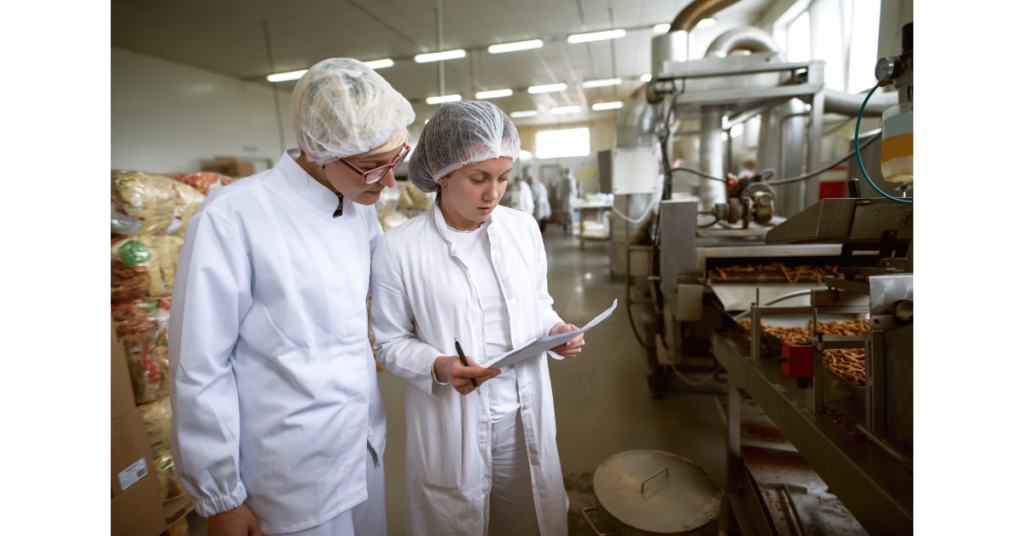
ERP systems provide quality management features that help companies comply with demanding quality control requirements like Good Manufacturing Practices (GMP), Hazard Analysis, and Critical Control Points (HACCP). These modules enable Food and Beverage firms to develop and implement standardized quality control systems, conduct inspections, manage non-conformances, and track remedial and preventive actions.
- Audit Trail and Documentation
Compliance frequently necessitates the preservation of substantial paperwork and audit trails. ERP solutions enable Food and Beverage firms to develop, store, and manage compliance-related documentation like standard operating procedures, compliance certifications, test reports, and regulatory filings. This guarantees that needed documents are easily accessible during audits and regulatory inspections.
- Financial and Tax Compliance
ERP systems provide financial modules that assist Food and Beverage companies in complying with tax legislation, financial reporting requirements, and industry-specific accounting procedures. These modules automate financial practices, provide accurate financial statements, and aid in tax compliance, reducing the risk of non-compliance and the accompanying fines.
- Management of Vendors and Suppliers
Companies that sell Food and Beverages must verify that their suppliers and vendors follow numerous legislation and quality standards. Companies can use ERP systems to handle supplier information, track compliance certifications, conduct supplier audits, and maintain a dependable vendor qualification process, reducing compliance risks connected with external partners.
- Employee Education and Compliance
ERP systems can help with staff training and certification programs to ensure compliance with safety rules, workplace regulations, and industry-specific requirements. These systems can track staff certifications, plan training sessions, and provide online learning materials, establishing an organizational compliance culture.
Overall, ERP improves compliance for Food and Beverage companies by providing a comprehensive framework for managing and monitoring regulatory requirements, ensuring data accuracy, enabling traceability, facilitating quality control, automating financial processes, managing documentation, and promoting an organizational culture of compliance. By adopting a modern ERP, Food and Beverage firms can successfully meet compliance duties, mitigate risks, and retain their reputation in the highly regulated Food and Beverage market.
Is it Time to Consider Using an ERP Solution to Improve Compliance in Your Food and Beverage Business?
Powered by Microsoft Dynamics 365, DynamicsFoodERP from Liberty Grove includes real-time reporting and analytics capabilities, enabling Food and Beverage companies to monitor and analyze compliance-related data. The system can provide customizable compliance reports, performance dashboards, and key performance indicators (KPIs), providing decision-makers with actionable knowledge to handle compliance issues proactively.
Liberty Grove can help you use many tools and services to help you achieve a successful Food and Beverage ERP implementation that will improve productivity, efficiency, and profitability throughout your organization.
Contact Liberty Grove for a complimentary consultation on how DynamicsFoodERP can increase your shop floor productivity and give you the data insights you need to improve decision-making and compete at a higher level.
Related reading:
7 Advantages of a Food and Beverage Cloud ERP Deployment
7 Ways Food and Beverage ERP Can Help Track Food Quality
About the author
Liberty Grove Software is an established Microsoft Partner that focuses on providing customers with sales, service, and support for Microsoft Dynamics 365 Business Central/NAV solutions and training and upgrades.
Over more than 25 years, Liberty Grove has assisted hundreds of customers with businesses ranging from small to mid-sized to Microsoft Partners in implementing, training, customization, and upgrading Microsoft Dynamics ERP solutions.
The organization is one of only a few companies worldwide that Microsoft recognizes as qualified to provide Business Central/NAV Upgrade Service Centers.
You'll enjoy this information if you're convinced of Microsoft Dynamics 365 Business Central's (BC) advantages as a top-tier business management tool. There are numerous improvements in Microsoft's Dynamics 365 Business Central Release 2023 Wave 2 to expand on what you already appreciate and what supports you in boosting your productivity and earnings.

Small- and medium-sized businesses already have the freedom and resources Business Central provides to manage their finances, supply chains, production, shipping, projects, and other areas. It is easy to set up and configure, and simplicity is the driving force behind advances in product creation, design, usability, and execution.
Wave 2 of the Business Central Release Plan for 2023: What do you stand to gain?
- Microsoft strengthened its commitment to Copilot with this version. Customers may optimize their workflows and complete tasks more quickly with the help of Copilot's coaching services. There will be additional advancements in the developer-friendly Copilot in Visual Studio Code and the AL experience.
- Consolidating financial data and creating cross-company partnerships are now more straightforward for several companies operating in distinct Business Central contexts.
- It now takes less time to onboard new customers. It's easier to understand why some errors occur, and the messages give instructions on resolving the issue so you can continue working. Microsoft helps firms concentrate on their core businesses while complying with multiple governmental requirements by automating regulatory activities.
- Usability is always a top focus, and with this version, helpful keyboard shortcuts for working with lines in documents boost efficiency. Additionally, you may rapidly access editable fields without going down.
- The Business Central web client's productivity-focused design enables consultants and developers to easily access the Visual Studio Code editor or a debugger linked to the source code in the GitHub repository.
Business Central Release Wave 2 includes the following updates:
Quick adaptation with Microsoft Power Platform: Workflows in Business Central now require less setup time. With the use of templates, you may automate more processes and boost productivity right away. The Business Central Power Automate connector can also consume business events.
Application: Thanks to intercompany and consolidation functions, you may leverage multi-company capabilities more broadly. To help manage inventory and warehouse operations more successfully, Business Central's supply chain capabilities have undergone several optimizations and improvements. These include a more precise warehouse setup for production and jobs, an improved picking process, fulfillment suggestions, and SKU management.
Country and regional: Microsoft has improved the service's accessibility internationally. You can now find Business Central from over 130 countries and territories.
Development: A complete switch to Visual Studio Code, where Microsoft keeps spending money on initiatives that boost developers' productivity. There are techniques for testing dependent extensions without manual intervention by ensuring that AL GO can manage these tests for clients, VARs, and independent software suppliers (ISVs) who maintain dependencies.
Governance and management: To help administrators handle granular administrative rights, Business Central provides a wealth of additional self-service choices.
Regulations: New audit formats improve digital reporting and compatibility with regional rules.
Onboarding: Field tooltips, such as "Learn More," provide more beneficial linkages to material that explains values that are too complex for a quick paragraph to cover.
Productivity with Microsoft 365: The efficiency of collaborative business operations in Microsoft Teams has increased thanks to the ability to unfold a card without downloading the Business Central Teams app.
Data analysis and reporting improvements include the Analysis mode and an overview that lets you look at all Business Central reports.
Platform and service: These fundamental elements remain crucial, focusing on performance, stability, resource governance, security, and compliance.
Where Microsoft is focusing its Microsoft Dynamics 365 Business Central investments
User interactions
Business Central offers various user interfaces to access data from any place or device at any time. It includes many powerful and straightforward capabilities, whether you need to enter data fast, casually edit records, or analyze relational data.
Development
The groundwork is laid to make it easier and more effective for AL developers to add namespace support to the platform and application. Developers can also hide individual variable data to secure internal data and prevent unauthorized access while debugging.
The analysis and reporting of data are more in the hands of developers. You may decide how to use content from Power BI, for instance, and you can turn off Analysis mode on pages.
Support for CSP channel-based ISV app transactions now enters the private preview stage. The possibility for ISVs to do direct business through AppSource using credit card payments also enters the general availability stage.
Application
This edition's new supply chain capabilities will improve the efficiency, adaptability, and accuracy of managing items in your warehouse. You can get complete availability information for inventory levels, locations, processing stages, and other factors affecting available amounts.
Additionally, you can independently determine the proper amount of warehouse handling for external, internal, and inbound flows.
Some new features include intercompany transactions, financial data consolidations, approval workflows, and automatic general ledger allocations. You can merge financial data for businesses from several Business Central settings without maintaining files.
Regional and National
Partners' localization efforts facilitate expansion into other regions. Relevant localization apps are created by Microsoft partners and published to AppSource. With built-in language options, Business Central is accessible to serve clients in numerous countries and areas worldwide.
Data analysis and reporting
Obtain insightful data on how your company is operating owing to report discoverability. With more tools for Analysis mode, you can execute embedded data analysis on the fly, and the Power BI experience has improved reports.
You'll be more productive if you don't have to open another app to find the data you need.
Governance and administration
Administrators of Business Central now have new tools for controlling environments, apps, and data migrations. The goal is for administrators to be independent, able to serve their client's needs, and able to handle a variety of administrative circumstances.
Two crucial areas for faster adaptation with Power Platform
- How users and decision-makers view Power Automate approval workflows, including the expanded connector's actions, the addition of assistance for external business events, and more templates for Teams-based automated flows.
- The Power BI embed experience provides end users exploring the BI features in Business Central with more control tools and partners who provide in-context dashboards and reports.
Additionally, based on partner input, dynamic possibilities exist for linking Power Platform with Business Central online.
AI Copilot and Innovation
Until recently, only a few SMBs could afford to invest in AI as a commodity. Companies are now embracing AI to eliminate tedious tasks from their jobs.
Thanks to Microsoft Dynamics 365 Copilot, experts can complete routine activities using cutting-edge AI. Without becoming a data scientist, you can equip your staff with Copilot in Business Central to accomplish more tasks with less effort.
Platform and service
Thanks to this version, users should see fewer interruptions, which makes Business Central feel faster overall and significantly speeds up some scenarios and web services. By putting a strong emphasis on performance, stability, resource governance, security, and compliance, Microsoft continues to invest in the service's foundations.
Users now experience fewer session interruptions and more dependable interactive user sign-ins, which enhances the overall user experience. Through an optimized language (AL) runtime, users will notice less database locking and an increase in the performance impact of table expansions.
Microsoft 365 Business Central is your pass to increased productivity and higher performance
When you combine business and productivity apps, people and teams operate more effectively.
Business Central seamlessly integrates with top-tier Microsoft 365 applications and services (Outlook, Excel, Word, OneDrive, and Teams) to bring data into the workflow, giving you up-to-the-minute visibility into your business operations and helping you compete more effectively.
Are you leveraging all the power of MS Business Central?
Liberty Grove can help you use all the tools in the Microsoft suite to help you improve your organization's productivity, efficiency, and profitability.
Contact Liberty Grove for a complimentary consultation on how its experts can help you identify what you need to optimize your market position.
About the author
Liberty Grove Software is an established Microsoft Partner that focuses on providing customers with sales, service, and support for Microsoft Dynamics 365 Business Central/NAV solutions and training and upgrades.
Over more than 25 years, Liberty Grove has assisted hundreds of customers with businesses ranging from small to mid-sized to Microsoft Partners in implementing, training, customization, and upgrading Microsoft Dynamics ERP solutions.
The organization is one of only a few companies worldwide that Microsoft recognizes as qualified to provide Business Central/NAV Upgrade Service Centers.
"69% of companies have accelerated their Cloud migration over the past 12 months, and the percentage of companies with most or all IT infrastructure in the Cloud is expected to leap from 41% today to 63% in the next 18 months."
Source: Foundry Cloud Computing Study 2022

In recent years, the pace of digital transformation has increased dramatically. That can be attributed mainly to Cloud computing, which first appeared in the early 2000s and, through Cloud ERP Deployment, is still transforming how the Food and Beverage industry works.
Despite the Food and Beverage industry's sluggish adoption of Cloud computing and digitization, we are already witnessing a surge in demand from companies eager to improve their operations and acquire a competitive edge. Productivity, cost, and efficiency benefits are made possible by Cloud computing technologies, often known as remote data centers.
Cloud computing's decentralized nature enables data to be submitted from anywhere, providing business owners with insights into all aspects of their operations. For instance, with a Cloud-based ERP, Food, and Beverage manufacturers can collect data on food crops and perform analysis utilizing Cloud computing infrastructure from the field to warehousing, transportation, and the retailer that sells it to the final customer.
The result is less resource- and cost-intensive than earlier models. Previously, businesses were required to install, maintain, and upgrade hardware and software at significant capital and operational expenditures.
SaaS-Based Cloud ERP Adoption
As the Food and Beverage sector has demonstrated, Cloud technology has completely transformed the business world. The advancement of technology has also compelled IT departments to adjust to the difficulties of putting a new ERP system in place.
In the case of Cloud-based ERP solutions, Software-as-a-Service (SaaS) business models, in which knowledgeable providers charge a monthly subscription per user for software solutions, fuel innovation. Cloud computing provides the foundation, while SaaS delivers the specialized ERP software.
Businesses investing in these solutions can quickly adapt to the evolving surroundings because technology no longer constrains them, and they can change their use as their needs alter.
As a result, the Food and Beverage industry is becoming steadily more computerized, enabling manufacturers to collect, manage, and act upon all data on their products throughout their entire lifecycle and supply chain.
The Value of Cloud-Based ERP
Legacy Food and Beverage operations involved manual processes before Cloud ERP systems were available, which led to human error, ineffective operations, and significant expenses. Companies now have the proper foundation for managing all facets of their operations in one location accessible to all employees thanks to the implementation of Cloud ERP technologies.
Standard ERP software might not manage processes like compliance, product quality, safety precautions, and product shelf life. That's why manufacturers increasingly opt for a powerful Cloud-based ERP system like DynamicsFoodERP from Liberty Grove.
Cloud-based ERP systems are always current because the vendor oversees them, and upgrades happen automatically. As a result, users can stay current without changing the systems as standards and laws in the industry change.
Top 7 Advantages of Cloud ERP for Food and Beverage Companies
The Food and Beverage industry benefits from Cloud ERP in several ways beyond the usual commercial advantages. The following are the most crucial ones to be aware of:
- Quality Assurance and Reliability
It's crucial for food safety businesses, which must adhere to stringent rules and maintain thorough compliance records. These businesses can access compliance data and documents in real time by hosting applications on the Cloud, which gives them immediate access to data updated in the system. The methods to ensure food safety are always current, streamlining maintenance and collaboration.
- Improved Reporting
Making judgments based on current facts is essential in sectors undergoing fast change. Cloud computing solutions' big data, analytics, and reporting capabilities give company decision-makers access to the data they need when needed. Food and Beverage executives can access anything from product inventory to sales data to assist in making decisions about product quality, shelf-life, and stock levels.
- Simplified Inventory Control
Modern processes and shifting customer expectations mean traditional inventory management techniques cannot keep up. Cloud ERP systems can avoid food wastage and other expenditures caused by on-premise ERP systems' lack of real-time data and frequent upgrades. Systems designed specifically for the demands and objectives of the organization are adaptable and customizable.
- Business Agility
Cloud computing and SaaS offerings are quickly and easily adapted compared to traditional on-site solutions. Consequently, firms can adjust their computing needs up or down as needed, gaining access to greater processing power towards the end of the month and decreasing it during slower weeks.
Cloud infrastructures make it simple to serve one or more sites because they are accessible from any place where a company's users have a suitable device and an internet connection.
- Cost Advantages
Businesses using Cloud computing can cut costs thanks to the reduced need for the IT software and resources required to administer and maintain the solution. That means companies can redirect capital expenditures to other value-adding tasks.
As more enterprises embrace SaaS, the variety of available apps offered as a service is vaster. These are adaptable and simple to include in current systems. Because a skilled SaaS provider maintains all aspects of the product, including access, backups, upgrades, and patching, there will be less complexity in business IT systems, cheaper personnel overheads, and security advantages.
- Complete Traceability
Thanks to food traceability, you can track product flow through every stage of the supply chain production process. Finding any sources of contamination introduced during production is simple because of the complete traceability Cloud ERP solutions offer.
Additionally, consumers are becoming increasingly interested in the origins and processes of the goods they purchase. They want to know that manufacturers follow animal safety regulations and practice ethical sourcing.
- A Simple User Interface
Early-generation ERP systems are complicated and challenging to operate. A new Cloud-based system may need some initial training, but most ERP systems are simple, increasing the likelihood that staff members will use it correctly and adhere to policy.
Businesses can scale their use of the Cloud up or down as their user base increases or decreases, thanks to its benefits for economies of scale. For instance, opening new branches entails the addition of new users rather than a complete rollout of new infrastructure.
The net takeaway is that a Cloud-based ERP frees Food and Beverage companies to concentrate on their core activities and potential growth areas while outsourcing the IT infrastructure to a professional.
Is it Time to Take Your ERP to the Cloud?
Liberty Grove can help you use many tools and services to help you achieve a successful Food and Beverage Cloud ERP deployment that will improve your organization's productivity, efficiency, and profitability.
Contact Liberty Grove for a complimentary consultation on how DynamicsFoodERP can help you through a smooth Cloud ERP deployment and give you the data insights you need to improve productivity, giving you a competitive advantage.
Related reading:
Is Your Food ERP Delivering a Solid ROI? (libertygrove.com)
Best 10 Reasons to Move Your On-Premises ERP to the Cloud - Liberty Grove Software
The Future of Cloud ERP for Manufacturing Companies (libertygrove.com)
About the author
Liberty Grove Software is an established Microsoft Partner that focuses on providing customers with sales, service, and support for Microsoft Dynamics 365 Business Central/NAV solutions and training and upgrades.
Over more than 25 years, Liberty Grove has assisted hundreds of customers with businesses ranging from small to mid-sized to Microsoft Partners in implementing, training, customization, and upgrading Microsoft Dynamics ERP solutions.
The organization is one of only a few companies worldwide that Microsoft recognizes as qualified to provide Business Central/NAV Upgrade Service Centers.
The shop floor is the hub of activity for any manufacturing organization. It's particularly true in the Food and Beverage sector. But mistakes by humans happen frequently, and things break which causes shop floor productivity to decrease. If the shop floor is unproductive, the company won't operate in a way that will generate a profit.

That's where an ERP (Enterprise Resource Planning) system can fool-proof your Food and Beverage manufacturing operation.
Any production team can manage the shop floor more productively with the correct ERP solution. Making rapid, confident decisions is essential for being competitive. If a business pulls data by hand, this may be very challenging.
An ERP system is helpful for Food and Beverage manufacturers when it comes to changing the corporate culture to one of continuous improvement, regardless of the size of your operation.
A case for automating the shop floor with an ERP solution
Food and Beverage manufacturing production planners are often contacted by customer care representatives inquiring about the status of a specific project. Naturally, customers want to know when their goods will be ready.
Without automation, it takes time to respond to a straightforward inquiry. People need to get up from their desks, move around the facility, inquire of the operators or supervisors about any developments, and then message the representative to answer their queries. If this occurs several times per day, it wastes a significant amount of time. Even worse, operators or supervisors might only be able to offer educated guesses.
Sound familiar?
Often, there is no method to monitor what is occurring on the shop floor. Plant management and front office employees can be unaware of what's happening. If your company still uses timecards and spreadsheets to maintain labor data, such as personnel starting and stopping their shifts and machine activity, you likely experience the frustrations that manual operations can bring on:
Errors introduced by manual data entry into your system
Mistakes render data untrustworthy throughout the organization, from payroll employees to estimators. Additionally, they cost money in missed productivity, inaccurate estimations, and time for your staff to find and correct errors.
Incorrect labor and production expenses
You probably don't understand your margins well when you don't know exactly how many hours it takes to do the work, and your quotes are speculative. Overvaluing can result in more business loss to rivals while undervaluing leaves money on the table.
Outdated information or disparities in data between departments
You don't want yesterday's numbers if you need to make a crucial decision. The same holds for processes that rely on the same data to complete tasks, such as planning and scheduling. Mismatched historical figures are simply unacceptable.
These problems are vital reasons to adopt digital shop floor management. Companies that embrace digital transformation and adopt an automated solution like DynamicsFoodERP from Liberty Grove enjoy many benefits.
12 compelling reasons to incorporate an ERP (Enterprise Resource Planning) system
#1 Reduce the inconvenience of paper-based procedures: A brief introduction to digital shop floor management is first. Consider it a method for gathering up-to-the-minute labor data from your plant operations and making it available to everyone who needs it via a single, user-friendly platform. It can keep track of everything, including when your employees clock in and out for the day, the jobs they are working on, project timing, and even which machines are creating bottlenecks.
Digitizing and connecting that data with your ERP platform is a potent technique to remove the difficulties of manually tracking data (or not recording it at all) and boost your company's profitability.
Data is automatically captured and delivered to your ERP system each time an employee signs in for the day or starts a new project. It significantly reduces expensive errors that waste time and money, saving staff from re-keying information into a second system.
#2 Real-time, trustworthy data: Can you rely on data full of inaccuracies or frequently outdated? Automation can deliver insight and accuracy across your business almost as rapidly as events take place on your manufacturing floor.
#3 Usability: It's okay if you're not a computer wiz! Best-in-class systems for managing the shop floor require little configuration during setup. Additionally, for your shop floor workers, clocking in and out will be as easy as a scan or a tap.
#4 One system of record: By keeping your labor data in one location, multiple departments will have simultaneous access to exact figures, a significant advantage in improving collaboration and decision-making throughout the company.
#5 Flexible methods of operation: Your shop floor management system should be adaptable enough to record the information that matters most to your company. By establishing your criteria, you can be sure you're gathering and disseminating the most important metrics to your company.
#6 Enhanced client services: Real-time work progress visibility enables you to give consumers more precise delivery dates.
#7 Time savings: No more circling the area to check on the status of a project. Salespeople and plant managers can swiftly look it up.
#8 Greater capacity utilization: You can identify bottlenecks and make necessary adjustments when you have real-time visibility into who is working on which computers or machines.
#9 More accurate citation: When you carefully monitor shop floor data, you can determine the precise amount of labor required because time equals money. Now that you are more aware of your expenses, you can submit a quote for the next project that you are confident will be lucrative.
#10 Money savings: Errors are expensive. Automated data collection eliminates the need to waste time finding and correcting mistakes. It highlights errors that would otherwise go undetected, preventing further loss of income.
#11 Data-based decisions: When you can easily access your labor data, you can see where your resources are going and decide how to distribute them more wisely. Everything is affected by this, including hiring more employees and product pricing.
#12 Increased output: Automated labor data collection frees employees from tedious duties like filling out manual timesheets and uploading that data into the ERP system. They may now concentrate on things that bring in money. The first step in streamlining procedures on the shop floor for the Food and Beverage industry is to create an accurate workflow.
Food and Beverage manufacturers must adhere to tight rules on organization and cleanliness. When your employees ignore regulations and processes, the company suffers. Consumers may become seriously ill or even die if workers in the Food and Beverage business behave irresponsibly on the shop floor.
A Food and Beverage manufacturer's shop floor excellence depends heavily on technology. Many businesses do not prioritize keeping up with the most recent technical developments in the Food and Beverage industry. That is particularly valid for mid-sized businesses with little investment capital. It might be challenging to make such a big decision when introducing new technology. However, there are situations when it can simplify matters and significantly enhance shop floor procedures.
An ERP solution is your recipe for success
While technology has excellent potential to increase productivity and efficiency in the Food and Beverage industry, many businesses resist new approaches. According to Food Engineering, over half of American Food and Beverage manufacturers still use spreadsheets for various purposes.
Manufacturers in the Food and Beverage sector that embrace digitization and new technology are more productive, can maintain competitiveness, and realize shop floor excellence. That doesn't mean that a manufacturer must upgrade all of its systems and procedures at once, but rather that it must be willing to upgrade small projects one at a time while keeping in mind that technology is constantly evolving.
Ready to take your shop floor productivity to new heights?
Liberty Grove can help you use many tools and services to help you achieve a successful Food and Beverage ERP implementation that will improve productivity, efficiency, and profitability throughout your organization.
Contact Liberty Grove for a complimentary consultation on how DynamicsFoodERP can increase your shop floor productivity and give you the data insights you need to improve decision-making and compete at a higher level.
Related reading:
Increase Employee Productivity with A Modern ERP Solution
Hungry for Profits? Or Are They Already on Your Menu for 2023?
About the author
Liberty Grove Software is an established Microsoft Partner that focuses on providing customers with sales, service, and support for Microsoft Dynamics 365 Business Central/NAV solutions and training and upgrades.
Over more than 25 years, Liberty Grove has assisted hundreds of customers with businesses ranging from small to mid-sized to Microsoft Partners in implementing, training, customization, and upgrading Microsoft Dynamics ERP solutions.
The organization is one of only a few companies worldwide that Microsoft recognizes as qualified to provide Business Central/NAV Upgrade Service Centers.
[AP1]Suggested break for LinkedIn
