
For manufacturers, Dynamics GP rarely operates alone.
Over the years, businesses connect their ERP to warehouse systems, manufacturing execution software, EDI platforms, shipping applications, payroll providers, reporting tools, CRM systems, and specialized manufacturing applications.
Some of these connections are well documented.
Others were implemented years ago, modified several times, and are now maintained by someone who may be the only person who fully understands how they work.
Some aren't even recognized as integrations.
They are spreadsheets, scheduled file transfers, database queries, or manual procedures employees rely on every day.
When a manufacturer moves from Dynamics GP to Microsoft Dynamics 365 Business Central, the migration includes all those connections.
The question is not simply:
Can Business Central connect to the same systems?
The better question is:
Which connections does the business still need, which should change, and which should disappear?
I encourage executives to view integration planning as an opportunity to understand how information actually moves through the organization.
A successful ERP modernization project should not simply replace the central system.
It should improve how the business operates around it.
Table of Contents
Why Dynamics GP Integrations Matter During Migration
How to Identify Everything Connected to Dynamics GP
Retain, Replace, Redesign, or Retire?
What Happens to MES, WMS, EDI, and Other Systems?
Should Existing Custom Integrations Be Rebuilt?
How Does Business Central Support Modern Integrations?
Who Should Own Integration Decisions?
How Should Manufacturers Test Integrations?
What Should Executives Ask Before Approving the Integration Strategy?
Building a Better Connected Manufacturing Business
Frequently Asked Questions
Why Dynamics GP Integrations Matter During Migration
Dynamics GP integrations matter because they support business processes that extend beyond the ERP.
For manufacturers, those processes may include customer orders, production planning, shop floor activity, inventory management, shipping, invoicing, and financial reporting.
A connection that seems minor from an IT perspective may be operationally essential.
Consider EDI.
An electronic customer order enters the ERP, creates demand, influences purchasing and production planning, and eventually results in a shipment and invoice.
If that integration fails after migration, the problem is not simply technical.
The company may experience delayed orders, incorrect commitments, manual re-entry, or invoicing disruption.
The same principle applies to MES, WMS, shipping systems, banking applications, and reporting tools.
Integration failures can quickly become business continuity problems.
That is why integration planning deserves executive attention.
The CFO needs confidence that financial transactions remain reliable.
The COO needs confidence that production and fulfillment continue.
The CIO needs an architecture that can be supported and secured.
And the CEO needs confidence that modernization reduces risk rather than creating new complexity.
How to Identify Everything Connected to Dynamics GP
First, build a complete inventory of the systems and processes that exchange information with Dynamics GP.
That sounds straightforward.
It often is not.
Manufacturers may have used GP for 10, 15, or 20 years. During that time, departments may have implemented solutions independently.
Production may rely on shop floor software.
Warehouse teams may use scanners or a WMS.
Finance may use specialized reporting.
Customer service may rely on EDI or order-entry integrations.
Each department understands its own process, but nobody necessarily has the complete picture.
Instead of beginning with:
What applications are connected to GP?
I prefer:
What information enters or leaves GP, and what happens if that information stops moving?
For each integration, document:
- The application or process involved
- The business function it supports
- The information exchanged
- Whether data moves one way or both
- How frequently it moves
- Who owns the process
- What happens when it fails
- Who supports the connection
Do not overlook informal integrations.
A purchasing employee may export information from GP, update a spreadsheet, and upload the results elsewhere.
Technically, that may not be an automated integration.
Operationally, it still creates a dependency.
The inventory needs to reflect how the business actually works.
This connects directly to the previous article in this series, How to Clean Dynamics GP Data Before Migrating to Business Central.
Clean data matters, but it also needs to move reliably between the systems that depend on it.
Retain, Replace, Redesign, or Retire?
I recommend evaluating each integration using four possible decisions:
Retain. Replace. Redesign. Retire.
This prevents the organization from assuming that every existing connection must be recreated exactly as it works today.
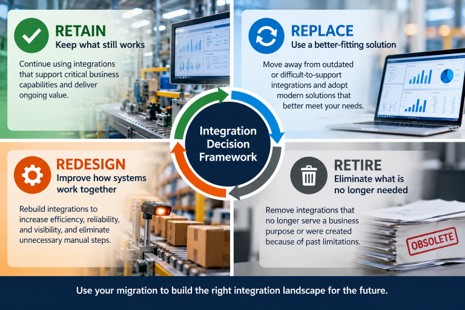
The Retain, Replace, Redesign, or Retire framework helps manufacturers evaluate each Dynamics GP integration based on its future business value rather than automatically recreating the existing environment.
Retain
Some integrations still support important business capabilities and remain appropriate.
A specialized manufacturing application may remain essential.
In that case, the application may stay, but its connection to Business Central may change.
Replace
Some integrations connect GP to outdated or difficult-to-support applications.
The migration creates an opportunity to evaluate alternatives.
A manufacturer might replace a legacy reporting integration with Business Central and Power BI, provided the new solution meets the business requirement.
Microsoft documents supported integration options between Business Central, Power BI, Power Automate, Power Apps, and other Power Platform applications.
Redesign
An integration may still be necessary, but it may no longer work as well.
Perhaps information moves through scheduled files.
Employees may manually reconcile data because the two systems aren't synchronized effectively.
Modernization provides an opportunity to redesign the process rather than reproduce it.
Retire
Some integrations exist because of limitations or processes that no longer apply.
Before investing in rebuilding them, ask whether they still serve a meaningful business purpose.
An integration nobody can explain shouldn't automatically become part of the future architecture.
But don't remove it until you understand its dependencies.
The goal is not to preserve the current integration landscape.
The goal is to build the right one for the future.
What Happens to MES, WMS, EDI, and Other Systems?
Manufacturing execution systems and shop floor applications require particular attention because they connect ERP planning and financial information with physical production activity.
Depending on the manufacturer, they may capture:
- Production output
- Material consumption
- Labor
- Scrap and rework
- Machine activity
- Production status
Those transactions can affect inventory, costing, scheduling, and management reporting.
The migration team needs to define basic ownership questions.
Which system owns the production order?
Where is consumption recorded?
Where is output recorded?
How are errors corrected?
When are financial entries created?
These are not simply technical questions.
They determine whether the ERP accurately reflects manufacturing activity.
The right design also depends on manufacturing DNA.
Make-to-stock, make-to-order, engineer-to-order, and mixed-mode manufacturers may have very different process and integration requirements.
A connection that works well for a make-to-stock manufacturer may not provide the transaction visibility or flexibility an engineer-to-order business requires. The integration strategy must reflect how production is planned, executed, and reported.
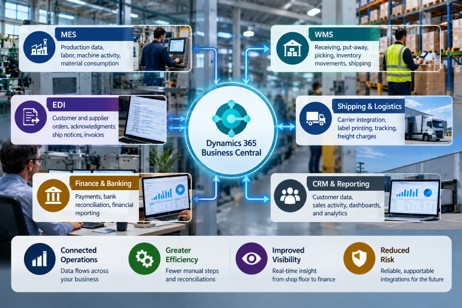
Business Central can serve as the central ERP platform in a connected manufacturing environment, but each MES, WMS, EDI, logistics, finance, CRM, and reporting connection requires a deliberate future-state integration decision.
Warehouse Management
A WMS may manage receiving, put-away, picking, transfers, inventory movements, and shipping.
The future-state design should define which system owns each transaction and how inventory remains synchronized.
If the WMS and BC disagree on inventory, employees may quickly lose confidence in both.
EDI
EDI may support purchase orders, acknowledgments, advance ship notices, invoices, and customer-specific transactions.
Those requirements don't disappear when the ERP changes.
The new environment still needs to support the customer's business rules.
Shipping, Banking, CRM, and Reporting
Evaluate shipping platforms, banking tools, CRM, payroll systems, and reporting applications separately.
Microsoft documents integration scenarios between Business Central and Dynamics 365 Sales, Dataverse, Power Platform, Shopify, and other Microsoft services.
That does not mean every third-party integration is native or automatic.
Each one requires its own decision.
Should Existing Custom Integrations Be Rebuilt?
Not automatically.
Rebuilding every custom integration exactly as it exists today can undermine the point of modernization.
A custom integration may have been created because GP lacked a capability, a third-party system required a particular approach, or a unique business process needed support.
Some of those reasons may still be valid.
Others may not.
I encourage manufacturers to separate business requirements from technical solutions.
Ask:
What business problem was this integration designed to solve?
Then ask:
Is that still the best way to solve it in Business Central?
A custom connection may still be essential.
Another may now be unnecessary.
A third may need redesign because the old technology or process is hard to maintain.
This is where the earlier series article on Dynamics GP customizations and ISV dependencies becomes relevant.
Applications, customizations, and integrations are closely connected, but they are not the same decision.
The key is to avoid recreating technical debt just because it is familiar.
How Does Business Central Support Modern Integrations?
Business Central supports several integration approaches, including REST APIs, Microsoft Power Platform, Dataverse, and supported connections to selected Microsoft and third-party applications.
Microsoft identifies REST APIs as the preferred integration approach for Business Central external systems. Standard APIs are available, and you can create custom APIs when standard endpoints don't meet business requirements.
This gives manufacturers modern integration options.
But an available API does not automatically create a complete business solution.
Integration still requires:
- Business logic
- Security
- Monitoring
- Error handling
- Support ownership
- Testing
Business Central also integrates with Power Automate, Power Apps, and Power BI.
These tools can support workflow automation, applications, and reporting.
The right tool depends on the business scenario.
Executives do not need to choose API endpoints.
They do need confidence that the architecture is understandable and supportable.
I would want clear answers to questions such as:
Where does important data originate?
Which system owns it?
How do we know whether an integration succeeded?
What happens when it fails?
Who responds?
Can the solution be supported without relying on one individual?
A modern architecture should make those answers easier, not harder.
Who Should Own Integration Decisions?
Business process owners, IT leadership, and the implementation team should share integration decisions.
IT should not determine business priorities alone.
Business leaders should not make integration commitments without understanding technical implications.
Operations should define production and warehouse requirements.
Finance should define controls, reconciliation, and financial accuracy requirements.
Sales and customer service should identify customer-facing dependencies.
IT should evaluate security, architecture, supportability, and risk.
The implementation partner should help translate those requirements into a practical BC strategy.
One question I often encourage executives to ask is:
Who will own this integration after the implementation project is finished?
That matters because integrations require ongoing support.
Applications change.
Vendors release updates.
Business processes evolve.
Failures occur.
Without clear ownership, even a technically sound integration can become a long-term operational risk.
How Should Manufacturers Test Integrations?
Manufacturers should test integrations through complete business processes, not simply successful data transfers.
A message moving from one system to another proves the connection works.
It does not prove the business process works.
Consider an EDI customer order.
Did the order arrive correctly?
Did it create the right demand?
Could production or purchasing respond correctly?
Was the shipment processed?
Was the invoice accurate?
Did the financial result post correctly?
That is a meaningful test.
Manufacturers should also test exceptions.
Materials are short.
Production quantities change.
Orders ship partially.
Transactions are rejected.
Inventory requires adjustment.
Testing should establish what happens when information is missing, delayed, duplicated, or incorrect.
And the people who depend on those integrations should participate.
A warehouse supervisor may identify an issue IT would miss.
A planner may notice that information arrives too late.
A controller may identify a reconciliation problem that would otherwise appear at month-end.
That is why integration testing belongs within the broader Business Central UAT process.
A successful integration supports the business process reliably, not just data exchange.
What Should Executives Ask Before Approving the Integration Strategy?
Executives do not need to become integration specialists.
They do need confidence that the organization understands its dependencies.
I would ask:
- Do we have a complete inventory of everything connected to Dynamics GP?
- Which integrations are essential to production, shipping, order processing, or finance?
- Which will we retain, replace, redesign, or retire?
- Have we confirmed that remaining applications can support the proposed BC environment?
- Who owns each critical integration?
- How will we know when an integration fails?
- Have we tested the full business process, including exceptions?
- What is the contingency plan if a critical integration is not ready at go-live?
Those questions bring the discussion back where it belongs.
Business continuity.
Building a Better Connected Manufacturing Business
A Dynamics GP-to-Business Central migration should not be an exercise in reconnecting every application exactly as it worked before.
That may preserve the very complexity the organization wanted modernization to address.
Instead, use the migration to examine how systems support the business.
Which connections are essential?
Which applications still create value?
Which processes depend on manual work?
Where are you carrying technical complexity that no longer serves a purpose?
Where could a better-connected environment improve reliability and visibility?
The answers will differ from one manufacturer to another.
But the principle is consistent.
The goal is not to recreate your Dynamics GP integration environment in Business Central. The goal is to build an integration environment that supports how your manufacturing business needs to operate next.
At Liberty Grove Software, we help manufacturers assess their Dynamics GP environments, identify critical dependencies, and plan Business Central migrations around the processes that matter most.
If your organization is preparing for a GP-to-BC migration, an integration assessment can clarify what needs to stay, what should change, and where the greatest operational risks exist.
Talk with Liberty Grove Software about your Dynamics GP-to-Business Central migration.
What’s Next in This Series?
Once manufacturers have addressed data readiness and integration planning, the next question is whether their critical business processes will actually work in Business Central.
That brings us to testing.
In the next article, How Should Manufacturers Test Business Central Before Go-Live?, I’ll look at how manufacturers can validate real workflows across planning, purchasing, production, inventory, shipping, costing, and financial posting.
The goal of testing is not simply to prove that Business Central works.
It is to prove that your business can work in Business Central.
Frequently Asked Questions
Will our existing Dynamics GP integrations work automatically with Business Central?
Generally, no. Evaluate existing integrations to determine whether they can connect to Business Central, need modification, require replacement, or should be retired.
Do manufacturers need to replace their MES or WMS when moving to Business Central?
Not necessarily. Existing systems may remain if they continue to meet business requirements and can integrate appropriately with Business Central.
Can Business Central integrate with EDI platforms?
Yes. Business Central can participate in EDI solutions through third-party applications, integration platforms, APIs, or custom development. Requirements vary by trading partner and transaction type.
Does Business Central eliminate the need for custom integrations?
No. Business Central provides standard capabilities and modern integration options, but some manufacturers will still require extensions, third-party applications, or custom integrations.
When should integration planning begin during a Dynamics GP migration?
Start integration discovery early enough to identify dependencies, evaluate future-state options, coordinate with vendors, design connections, and test critical processes before go-live.
What is the biggest integration risk when migrating from Dynamics GP to Business Central?
One of the biggest risks is discovering a business-critical dependency late in the project. A thorough integration inventory, clear ownership, and end-to-end testing help reduce that risk.
About Andrew Good

Andrew Good, CEO, Liberty Grove Software
Andrew Good, CEO of Liberty Grove Software, a leader in digital transformation, directs the company with strategic insights that deliver impactful results. With over two decades of expertise in Microsoft technologies, Andrew has guided businesses through digital transformation across manufacturing, finance, and healthcare.
Andrew's extensive knowledge comes from personal experiences with various companies. His hands-on operational knowledge comes from Engineering, Maintenance, and operational roles at Unilever and Sony Music. Fourteen years of working with Microsoft Dynamics BC/NAV follows successful projects in ERP, Computerized Maintenance Management Systems (EAM), and quality systems.
His passion for technology is matched by his love for sailing, which inspires his leadership. Andrew parallels the precision of navigating the seas and the challenges of steering a successful company. Under his leadership, Liberty Grove Software thrives, offering tailored solutions to empower clients and optimize operations with innovative Microsoft-based systems.
Connect with Andrew on LinkedIn
Subscribe to Andrew’s Newsletter on LinkedIn
I see a simple mistake manufacturers make when they start thinking about ERP data migration.
Manufacturers often assume that because data exists in Dynamics GP, it should be transferred to Business Central unchanged, but this overlooks the need for thorough validation to ensure data trustworthiness before migration.
It doesn't.
After 10, 15, or 20 years in the same ERP environment, most manufacturers have accumulated more than just business history. They have duplicate customer records, inactive vendors, obsolete items, inconsistent descriptions, outdated bills of material, questionable routing information, old units of measure, and records everyone recognizes but nobody is sure anyone still uses.
None of this means Dynamics GP has failed.
It means the business has evolved.
In a previous article, I discussed what data manufacturers should migrate from Dynamics GP to Business Central. That is a strategic question about what information has enough business value to move forward.
This article addresses the next question.
Once you have decided what should migrate, is that data actually ready to move?
That distinction matters.
A technically successful migration can move poor-quality data perfectly.
You end up with the same problem in a newer ERP.
Data migration shouldn't be about proving we can move the data. It should ensure the business can trust the data when it arrives.
For manufacturing executives, Dynamics GP data cleanup should be treated as a business-readiness issue, not database housekeeping.
Early executive attention builds control and supports proactive leadership.
Table of Contents
Why Clean Dynamics GP Data Before Migration?
What Manufacturing Data Should Be Cleaned?
What Should You Do With Duplicate, Inactive, and Obsolete Records?
Why BOMs and Routings Require Special Attention
Who Owns ERP Data Cleanup?
When Should Data Cleanup Begin?
How Should Clean Data Be Validated?
What Questions Should Executives Ask About Data Readiness?
A Final Thought: Don't Move the Mess
Frequently Asked Questions
Why Clean Dynamics GP Data Before Migration?
Manufacturers should recognize that data quality directly impacts planning, inventory, and decision-making, so executives must actively support and prioritize data cleansing before migration.
That is the executive answer.
The technical team may see records and tables. I see the operational decisions those records drive.
A production planner depends on accurate item, inventory, BOM, routing, capacity, and demand information.
Purchasing depends on accurate vendor, item, lead-time, and supply information.
Finance depends on reliable master data, balances, dimensions, costing, and transactions.
Operations depends on the integrity of the information flowing between all of them.
And leadership ultimately depends on those functions to produce a credible picture of what is happening across the business.
If an item exists under several inconsistent descriptions, which one should the planner trust?
If obsolete components remain in a BOM, what happens when somebody uses that structure to make a production decision?
If inactive vendors and duplicate customers move into the new ERP, have we modernized the underlying information or changed where we store it?
This becomes even more important as manufacturers pursue greater automation, analytics, and AI-enabled decision support.
Those technologies do not magically repair weak master data.
They make the quality of the underlying information more consequential.
The more you expect from your ERP, the more you have to expect from your data. Automation and analytics can make good information more valuable, but they can also expose poor information much faster.
I remember reviewing a manufacturing environment where the ERP routing no longer reflected what was happening on the floor. The experienced production team knew the real process, so day-to-day operations kept running.
The ERP wasn't the source of truth anymore; a migration forces you to confront that gap.
That’s why I encourage executives to view ERP data cleansing as part of building BC's operating foundation, not as a cleanup exercise assigned to IT.
What Manufacturing Data Should Be Cleaned?
Manufacturing data cleanup should first focus on the master and operational data the future business will actively rely on.
That typically means examining areas such as:
- Customers
- Vendors
- Items
- Units of measure
- Locations
- Inventory information
- Production BOMs
- Routings
- Work centers and machine centers
- Dimensions and accounts
- Open transactions
- Manufacturing master data
The exact scope will vary by manufacturer.
The important point is to examine each data domain in the context of how the business actually operates.
Consider a representative manufacturer with thousands of item records accumulated over many years.
Some are active finished goods.
Some are components.
Some relate to products discontinued years ago.
Some were created for one customer order.
Others may represent essentially the same material but use different descriptions or units of measure because different employees created them at different times.
The migration question is not simply, "Can these item records be converted?"
The better question is, "Which records will our employees rely on after go-live, and are they accurate enough to support those decisions?"
Microsoft's own Dynamics 365 implementation guidance distinguishes migration data, such as customers, products, and open transactions, from configuration data and emphasizes planning, testing, and assigning responsibilities for data management throughout implementation.
For manufacturers, that discipline matters more because production data is interconnected.
Microsoft Dynamics 365 Business Central manufacturing uses production BOMs to define components, routings to define production operations, and work and machine centers to represent capacity and costs.
If those foundational structures are wrong, the issue is not cosmetic.
The error can carry into planning and production.
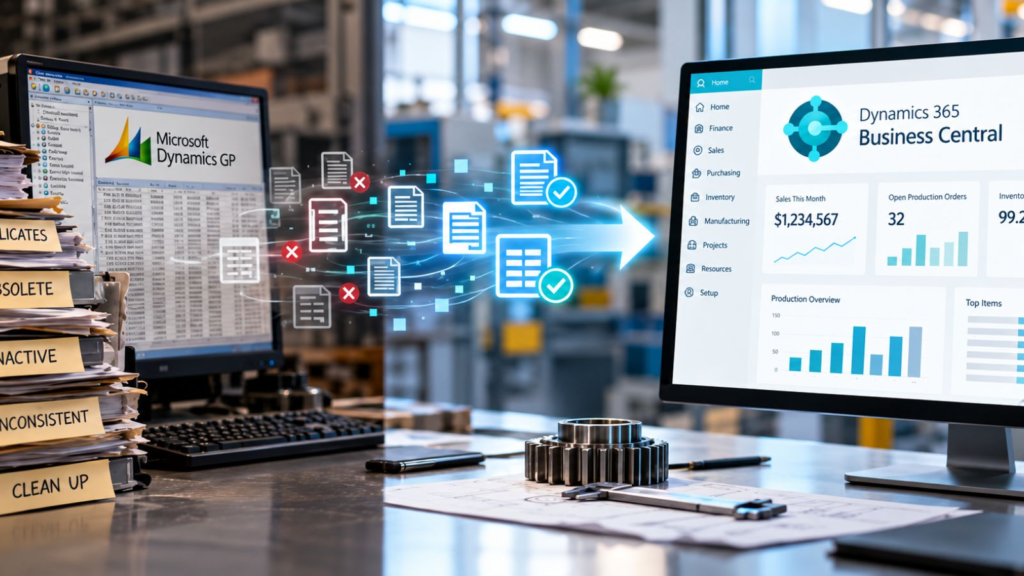
Dynamics GP data cleanup should turn years of accumulated ERP data into a cleaner, standardized, and validated foundation for Business Central.
What Should You Do With Duplicate, Inactive, and Obsolete Records?
Evaluate duplicate, inactive, and obsolete Dynamics GP records rather than automatically migrating or deleting them.
I tend to think about the decision in four ways:
Retain. Clean. Consolidate. Archive.
Some records are active, accurate, and clearly belong in the future environment.
Some are still required but need correction before migration.
Some duplicates can potentially be consolidated, provided the operational, financial, audit, and reporting implications have been properly evaluated.
Others may need to remain accessible for historical, legal, tax, audit, compliance, or reporting purposes without necessarily becoming part of the active operational dataset in BC.
This is where executive discipline matters.
"We might need it someday" is not a data strategy.
Neither is "delete everything old."
A CFO may have legitimate requirements around financial history and auditability. Operations may need historical item or production information. Customer service may rely on information that appears inactive to IT but is important when a long-standing customer calls.
The correct decision depends on the record, its business purpose, and the organization's retention requirements.
Cleaning data does not mean throwing history away. It means being deliberate about what belongs in your active operating environment and what belongs in your historical record.
That is a very different conversation.
Why BOMs and Routings Require Special Attention
BOMs and routings deserve special attention because they describe how the manufacturer intends to build products and perform production operations.
Business Central production BOMs define the components and subassemblies used to produce an item. Routings capture the operations required to manufacture it and underpin process and capacity scheduling.
That makes them far more than reference data.
They are operating instructions.
A representative scenario illustrates the risk.
Imagine a manufacturer that has produced a product family for 15 years. Engineering changes have occurred. Components have been substituted. Equipment has changed. Setup times have improved. Certain operations are now performed differently on the shop floor.
However, the ERP structure has not always kept pace.
Experienced employees know the difference between "what GP says" and "what we actually do."
That gap is manageable as long as those employees are present and everyone understands the workaround.
Migration exposes it.
Now leadership has to decide whether to migrate the documented process or the real process.
That is why I pay particular attention to:
- Obsolete components
- Incorrect quantities
- Old BOM revisions
- Routing steps that no longer reflect production
- Setup and run times
- Work center and machine center information
- Units of measure
- Undocumented production knowledge
Microsoft notes that work and machine centers in BC represent people, equipment, and production capacity used in routing operations, and that calendars, capacity, efficiency, and costs affect scheduling and costing.
If the underlying manufacturing master data is unreliable, simply moving it does not create a reliable manufacturing system.
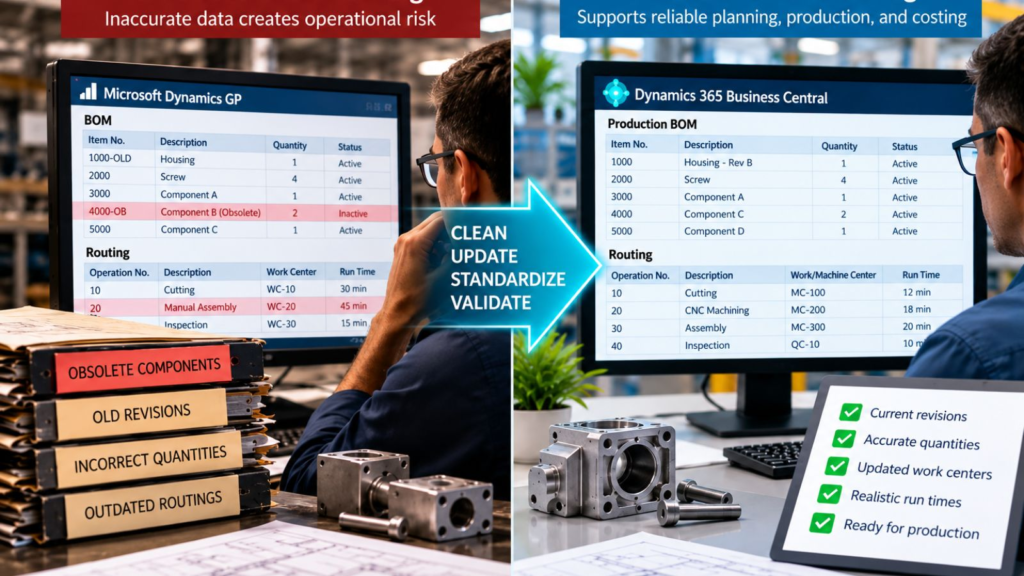
Cleaning BOM and routing data before migration helps ensure Business Central reflects how products are actually manufactured, including current components, quantities, operations, work centers, and run times.
This is also where ERP modernization can reveal something valuable.
Sometimes the migration project discovers that the most accurate version of a manufacturing process is not in the ERP at all.
It is in someone's head.
That is not merely a migration problem.
It is an organizational risk.
Who Owns ERP Data Cleanup?
The business should own ERP data cleanup, with IT and the implementation team providing structure, tools, technical support, and migration expertise.
I would not ask IT to decide whether a production BOM accurately reflects how a product is manufactured.
I would not ask operations to determine the company's financial data-retention requirements.
And I would not ask an implementation consultant to decide which customer records still have strategic value.
The people closest to the data usually understand its business meaning best.
Finance should own financial data decisions.
Sales and customer service should help validate customer information.
Purchasing should validate suppliers.
Warehouse and inventory teams should understand locations, items, and inventory-related records.
Manufacturing and engineering should validate BOMs, routings, production resources, and related master data.
IT should help identify data structures, dependencies, extraction requirements, and technical issues.
The implementation partner should help establish the process, identify migration requirements, expose anomalies, and challenge assumptions.
Leadership should make sure ownership is clear.
One question I often encourage executives to ask is:
"Who is willing to sign their name to the accuracy of this data?"
If nobody owns a data domain, that is useful information.
You have identified a governance problem before it becomes a migration problem.
Users often blame the new ERP for problems caused by old data.
Poor data also creates an adoption problem.
If employees open BC after go-live and immediately encounter duplicate items, questionable inventory information, or BOMs they already know are wrong, they may conclude that the new ERP cannot be trusted.
In reality, the problem may have existed for years. The migration simply made it visible.
When Should Data Cleanup Begin?
Dynamics GP data cleanup should begin early enough that business owners can make thoughtful decisions before conversion deadlines create pressure.
There is no universal timeline.
A manufacturer with relatively clean master data and straightforward processes has a very different challenge from a multi-site organization with decades of records, acquisitions, customizations, inconsistent naming standards, and multiple manufacturing models.
What matters is sequencing.
Do not wait until somebody says, "We need the final conversion file next week," to ask whether the item master is accurate.
Data cleanup often requires investigation.
Why do these two vendors appear to be duplicates?
Does anyone still buy this component?
Why does this item use a different unit of measure?
Is this BOM obsolete, or is it used for a customer-specific configuration?
Does the routing reflect current equipment?
Those questions take business knowledge to answer.
And business knowledge is difficult to compress into the final days before conversion.
The most expensive time to discover a data problem is when the project is waiting for someone to decide what to do.
Starting earlier gives the organization something valuable: options.
How Should Clean Data Be Validated?
Validate cleaned data by comparing migrated information with the source, reconciling critical balances and records, reviewing exceptions, and obtaining business-owner approval.
Microsoft's GP cloud migration guidance specifically calls for validating migrated data before completing the migration. It provides migration validation tests to compare source information in Dynamics GP with migrated information in Business Central.
But technical validation is only part of the answer.
A record can migrate accurately and still contain bad business information.
If an obsolete item moves from GP to BC exactly as designed, the migration tool has succeeded.
The data strategy has not.
That is why I separate two questions:
Did the data migrate correctly?
and
Is the data correct for the business?
Manufacturers need both answers.
A sound validation process can include:
- Trial migrations
- Source-to-target reconciliation
- Exception reports
- Record counts where appropriate
- Inventory and financial reconciliation
- Sampling of important master records
- BOM and routing review
- Business-owner validation
- Formal sign-off for critical data domains
People who will use the information after go-live should validate it before go-live.
That creates accountability and builds confidence.
Users are more likely to trust the new system when they recognize the information inside it.
What Questions Should Executives Ask About Data Readiness?
Executives do not need to inspect thousands of records personally.
They do need confidence that the organization has a disciplined data-readiness process.
I would want answers to questions such as:
- Who owns each major data domain?
- How much inactive, duplicate, or obsolete data have we identified?
- Are our active BOMs and routings accurate today?
- Are naming conventions and units of measure consistent enough for the future environment?
- What information must remain accessible for historical, financial, legal, audit, or reporting reasons?
- What data-quality issues are being corrected before migration rather than carried into BC?
- Who validates converted data and who has authority to approve it?
- What will prevent the same data-quality problems from returning after go-live?
That last question matters.
Data cleanup without data governance is temporary.
If five people can create the same item five different ways after go-live, you have not solved the underlying issue.
You have reset the clock.
A Final Thought: Don't Move the Mess
There is a phrase I use when discussing data migration:
Don't move the mess.
It sounds simple, but it reflects a larger leadership principle.
ERP modernization gives manufacturers a rare opportunity to examine information that has accumulated over years and ask whether it still represents the business they are trying to run.
Some data will absolutely need to move, some will need to be corrected, and some will need to be retained differently.
And some may reveal process or governance issues that deserve attention before Business Central ever goes live.
The objective is not a perfectly clean database.
Manufacturing businesses are too dynamic for that.
The objective is a trustworthy operating foundation.
You do not get a clean start simply because you implement a new ERP. You get a clean start when you make deliberate decisions about the processes and information you bring into it.
For the C-Suite, that is the real value of Dynamics GP data cleanup.
It reduces uncertainty.
It improves confidence.
And it helps ensure the organization enters Business Central with information designed to support the business it wants to become, rather than simply reproducing the system it is leaving behind.
Ready to Assess Your Dynamics GP Data?
If your organization is preparing to move from Microsoft Dynamics GP to Business Central, address data readiness before conversion becomes a deadline-driven exercise.
At Liberty Grove Software, we help manufacturers assess their Dynamics GP environment, identify data-quality and migration risks, clarify ownership, and build a practical path toward Business Central.
The goal is not to clean data for the sake of cleaning it.
The goal is to create an ERP foundation your people and leadership team can trust.
Talk with Liberty Grove Software about a Manufacturing ERP Readiness Assessment and determine whether your Dynamics GP data is ready for the next stage of your migration.
What's Next in This Series?
Data cleaning is one part of preparing the Dynamics GP environment for Business Central.
But Dynamics GP rarely operates alone.
MES platforms, WMS solutions, EDI, shipping systems, banking applications, CRM, reporting tools, payroll systems, engineering applications, and custom interfaces may all exchange information with GP.
That creates the next execution question:
What happens to those integrations when GP goes away?
In the next article, "What Happens to Dynamics GP Integrations When Moving to Business Central?", I'll examine how manufacturers can inventory their existing integration ecosystem and decide what should be retained, replaced, redesigned, or retired rather than automatically rebuilding every connection around the new ERP.
Frequently Asked Questions
What data should be cleaned before a Business Central migration?
Manufacturers should review the active master and operational data they have selected for migration, including customers, vendors, items, units of measure, inventory information, BOMs, routings, work and machine centers, dimensions, accounts, and open transactions. The exact scope depends on the manufacturer's processes and migration strategy.
Should old Dynamics GP data be migrated?
Not automatically. Historical data should be evaluated based on business value and operational, financial, audit, legal, compliance, and reporting requirements. Some information may need to remain accessible without becoming part of the active operating dataset in Business Central.
When should Dynamics GP data cleanup begin?
Data cleanup should begin early in migration preparation, before final conversion deadlines. The more complex the Dynamics GP environment, the more time business owners may need to investigate duplicates, obsolete records, inconsistent master data, and manufacturing structures.
Who is responsible for ERP data cleansing?
ERP data cleansing should be a shared business responsibility. Finance, sales, purchasing, manufacturing, warehouse, operations, and other process owners should validate the information they understand, while IT and the implementation partner provide technical and migration support.
Why are BOMs and routings important during migration?
BOMs define the components and subassemblies required to manufacture products, while routings define the operations used to produce them. In Business Central, these structures affect material requirements, scheduling, capacity, production execution, and costing, so accuracy matters most before migration.
How do manufacturers validate data after migrating from Dynamics GP to Business Central?
Manufacturers should combine technical migration validation with business validation. This can include source-to-target comparisons, reconciliation, exception reporting, trial migrations, sampling, BOM and routing review, and formal approval from the business owners responsible for critical data.
About Andrew Good
Andrew Good, CEO, Liberty Grove Software
Andrew Good, CEO of Liberty Grove Software, a leader in digital transformation, directs the company with strategic insights that deliver impactful results. With over two decades of expertise in Microsoft technologies, Andrew has guided businesses through digital transformation across manufacturing, finance, and healthcare.
Andrew's extensive knowledge comes from personal experiences with various companies. His hands-on operational knowledge comes from Engineering, Maintenance, and operational roles at Unilever and Sony Music. Fourteen years of working with Microsoft Dynamics BC/NAV follows successful projects in ERP, Computerized Maintenance Management Systems (EAM), and quality systems.
His passion for technology is matched by his love for sailing, which inspires his leadership. Andrew parallels the precision of navigating the seas and the challenges of steering a successful company. Under his leadership, Liberty Grove Software thrives, offering tailored solutions to empower clients and optimize operations with innovative Microsoft-based systems.
Connect with Andrew on LinkedIn
Subscribe to Andrew’s Newsletter on LinkedIn
There’s a moment in almost every ERP project when everyone wants to celebrate.
The new system is live.
Orders are being entered. Production is running. Invoices are going out. Finance can post transactions. The implementation team has survived the weekend. People are tired, relieved, and understandably ready to call the project a success.
I understand that feeling.
But after working with manufacturers and ERP systems for more than two decades, I have developed a different view of what success looks like.
Go-live is a milestone. It is not the finish line.
A successful Dynamics GP migration to Microsoft Dynamics 365 Business Central is not defined by whether the system went live on schedule. It is defined by what happens to the business afterward.
Are people using the system properly?
Is management getting better information?
Have manual workarounds actually disappeared?
Can finance close more efficiently?
Can operations see what is happening on the plant floor?
Can the company grow without recreating the same complexity it was trying to leave behind?
Those are much harder questions than “Did we go live?”
They are also much more important.
In the previous three articles in this phase of our Manufacturing ERP Modernization series, we looked at how manufacturers can plan a Dynamics GP to Business Central migration, determine what data deserves to migrate, and build the executive business case for modernization.
Those decisions bring you to implementation.
Now comes the test of whether all that preparation produces lasting value.
“A successful ERP implementation isn’t the one everyone stops talking about after go-live. It’s the one the business is still benefiting from years later.” – Andrew Good, CEO, Liberty Grove Software
Table of Contents
What Does ERP Migration Success Really Mean?
Why Does Executive Leadership Matter After the Project Begins?
What Does Strong ERP Governance Look Like?
Why Is Testing a Business Issue, Not Just an IT Task?
How Should Manufacturers Prepare Employees for Business Central?
Why Does ERP Change Management Determine User Adoption?
What Should Happen After Business Central Go-Live?
How Should Executives Measure ERP Success?
What Do Successful Manufacturers Consistently Do Differently?
Executive Takeaways
Turn Go-Live Into Long-Term Business Value
Final Thoughts
Frequently Asked Questions
What Does ERP Migration Success Really Mean?
ERP projects tend to be managed around visible milestones.
Requirements complete. Configuration complete. Data converted. User acceptance testing complete. Training complete. Cutover. Go-live.
Those milestones matter.
But none of them, on its own, proves ERP implementation success.
For a manufacturer, success should be defined in operational and financial terms.
Did inventory accuracy improve?
Are production schedules more reliable?
Can employees get information without maintaining parallel spreadsheets?
Can leadership see margin, inventory, production, purchasing, and financial performance more clearly?
Are processes standardized?
Has the organization reduced dependency on customizations and tribal knowledge?
Are employees actually using Business Central as intended?
Most importantly, did the manufacturing ERP implementation solve the problems leadership approved the investment to solve?
That definition changes the conversation.
The project is no longer about replacing GP. It is about improving the company's operating capability.
Why Does Executive Leadership Matter After the Project Begins?
One of the biggest misconceptions about ERP modernization is that executives provide sponsorship at the beginning, approve the budget, and then hand the project to IT.
Successful projects don’t work that way.
Executive sponsorship has to remain visible.
Why?
Because ERP implementation creates decisions that cross departmental boundaries.
Finance may want one thing. Operations may want another. Sales has its priorities. Warehousing has practical realities. IT has technical considerations.
Someone needs to make decisions based on what is best for the company, not simply what is easiest for one department.
That is leadership’s job.
Executives also send signals through their behavior.
If the CEO, CFO, and COO keep asking for reports from old spreadsheets instead of the new environment, employees notice.
If leaders allow departments to opt out of agreed processes, employees notice that too.
I have seen leadership teams say they want standardization and then approve exception after exception because changing an old process feels uncomfortable.
Eventually, the new ERP starts looking remarkably like the old ERP.
“Executive sponsorship isn’t approving the ERP project. It’s continuing to lead when the project starts asking the organization to change.” – Andrew Good
For C-Suite leaders, that distinction is critical.
What Does Strong ERP Governance Look Like?
Good ERP governance answers three basic questions:
Who decides? Who owns? Who is accountable?
A strong governance structure typically includes an executive sponsor, steering committee, project leadership, functional owners, technical resources, and clear escalation paths.
But governance is not about creating meetings.
It is about accelerating good decisions.
When an issue affects costing, who decides?
When operations requests a customization, who determines whether it is truly necessary?
When testing exposes a gap, who determines whether it blocks go-live?
When data quality is insufficient, who owns remediation?
When the project begins to drift from scope, who has authority to bring it back?
Without clear governance, decisions wait. Small issues become large issues. Teams work around unresolved questions.
And project risk quietly increases.
Some of the most important ERP best practices are far less glamorous than the technology. Clear accountability is one of them.
Microsoft's guidance on effective ERP project governance similarly emphasizes aligning project goals with business objectives, establishing clear roles and responsibilities, and embedding governance in areas such as solution design, testing, and deployment.
Why Is Testing a Business Issue, Not Just an IT Task?
I sometimes hear people talk about testing as if its purpose is to prove that Business Central works.
Microsoft already knows whether the software can post an invoice.
Your testing needs to determine whether your business can operate successfully in the configured environment.
Microsoft's Dynamics 365 implementation guidance likewise treats testing strategy as a core implementation discipline alongside solution design, data migration, integration, cutover, and training.
For manufacturers, that means testing real business scenarios from beginning to end.
Don’t test only whether someone can create a sales order.
Test what happens when that order drives demand, purchasing, production, inventory movement, shipping, invoicing, costing, and financial posting.
Test exceptions.
What happens when material is short?
What happens when production quantity changes?
What happens with scrap?
What happens when a purchase arrives differently than expected?
What happens when an order is expedited?
What happens at month-end?
Testing is where assumptions meet operations.
Years ago, I learned that the most valuable test scripts are often the ones that make experienced users uncomfortable. They know where the business gets complicated.
Listen to them.
A smooth demonstration proves very little. A realistic manufacturing scenario that survives contact with your actual processes tells you much more.
“Testing isn’t about proving the software works. It’s about proving the business will work when the software becomes real.” – Andrew Good
How Should Manufacturers Prepare Employees for Business Central?
Training should not begin with, “Here are the buttons you need to click.”
Employees need context.
What is changing?
Why is it changing?
What will their job look like?
What process are they now responsible for?
What happens downstream when they enter information incorrectly?
This is particularly important in manufacturing because transactions are connected.
An inventory decision can affect production.
A production transaction can affect costing.
A purchasing decision can affect availability.
Inaccurate routing or bill of materials data can affect planning, capacity, and financial results.
Good training therefore teaches process, not simply software navigation.
Microsoft also links training and user adoption directly to business outcomes, emphasizing that adoption turns new technology into part of the organization's everyday work.
I also recommend role-based training using realistic scenarios.
A production planner does not need the same training as a controller. A warehouse employee doesn’t need the same experience as a purchasing manager.
Train people for the work they actually perform.
Then allow them to practice before the pressure of go-live.
Why Does ERP Change Management Determine User Adoption?
Technology changes quickly.
People don’t always change at the same speed.
That is not resistance for the sake of resistance. Employees have spent years learning how to get work done. Some workarounds exist because they solved real problems.
When we ask them to stop using those methods, we need to explain what is replacing them and why.
Good ERP change management begins long before training.
Microsoft's implementation guidance also treats change management as a lifecycle activity spanning initiation, implementation, go-live preparation, and ongoing operations.
It involves communication, participation, expectation setting, process ownership, leadership visibility, and listening.
I once worked with an organization where a process looked unnecessarily complicated during assessment. The obvious reaction would have been to eliminate it.
But when we spoke with the people doing the work, we discovered why it existed. They had created the workaround years earlier to compensate for a legitimate system limitation.
The limitation no longer needed to exist in the future environment.
That conversation mattered.
We weren’t telling employees, “You’ve been doing this wrong.”
We were saying, “There was a reason you had to work this way. Now we have an opportunity to remove the reason.”
That is a very different change-management conversation.
Respect the history, but don’t automatically preserve it.
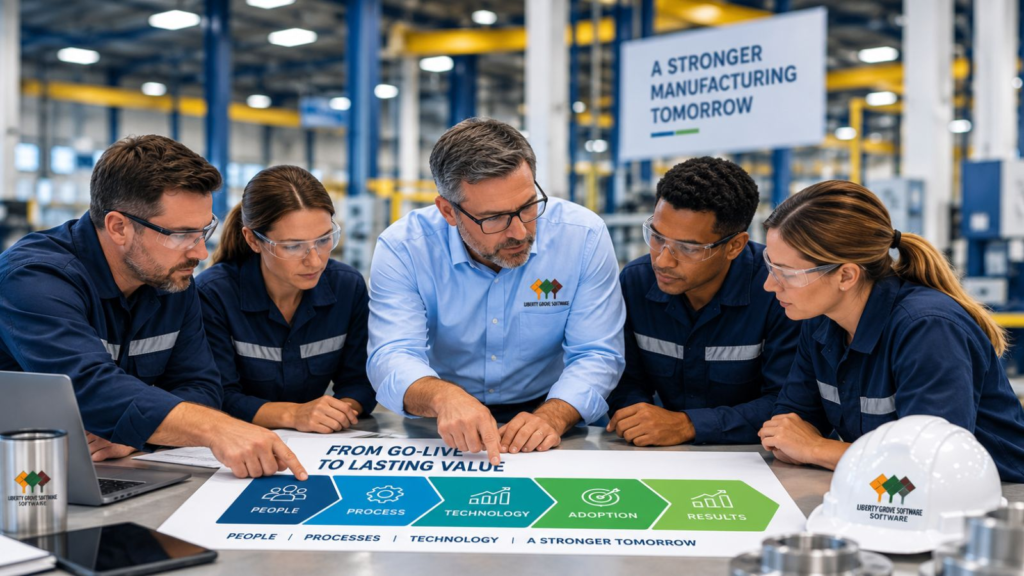
ERP success depends on more than technology. Communication, training, change management, visible leadership, and user adoption turn a successful go-live into lasting business value.
What Should Happen After Business Central Go-Live?
The first days and weeks after Business Central go-live deserve their own plan.
This period is often called hypercare.
Hypercare means providing focused support while users encounter the new system under real operating conditions.
Issues will emerge.
That does not necessarily mean the implementation failed.
A user may forget a step. A process may need clarification. A report may need refinement. A real-world scenario may expose something testing did not.
The important question is how quickly the organization identifies, prioritizes, owns, and resolves those issues.
I recommend tracking them visibly.
Separate genuine defects from training questions, process issues, enhancement requests, and future opportunities.
Otherwise, everything becomes “an ERP problem,” making it hard to understand what is actually happening.
And don’t end hypercare simply because the calendar says four weeks have passed.
Exit when the business demonstrates stability.
Microsoft's go-live guidance similarly emphasizes the transition to operational support, including a plan to monitor, maintain, and improve the solution once it becomes operational.
How Should Executives Measure ERP Success?
This brings us back to the most important question.
How do you know the investment worked?
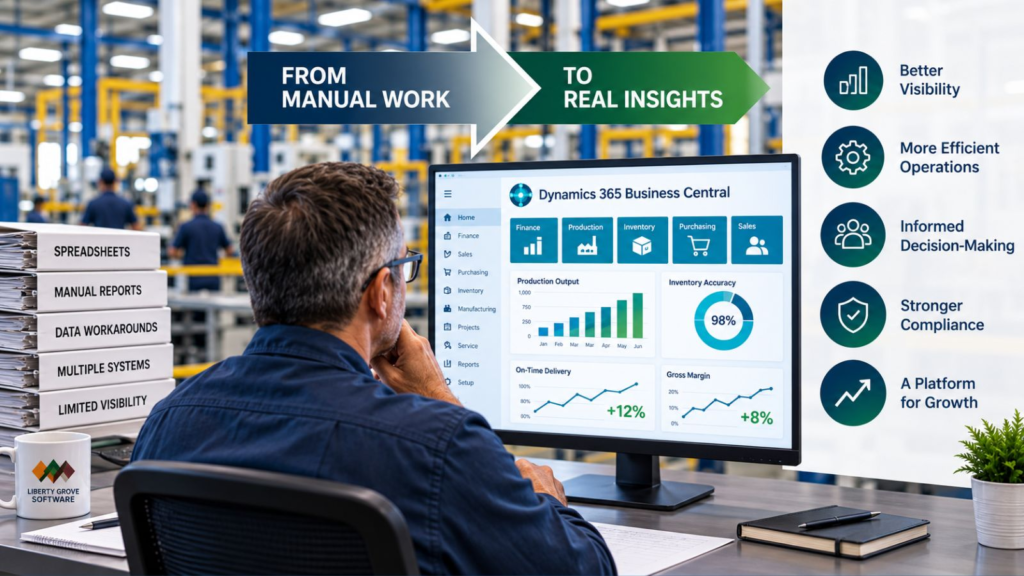
Go back to the business case.
If faster reporting was an objective, measure reporting cycle time.
If inventory accuracy mattered, measure it.
If manual processes were supposed to disappear, count how many actually disappeared.
If leadership wanted greater operational visibility, determine whether executives and managers are using the new information to make decisions.
Possible KPIs include:
- Financial close time
- Inventory accuracy
- Schedule adherence
- Order fulfillment performance
- Production reporting accuracy
- Manual hours eliminated
- Spreadsheet processes retired
- User adoption
- Transaction accuracy
- Support-ticket trends
- System utilization
- Reporting availability
- Number of legacy applications retired
- Time required to onboard new employees or locations
Not every manufacturer needs every KPI.
Choose the measures tied to the outcomes you promised when the project was approved.
Then keep measuring after the implementation team moves on.
Continuous improvement is where a modern ERP can begin producing additional value.
ERP success is not measured by replacing one system with another. It is measured by whether better information leads to more efficient operations, stronger decisions, and measurable business improvement.
What Do Successful Manufacturers Consistently Do Differently?
When I look at successful ERP projects, the pattern is remarkably consistent.
They don’t treat ERP as an IT installation.
They treat it as a business transformation with technology at the center.
One manufacturing organization I think of had many of the ingredients that make migration difficult: experienced employees, established processes, custom requirements, years of accumulated data, and legitimate concerns about disrupting operations.
The difference wasn't that they encountered no problems.
They did.
The difference was how they handled them.
Leadership stayed involved.
Business owners made decisions.
Employees participated in testing.
They dealt with data issues rather than hiding them.
Training focused on real work.
They prioritized go-live issues instead of letting them become a source of blame.
And after stabilization, leadership kept asking what could be improved.
That last point matters.
The organization did not view implementation as the end of modernization.
It viewed implementation as the point where it finally had a better platform from which to keep improving.
That is ERP project success.
Executive Takeaways
After this entire modernization series, I would leave manufacturing leaders with seven principles.
First, begin with business outcomes. Decide what needs to improve before deciding how technology will improve it.
Second, maintain executive ownership. ERP decisions affect the whole organization and cannot be delegated entirely to IT or the implementation partner.
Third, establish governance early. Decision rights, ownership, escalation, and accountability reduce uncertainty.
Fourth, test the business, not just the software. Real manufacturing scenarios and exceptions reveal operational risk.
Fifth, prepare people for process change. Training and ERP change management are investments in adoption, not optional project expenses.
Sixth, plan beyond go-live. Hypercare, measurement, and continuous improvement belong in the implementation strategy.
Seventh, measure what matters. The ultimate test is whether the organization is operating better because of the investment.
Turn Go-Live Into Long-Term Business Value
A Business Central implementation can be technically successful and still fail to deliver the value executives expected.
That is why Liberty Grove Software approaches ERP modernization from a business-first perspective.
Our Manufacturing ERP Readiness Assessment helps leadership teams evaluate not only technology readiness, but also processes, data, governance, organizational readiness, implementation risk, and the business outcomes that should define success.
If you are considering a move from Dynamics GP to Business Central, the best time to identify those issues is before they become implementation problems.
Schedule Your Manufacturing ERP Readiness Assessment
Let’s determine what a successful modernization should look like for your business before the project begins.
Final Thoughts: Success Starts Before Go-Live and Continues Long After It
This four-part phase began with a simple idea: successful ERP migrations are won during planning, not implementation.
We then looked at data and argued that migration should preserve business value, not historical clutter.
In our last article, “How to Build a Business Case for Moving from Dynamics GP to Business Central,” we examined the executive business case and why modernization should be justified by future capability rather than simply replacing aging software.
Now we arrive at the logical conclusion.
Planning matters.
Data matters.
The business case matters.
But ultimately, the value of each decision is demonstrated by what happens after the system is live.
Are your people more effective?
Are your processes stronger?
Is your information more trustworthy?
Can executives make better decisions?
Can the business adapt and grow?
Those are the measures I care about.
“ERP success isn’t measured on implementation day. It’s measured in the months and years afterward, when you can see whether the business became better because you made the change.” – Andrew Good
A successful Dynamics GP migration is not a technology destination.
It is the beginning of a better operating model.
And that is the standard I believe manufacturing executives should set from day one.
Frequently Asked Questions
What makes a Dynamics GP migration successful?
A successful Dynamics GP migration delivers the business outcomes established before implementation. Success typically depends on executive sponsorship, ERP governance, clean data, realistic testing, employee training, change management, strong post-go-live support, and ongoing measurement rather than simply meeting a go-live date.
Why do ERP implementations fail?
ERP implementations can struggle when organizations treat them primarily as technology projects. Common causes include unclear objectives, weak executive sponsorship, inadequate governance, poor data, insufficient testing, unrealistic timelines, limited user involvement, inadequate training, and failure to manage organizational change.
What should happen before ERP go-live?
Before go-live, manufacturers should validate data, complete end-to-end business-process testing, resolve critical issues, confirm integrations, train users, finalize cutover responsibilities, establish support procedures, define escalation paths, and ensure leadership agrees that the organization is operationally ready.
What is ERP hypercare?
ERP hypercare is a period of enhanced support immediately following go-live. The project and business teams closely monitor operations, help users, identify issues, prioritize problems, and stabilize the new environment. Hypercare should continue until the business reaches an agreed level of operational stability.
How do manufacturers prepare users for Business Central?
Preparation should combine early communication, employee involvement, role-based process training, realistic practice, documentation, and accessible post-go-live support. Employees should understand not only how to perform transactions in Business Central, but also why processes are changing and how their work affects other areas of the business.
What KPIs measure ERP success?
Useful KPIs vary according to the original business case. Still, they can include financial close time, inventory accuracy, schedule adherence, order fulfillment, manual hours eliminated, reporting availability, user adoption, transaction accuracy, support issues, retired spreadsheets and applications, and measurable operational improvements.
How important is ERP testing?
Testing is critical because it validates whether real business processes will operate successfully in the new environment. Manufacturers should test complete scenarios and exceptions across sales, purchasing, inventory, warehousing, production, costing, and finance rather than testing individual transactions in isolation.
How do manufacturers improve ERP user adoption?
User adoption improves when employees understand why the change is happening, participate in the implementation, receive role-relevant training, have opportunities to practice, and receive effective post-go-live support. Visible leadership commitment and consistent use of the new processes are also essential.
About Andrew Good
Andrew Good, CEO, Liberty Grove Software
Andrew Good, CEO of Liberty Grove Software, a leader in digital transformation, directs the company with strategic insights that deliver impactful results. With over two decades of expertise in Microsoft technologies, Andrew has guided businesses through digital transformation across manufacturing, finance, and healthcare.
Andrew's extensive knowledge comes from personal experiences with various companies. His hands-on operational knowledge comes from Engineering, Maintenance, and operational roles at Unilever and Sony Music. Fourteen years of working with Microsoft Dynamics BC/NAV follows successful projects in ERP, Computerized Maintenance Management Systems (EAM), and quality systems.
His passion for technology is matched by his love for sailing, which inspires his leadership. Andrew parallels the precision of navigating the seas and the challenges of steering a successful company. Under his leadership, Liberty Grove Software thrives, offering tailored solutions to empower clients and optimize operations with innovative Microsoft-based systems.
Connect with Andrew on LinkedIn
Subscribe to Andrew’s Newsletter on LinkedIn
For most manufacturing executives, the hardest question about ERP modernization is not whether newer technology exists.
It is whether the investment can be justified.
A CFO sees implementation costs. A COO sees potential disruption. A CEO wants to understand how modernization supports growth. A board may reasonably ask why a system that still processes orders, closes the books, and produces financial statements needs to change at all.
Those are good questions.
I have spent enough time around manufacturing organizations to know that telling an executive team, “Your ERP is old,” is not a compelling business case.
Nor should it be.
Moving from Microsoft Dynamics GP to Microsoft Dynamics 365 Business Central should not be justified simply because Business Central is newer. The decision needs to connect technology investment to measurable business outcomes, operational risk, future capability, and the organization’s strategic direction.
In the previous article in this series, “What Data Should Manufacturers Migrate from Dynamics GP to Business Central?”, I made a similar argument about data: don’t migrate information simply because it exists. Migrate it because it has business value. Blog 7 specifically distinguishes business history from business value and argues that modernization should leave the organization with information it can trust.
The same discipline should apply to the investment itself.
“The strongest ERP business case isn’t about proving the old system is bad. It’s about demonstrating what the business needs to become.” – Andrew Good, CEO, Liberty Grove Software
That is where I believe the ERP conversation becomes much more useful for the C-Suite.
Table of Contents
Why Do Manufacturers Delay ERP Modernization?
What Are the Visible Costs of Moving to Business Central?
What Are the Hidden Costs of Staying on Dynamics GP?
What Business Benefits Should Executives Evaluate?
How Should Manufacturers Think About ERP ROI?
How Do You Build an Executive Business Case for Business Central?
What Does Delaying Modernization Really Cost?
What Should Leadership Evaluate Before Approving ERP Modernization?
Executive Takeaways
Invest in Capability, Not Just Technology
Final Thoughts
Frequently Asked Questions
Why Do Manufacturers Delay ERP Modernization?
One reason ERP decisions are difficult is that the cost of changing systems is highly visible, whereas the cost of doing nothing is often dispersed across the business.
An ERP proposal may put implementation, software, consulting, training, integrations, and internal resources onto a single page.
The cost of remaining with the status quo rarely appears that neatly.
It may be buried in spreadsheets maintained by finance. Manual production reporting. Re-entering information between systems. Aging integrations. Infrastructure. Custom code. Workarounds. Employees spending hours assembling reports. Or one long-tenured employee who knows how a critical process works because nobody else does.
Individually, those costs can look manageable.
Collectively, they may tell a very different story.
There is also a natural tendency to compare the cost of modernization against a misleading baseline: doing nothing costs nothing.
It doesn’t.
The right comparison is between the total business cost and capability of the current environment and the total investment and potential business value of the future environment.
That is the beginning of a meaningful business case for Business Central.
What Are the Visible Costs of Moving to Business Central?
Let’s start with the numbers everyone expects to see.
An ERP investment may include:
Software
Licensing and related technology costs need to be understood over an appropriate time horizon, not just in year one.
Implementation
Configuration, migration, integration, testing, project management, and deployment all require resources.
Consulting
Experienced outside expertise can help manufacturers map requirements, challenge unnecessary legacy processes, configure the new environment, manage migration risks, and prepare the organization for change.
Training
Training is sometimes treated as an expense to minimize.
I think that’s a mistake.
You can implement an excellent ERP system and still get disappointing results if employees do not understand how to use it effectively.
There are also internal costs: executive sponsorship, subject-matter experts, testing, process decisions, data preparation, and time away from employees’ normal responsibilities.
Put these costs into the business case.
Be transparent about them.
A credible executive proposal should not make modernization look artificially inexpensive.
But it also should not stop there.
What Are the Hidden Costs of Staying on Dynamics GP?
This is where the analysis becomes more interesting.
When manufacturers tell me GP still works, my response is usually some version of: What does “works” mean?
Does it mean transactions post?
Or does it mean the ERP supports the way you want to run the company?
Those are different standards.
Technical Debt
Years of customizations, integrations, infrastructure decisions, third-party products, and workarounds can accumulate into technical debt.
Each component may incur maintenance costs. More importantly, each can make future change harder.
Technical debt rarely arrives as one dramatic invoice. It appears incrementally, which makes it easy to tolerate.
Manual Processes
A process can technically work while still consuming unnecessary labor.
Ask where employees are exporting information, rekeying data, creating offline schedules, reconciling systems manually, or moving information through email.
Then quantify the effort.
Five hours a week may not attract executive attention.
Five hours a week across multiple employees, departments, and years should.
Spreadsheet Reporting
I have nothing against spreadsheets. They are incredibly useful.
The problem begins when spreadsheets become the integration layer between operational systems and executive decision-making.
If finance spends days assembling a management report because information must be extracted, reconciled, reformatted, and validated manually, the business is paying for that process every reporting cycle.
There is also an opportunity cost: talented people are preparing information rather than analyzing it.
Aging Infrastructure and Cybersecurity
Infrastructure, backups, disaster recovery, system administration, upgrades, security, and continuity all belong in the economic analysis. Microsoft documents a range of Business Central security capabilities, including Microsoft Entra ID integration, multifactor authentication, role-based access controls, encryption, security monitoring, and vulnerability management.
The issue is not to use cybersecurity as a scare tactic. It is to recognize that maintaining an aging technology environment carries costs and risks, and that leadership should evaluate these alongside the modernization investment.
Employee Dependency
This is one of the costs executives frequently underestimate.
I have seen organizations where one person understands a critical reporting process, integration, customization, or month-end procedure.
That employee may be excellent.
But institutional knowledge concentrated in one individual is still a business risk.
What happens if that person retires, leaves, or isn’t available when something breaks?
Recruiting ERP Talent
Legacy expertise can become harder to find over time.
That can affect hiring, consulting availability, support options, and the organization’s ability to respond quickly when changes are required.
“The cost of an old ERP isn’t just what you spend maintaining it. It’s also what the business has learned to tolerate because changing it feels difficult.” – Andrew Good
That is why an honest Dynamics GP modernization business case needs both sides of the ledger.
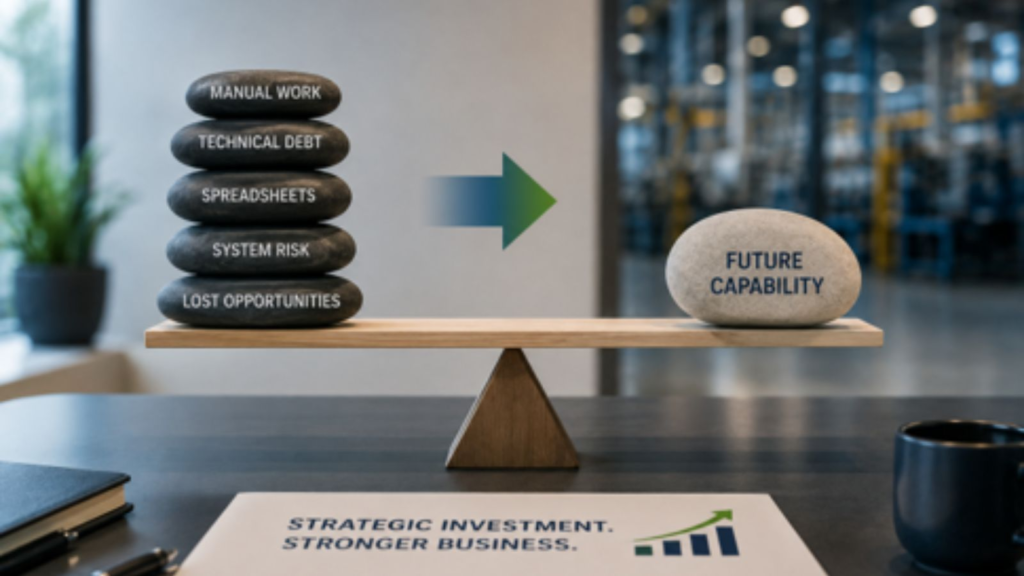
The true modernization decision weighs the accumulated cost and risk of the current environment against the future capabilities the business needs to grow.
What Business Benefits Should Executives Evaluate?
The other mistake I see is trying to justify modernization through a long list of software features.
Executives do not invest in features.
They invest in outcomes.
For a manufacturing organization, several capabilities deserve consideration.
Operational Visibility
How quickly can leadership understand what is happening across finance, inventory, purchasing, production, sales, and operations?
Better visibility can shorten the distance between an operational event and a management decision.
Scalability
Can the current environment comfortably support the company’s growth plans?
Consider additional users, locations, entities, products, transactions, acquisitions, and operational complexity.
Scalability is not simply system performance. It is the ability to grow without multiplying administrative effort and workarounds.
Better Analytics and Power BI
Modern ERP should help the organization move from collecting data to using it.
Microsoft Power BI can support richer visualization and analysis of business information. But the value is not the dashboard itself.
The value is whether managers can identify issues sooner, ask better questions, and make decisions with greater confidence.
AI Readiness and Copilot
AI deserves a measured conversation.
I would never recommend an ERP modernization project simply because AI is fashionable.
But executives should consider whether their technology and data foundation will allow the organization to take advantage of emerging capabilities over the next several years.
Microsoft continues to integrate Copilot and AI capabilities across its business applications. The strategic question is not, “How much AI can we use tomorrow?”
It is:
“Are we creating a platform and data environment that gives us options tomorrow?”
Better Decision-Making
Ultimately, many of these benefits converge here.
Better connected information, less manual reconciliation, improved visibility, stronger reporting, and a more modern technology foundation should help people make better decisions.
If they do not, ask what business value the investment is actually creating.
How Should Manufacturers Think About ERP ROI?
ERP ROI is often oversimplified into a calculation:
Benefits minus costs divided by costs.
That calculation can be useful, but manufacturing ERP ROI is rarely captured by one number.
Some benefits are straightforward to quantify:
- Hours eliminated from manual reporting
- Infrastructure costs reduced
- Third-party applications retired
- Maintenance effort reduced
- Inventory improvements
- Faster financial reporting
- Lower administrative effort
- Reduced duplicate entry
Others require more careful assumptions:
- Better planning
- Improved operational visibility
- Faster decisions
- Greater scalability
- Reduced key-person dependency
- Easier integration
- Improved ability to support acquisitions or new locations
- Future AI and automation opportunities
And some benefits are strategic rather than immediately financial.
A CFO should absolutely challenge the assumptions. That’s healthy.
What I would avoid is assigning exaggerated dollar values to every possible benefit just to make the spreadsheet produce an attractive payback period.
A conservative business case that leadership trusts is much more useful than an aggressive ROI model nobody believes.
How Do You Build an Executive Business Case for Business Central?
I recommend building the case around five questions.
1. What Is the Business Trying to Achieve?
Start with strategy.
Are you growing? Acquiring? Adding facilities? Expanding product lines? Improving margins? Standardizing processes? Increasing visibility? Reducing manual effort?
If modernization is not connected to strategic priorities, the proposal will always feel like an IT expense.
As I discussed in our earlier article on planning a Dynamics GP to Business Central migration, successful modernization starts by establishing the business objectives, executive alignment, and future-state priorities that should guide the project.
2. What Does the Current Environment Really Cost?
Build a realistic baseline.
Include infrastructure, support, customizations, integrations, manual effort, reporting, third-party systems, technical debt, and internal resources.
3. What Risks Are We Carrying?
Evaluate key-person dependency, aging integrations, unsupported processes, security exposure, data quality, scalability, and operational fragility.
Not every risk needs a dollar value.
It does need to be visible.
4. What Capabilities Would Modernization Create?
Connect each proposed benefit to a business requirement.
Instead of saying “Power BI,” say “faster access to margin and operational performance information.”
Instead of saying “Copilot,” discuss where automation or AI-assisted processes may eventually reduce effort or improve responsiveness.
5. How Will We Measure Success?
Agree on outcomes before implementation.
That might include reporting cycle time, manual hours, inventory accuracy, process adoption, system availability, number of retired workarounds, or other KPIs relevant to your operation.
“If you can’t describe what should be better after modernization, you aren’t ready to calculate the ROI.” – Andrew Good
What Does Delaying Modernization Really Cost?
I have seen a version of this story more than once.
A manufacturer knows its ERP environment is becoming increasingly difficult to maintain. Reporting requires spreadsheets. A few integrations are fragile. Customizations are poorly documented. Several experienced employees know how to work around the system’s limitations.
Leadership discusses modernization.
The project is postponed.
Nothing dramatic happens.
That can reinforce the belief that postponement was the right decision.
Then the business changes.
Perhaps the company acquires another operation. A key employee leaves. A customer requires better information. A reporting requirement becomes more complex. An integration fails. Growth puts pressure on a manual process that worked perfectly well at a smaller scale.
Suddenly, the organization is trying to modernize under pressure.
The cost has not increased because GP suddenly became unusable.
It has increased because the company lost the luxury of choosing the timing.
That distinction matters.
ERP modernization is easier to manage as a strategic initiative than as an emergency response.
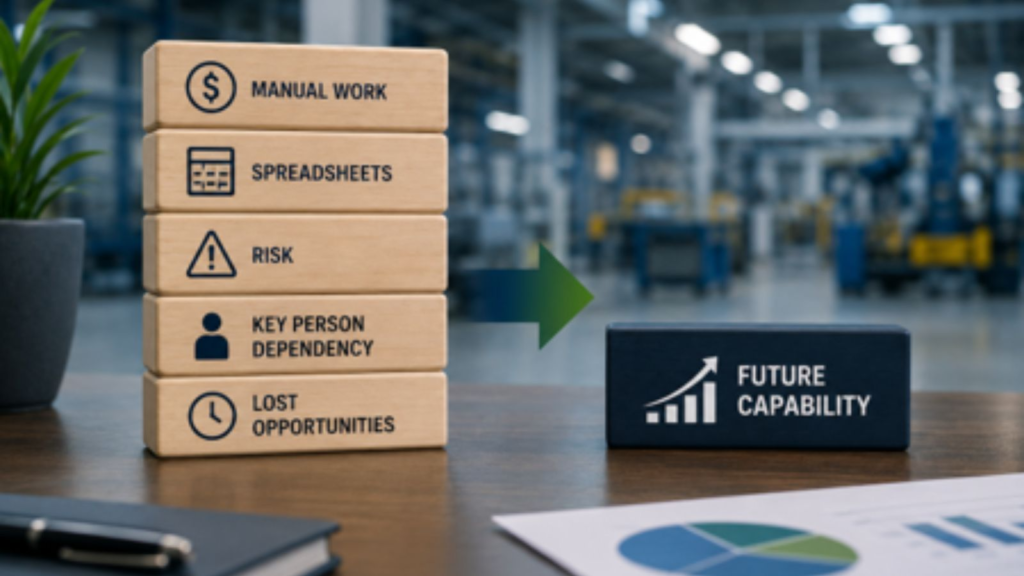
The cost of delay is not limited to maintaining legacy technology. It can also restrict the capabilities a manufacturer needs for future growth.
I am not suggesting every manufacturer should migrate immediately.
I am suggesting that delay should be an intentional business decision, supported by the same level of analysis as the decision to proceed.
What Should Leadership Evaluate Before Approving ERP Modernization?
Here is the executive framework I would use.
Strategic Fit: Does modernization support the company’s three-to-five-year strategy?
Current-State Cost: Do we understand the full cost of maintaining GP, including internal labor and workarounds?
Risk: What operational, technology, security, data, and people dependencies are we carrying?
Future Capability: What will BC enable that is difficult or impractical today?
Financial Case: What are the implementation costs, ongoing costs, quantifiable savings, and reasonable value assumptions?
Organizational Readiness: Do we have leadership sponsorship, process ownership, data readiness, and internal capacity?
Measurement: What KPIs will tell us whether the investment is delivering value?
Timing: What happens if we wait one year? Three years? Five?
That last question is important.
The decision is not simply to migrate or not to migrate.
It is also when, why, and under what conditions.
Executive Takeaways
For CEOs, CFOs, COOs, boards, and investors evaluating an ERP modernization strategy, I leave you with five principles.
First, don’t justify modernization because GP is old. Justify it because the business needs capabilities the current environment cannot efficiently provide.
Second, compare investment against the real cost of the status quo. Doing nothing has a cost, even when that cost is difficult to see.
Third, be conservative with ERP ROI. Quantify what you reasonably can and identify strategic benefits separately.
Fourth, connect technology capabilities to business outcomes. Power BI, Copilot, cloud technology, and automation only matter when they solve meaningful business problems.
Fifth, evaluate the cost of delay. Postponement may be entirely appropriate, but it should be an informed strategic choice.
Invest in Capability, Not Just Technology
A strong business case should give leadership confidence in both the decision and the path forward.
At Liberty Grove Software, our Executive ERP Modernization Assessment helps manufacturing leadership teams evaluate the current Dynamics GP environment, business priorities, operational constraints, risks, modernization opportunities, and readiness for Business Central.
The objective is not to convince every manufacturer to migrate.
It is to help executives answer a more useful question:
What ERP strategy best supports where our business is going?
If your leadership team is evaluating the future of Dynamics GP, we can help you build an objective modernization case grounded in business outcomes, risk, cost, and future capability.
Schedule Your Executive ERP Modernization Assessment
Final Thoughts
In our previous article, “What Data Should Manufacturers Migrate from Dynamics GP to Business Central”, we looked at what data manufacturers should bring forward from Dynamics GP and what should remain behind. The underlying principle was simple: migration should preserve business value, not historical clutter.
The business case requires the same discipline.
Modernization should not be approved because a new ERP looks impressive in a demonstration. Nor should it be rejected simply because the existing ERP can still process transactions.
The real question is whether your current environment can support the business you intend to become, at an acceptable cost and level of risk.
That’s a conversation worth having before circumstances decide for you.
“Modernization is not an investment in newer software. It is an investment in future capability.” – Andrew Good
In the next and final article in this phase of the series, “What Does a Successful Dynamics GP Migration Look Like?”, I’ll examine what successful manufacturers consistently do differently before, during, and after implementation.
We’ll look beyond timelines and go-live dates to leadership, governance, testing, training, change management, hypercare, KPIs, and business outcomes. That reflects the brief’s central message for Blog 9: successful ERP migrations should be measured by business outcomes, not simply by whether the system went live on schedule.
Because approving the investment is important.
Realizing its value is what matters.
Frequently Asked Questions
Build the case around business outcomes rather than software replacement. Identify the limitations and total costs of the current environment, quantify credible efficiency gains, evaluate risk, define future capabilities, and connect modernization directly to the organization’s strategic priorities.
ERP ROI compares the financial and operational value created by an ERP investment with its total cost. It can include measurable savings, such as reduced manual effort and infrastructure costs, as well as improvements in reporting, inventory management, productivity, scalability, risk management, and decision-making.
Potential hidden costs include technical debt, manual processes, spreadsheet-dependent reporting, aging infrastructure, cybersecurity requirements, employee dependency, maintaining customizations and integrations, and increasing difficulty finding specialized legacy ERP expertise.
CFOs should establish the current-state cost baseline, identify implementation and ongoing costs, quantify defensible benefits, assess business and technology risks, consider the cost of delay, and establish measurable outcomes. Strategic benefits that cannot reasonably be monetized should be identified separately rather than inflated to improve the ROI calculation.
That depends on the organization’s requirements, current Dynamics GP environment, strategic direction, operational complexity, costs, and readiness. Business Central should be evaluated against specific business outcomes rather than assumed to be the right answer simply because it is a newer platform.
Depending on the organization, potential benefits can include improved operational visibility, more connected information, less manual work, better reporting and analytics, scalability, reduced technology complexity, stronger integration opportunities, and a foundation for future automation and AI capabilities.
Start by documenting the full cost of implementation and ongoing operation. Then identify measurable benefits such as reduced manual labor, retired systems, infrastructure savings, faster reporting, improved inventory performance, and process efficiencies. Keep assumptions conservative and distinguish measurable returns from broader strategic benefits.
Leadership should understand why modernization is needed, what the current environment truly costs, what risks exist, which future capabilities matter, how much the initiative will cost, whether the organization is ready, how success will be measured, and what the consequences of delaying the decision are.
About Andrew Good
Andrew Good, CEO, Liberty Grove Software
Andrew Good, CEO of Liberty Grove Software, a leader in digital transformation, directs the company with strategic insights that deliver impactful results. With over two decades of expertise in Microsoft technologies, Andrew has guided businesses through digital transformation across manufacturing, finance, and healthcare.
Andrew's extensive knowledge comes from personal experiences with various companies. His hands-on operational knowledge comes from Engineering, Maintenance, and operational roles at Unilever and Sony Music. Fourteen years of working with Microsoft Dynamics BC/NAV follows successful projects in ERP, Computerized Maintenance Management Systems (EAM), and quality systems.
His passion for technology is matched by his love for sailing, which inspires his leadership. Andrew parallels the precision of navigating the seas and the challenges of steering a successful company. Under his leadership, Liberty Grove Software thrives, offering tailored solutions to empower clients and optimize operations with innovative Microsoft-based systems.
Connect with Andrew on LinkedIn
Subscribe to Andrew’s Newsletter on LinkedIn
When manufacturers begin planning a move from Microsoft Dynamics GP to Microsoft Dynamics 365 Business Central, one question tends to create more debate than almost any other:
How much of our data should we bring with us?
The instinctive answer is often, “All of it.”
I understand why. Your ERP contains years, sometimes decades, of business history. Customer records, vendors, items, inventory, transactions, production information, costing, and financial data can feel too valuable to leave behind.
But there is an important distinction between business history and business value.
They are not always the same thing.
In the previous article in this series, How Manufacturers Can Successfully Plan a Dynamics GP to Business Central Migration, I argued that data readiness should begin during planning, not once the migration tools are already running. If your source data contains duplicate records, obsolete items, inconsistent naming conventions, or years of workarounds, moving everything does not solve those problems.
It relocates them.
That is why a successful Dynamics GP to BC data migration should not be measured by how much data you move. It should be measured by whether the data you bring into BC helps the organization operate more effectively and make better decisions.
“Migration should preserve business value, not historical clutter.” – Andrew Good, CEO, Liberty Grove Software
Table of Contents
Why Does ERP Data Strategy Matter?
What Data Should Manufacturers Migrate to Business Central?
What Data Should Manufacturers Usually Leave Behind?
Why Should Data Cleansing Happen Before Migration?
What Are the Most Common ERP Data Migration Mistakes?
What Does Better Manufacturing Data Look Like in Practice?
What Should Executives Confirm Before Data Migration?
Executive Takeaways
Final Thoughts
Frequently Asked Questions
Why Does ERP Data Strategy Matter?
ERP data is not simply something your system stores.
It drives decisions.
A planner relies on item, inventory, BOM, routing, and demand data. Purchasing relies on vendor and supply information. Production relies on accurate material and process information. Finance relies on transactions, balances, dimensions, costing, and master records. Leadership relies on all those functions to produce a credible picture of business performance.
That means poor manufacturing ERP data has consequences beyond an untidy database.
If inventory records are inaccurate, planners may make the wrong supply decisions. If item information is inconsistent, reporting becomes harder. If BOMs are outdated, production requirements can be wrong. If customer and vendor records are duplicated, employees waste time determining which record is correct.
And if management reporting is built on unreliable data, executives may be making decisions with more confidence than the underlying information deserves.
That is why I encourage leadership teams to think about ERP data migration as a business-quality initiative.
The question is not:
“Can we migrate this?”
The better question is:
“Will this data help us run the business we want to operate after modernization?”
That change in perspective can simplify the project considerably.
What Data Should Manufacturers Migrate to Business Central?
There is no universal migration template. What needs to move depends on the business, regulatory requirements, reporting needs, manufacturing model, and how Dynamics GP has been used.
But there are several categories that manufacturers should evaluate carefully.
Customers and Vendors
Active customer and vendor records usually have clear operational value.
The key word is active.
You want BC to begin with clean records your teams can trust, not a directory of every organization you have transacted with since the ERP was first installed.
Review addresses, payment terms, contact information, tax information, duplicate accounts, naming conventions, and whether records are still genuinely in use.
The same principle applies to vendors. Purchasing needs accurate supplier information, but it does not need multiple versions of the same vendor created over many years.
Items and Inventory
For manufacturers, item data deserves particular attention because it touches so many other processes.
Items can affect purchasing, planning, production, inventory valuation, warehousing, costing, sales, and reporting.
Before inventory migration, determine which items remain active and whether their descriptions, units of measure, costing information, planning parameters, and other attributes are accurate.
Physical inventory also needs to reconcile with what you intend to load into BC.
Moving an incorrect inventory balance into a new ERP does not make it more correct.
Bills of Material
A BOM migration can be one of the most consequential parts of manufacturing data preparation.
Bills of material represent how products are constructed. If they contain obsolete components, incorrect quantities, inconsistent units, or outdated structures, those issues can follow directly into planning and production.
This is an excellent opportunity to involve engineering, operations, planning, and other process owners.
Do not assume that because a BOM exists in GP or an adjacent system, it accurately represents how the product is built today.
Routings
Routings deserve the same scrutiny.
Review work centers, machine centers, operations, sequence, setup and run times, capacity assumptions, and other information used to describe how production happens.
This is where ERP migration becomes more than a data-copying exercise.
You are establishing the operational foundation the new system will use.
Open Production Orders
Open production orders may need to move depending on the migration and cutover strategy.
The important point is that they should be reviewed rather than blindly transferred.
Ask whether each order is genuinely active, whether quantities and statuses are correct, and whether related inventory and production information will reconcile at cutover.
Financial Balances
Finance needs a clean opening position.
The exact approach will depend on accounting requirements and the migration strategy, but balances need to be validated and reconciled.
For CFOs and controllers, this is an area where ownership should be explicit. Do not leave financial data decisions solely to the technical migration team.
“The technical team can move data. The business has to decide which data deserves to move.” – Andrew Good
What Data Should Manufacturers Usually Leave Behind?
This is often the harder conversation.
People are naturally uncomfortable leaving data out of a new system. The concern is understandable: “What if we need it later?”
But retaining access to historical information and loading that information into your new operational ERP are two different things.
Some data is often better archived or made available through another historical-access strategy.
Obsolete Inventory
If an item has not been used for years and has no operational, service, regulatory, or reporting requirement, ask why it belongs in the active BC environment.
Old items can complicate searches, reporting, planning, and day-to-day system use.
Duplicate Records
It’s important to resolve duplication in records before migration begins, wherever practical.
Do not move three versions of the same supplier into BC and expect users to decide which one is correct.
The migration project is an opportunity to establish a trusted record.
Old Transactions
Manufacturers often assume that every historical transaction must reside in the new ERP.
Frequently, it does not.
You may need historical data for financial, regulatory, customer-service, warranty, audit, or analytical purposes. That does not automatically mean every transaction needs to be converted into BC.
Determine the business requirement first, then select the appropriate access strategy.
Inactive Customers and Vendors
A customer you last sold to 12 years ago may be part of your history, but does it need to be an active customer in your new ERP?
Perhaps. Perhaps not.
That decision should be based on business, legal, reporting, and service requirements rather than fear of deleting something.
Historical Workarounds
This is one of the most important categories.
Over time, ERP environments accumulate fields, codes, records, and processes designed to compensate for old limitations or past business requirements.
Those workarounds can become so familiar that employees begin to regard them as requirements.
They are not always requirements.
If the underlying business need has disappeared or BC handles the process differently, migrating the workaround can preserve unnecessary complexity.
Modernization should not become an exercise in rebuilding yesterday’s compromises.
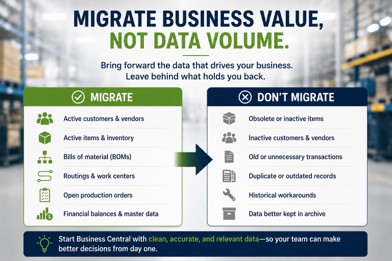
Successful data migration is not about moving everything. It is about moving the information that still creates business value.
Why Should Data Cleansing Happen Before Migration?
I sometimes hear data cleansing described as something that can be handled during implementation.
Technically, some of it can.
Strategically, I would start earlier.
ERP data cleansing requires business decisions, and business decisions take time.
Who determines whether two customer records are duplicates?
Who decides which item description becomes the standard?
Who owns naming conventions?
Who validates BOMs?
Who decides whether an inactive vendor should remain accessible?
Who signs off on inventory?
These are not database questions. They are ownership questions.
Good cleansing typically includes standardization, duplicate removal, naming conventions, validation, and governance.
And that last word matters.
Data governance determines who owns information, who can change it, which standards apply, and how quality will be maintained after go-live.
Otherwise, you can spend months cleaning data for migration, only to gradually recreate the same problems in BC.
“Clean data once and you improve a migration. Govern data well and you improve the business.” – Andrew Good
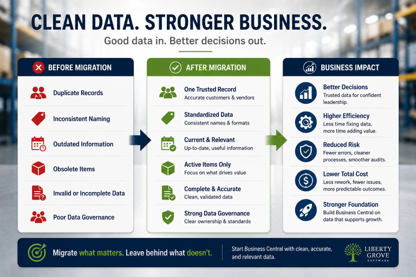
Clean, governed data gives Business Central a stronger foundation and gives leaders greater confidence in the decisions that follow.
What Are the Most Common ERP Data Migration Mistakes?
I see several recurring patterns in manufacturing environments.
Migrating everything because it feels safer. More data does not necessarily mean more value. It can mean more conversion effort, testing, reconciliation, and clutter.
Waiting too long to involve the business. IT understands systems. Finance, production, purchasing, planning, engineering, and operations understand what their data means.
Cleaning data without establishing ownership. If nobody owns the standard after go-live, quality will deteriorate again.
Assuming historical data is accurate because it is historical. Age does not make information trustworthy.
Ignoring relationships between manufacturing data. An item may connect to inventory, BOMs, routings, production orders, costing, purchasing, and reporting. Data decisions need to consider those dependencies.
Treating reconciliation as a final technical check. Finance, operations, and inventory owners should define what must reconcile and what constitutes acceptance before cutover.
The pattern behind these mistakes is similar to what I discussed in our previous ERP planning article.
When business decisions are postponed, they eventually become implementation problems.
What Does Better Manufacturing Data Look Like in Practice?
Here is a composite example based on a situation I have seen in different forms over the years.
A manufacturer preparing for modernization initially wanted to migrate nearly everything.
That seemed logical. The organization had accumulated years of customer, vendor, item, and transaction data, and no one wanted to be responsible for leaving anything important behind.
Then the team started looking more closely.
There were multiple customer records representing the same organization. Vendor naming conventions had changed several times. The item master included products and components that had not been used in years. Some BOM information reflected previous production practices. Employees knew which records to ignore, but that knowledge lived in people’s heads.
That last point matters.
The old system appeared to contain the company’s business knowledge. Still, some of the most important knowledge was actually the employees’ understanding of which parts of the data could be trusted.
Instead of simply converting everything, the organization began making deliberate decisions.
Duplicate records were consolidated. Obsolete information was identified. Active items were reviewed. Manufacturing data received business-owner validation. Historical information that still needed to remain accessible was separated from the data required to operate the new environment.
The migration became more manageable.
More importantly, the new ERP is built on a stronger information foundation.
That is the outcome executives should care about.
The objective is not a perfectly clean database. The objective is data people can confidently use to operate and manage the company.
What Should Executives Confirm Before Data Migration?
Executives do not need to review individual item records, but they should ensure that the organization has answered the right questions.
Before approving the final Business Central data migration approach, I recommend confirming:
- Do we know which data is required to operate the business on day one?
- Have business owners been assigned to customers, vendors, items, inventory, BOMs, routings, and financial data?
- Have duplicate and obsolete records been identified?
- Have active manufacturing master data records been validated?
- Do inventory quantities and values have a reconciliation plan?
- Have we determined how open production orders will be handled?
- Have finance leaders approved the approach to balances and historical financial information?
- Do we know which historical transactions genuinely need to be available in BC?
- Is there an archive or access strategy for history that will not be included in the migration?
- Have naming conventions and data standards been established?
- Have we defined who can create and change critical master data after go-live?
- Are migration testing and reconciliation criteria documented?
- Has someone been given final authority to approve data readiness for cutover?
If the answer to several of these is no, the migration team probably needs more business preparation before final conversion begins.
Executive Takeaways
For CFOs, controllers, CIOs, operations leaders, and other executives responsible for ERP modernization, I emphasize five principles.
First, migrate business value, not volume. The amount of data moved is not a measure of project success.
Second, make data decisions with the business. IT can execute a migration, but process owners need to determine what information is accurate, useful, and necessary.
Third, clean manufacturing master data before it becomes BC master data. Items, BOMs, routings, inventory, customers, and vendors deserve particular attention.
Fourth, distinguish historical access from operational migration. You may need to preserve information without loading all of it into the new ERP.
Fifth, establish data governance before go-live. Data quality is not a one-time migration project. It is an ongoing management responsibility.
The principle underneath all five is simple:
Good ERP data enables good business decisions. Poor data recreates old problems in a newer system.
Before You Move the Data, Make Sure It Deserves to Move
ERP modernization offers manufacturers a rare opportunity to strengthen the business's information foundation.
Do not waste that opportunity by automatically carrying every old record, duplicate, workaround, and inconsistency into BC.
At Liberty Grove Software, our ERP Data Readiness Assessment helps manufacturing organizations evaluate the data behind their Dynamics GP environment before migration decisions become implementation problems.
We help leadership and process owners identify critical manufacturing data, uncover quality issues and dependencies, establish ownership, determine what should migrate, and create a practical strategy for information that should remain accessible without becoming part of the new operational environment.
If you are planning a Dynamics GP to Business Central migration, talk with Liberty Grove Software about an ERP Data Readiness Assessment. Start BC with data your people can trust, not simply data your old ERP happened to contain.
Schedule Your ERP Data Readiness Assessment
Final Thoughts
In the previous article “How Manufacturers Can Successfully Plan a Dynamics GP to Business Central Migration,” I made the case that successful ERP modernization begins with disciplined planning.
Data is where that principle becomes very tangible.
Your Dynamics GP environment represents years of business activity, but longevity alone does not make every record valuable. Some data is essential. Some need correction. Some need to remain accessible. And some have outlived its usefulness.
A good migration strategy understands the difference.
For executives, the objective should not be to ask the implementation team, “Did everything move?”
Ask instead:
“Do we trust the information we are using to run the business?”
That is a much higher standard, and a much more valuable outcome.
In the next article in this series, I will move from migration planning and data readiness to another question every executive team eventually must answer: How do we justify the investment?
Our next article, “How to Build a Business Case for Moving from Dynamics GP to Business Central,” will examine the visible costs of modernization, the less-visible costs of remaining on GP, ERP ROI, operational benefits, and how leadership teams can build a business case around future capability rather than simply replacing aging software.
Because ultimately, ERP modernization is not about owning newer technology.
It is about building a stronger business.
Frequently Asked Questions
What data should manufacturers migrate from Dynamics GP?
Manufacturers should generally evaluate active customers, vendors, items, inventory, BOMs, routings, open production orders, and required financial balances for migration. The final scope should reflect operational, financial, regulatory, reporting, and historical access requirements, rather than a default decision to migrate everything.
Should historical ERP transactions be migrated?
Not necessarily. Historical transactions may need to remain accessible for audit, reporting, customer service, warranty, regulatory, or analytical purposes without being fully converted into Business Central. Define why history is needed before deciding how it should be preserved.
Should inactive customers and vendors be migrated?
Only when there is a clear business, legal, reporting, or operational reason. Migrating large numbers of inactive records can add clutter and make the new environment harder to manage.
What manufacturing data is critical during an ERP migration?
Items, inventory, BOMs, routings, production-related information, costing data, customers, vendors, and relevant financial information are particularly important because they affect planning, production, purchasing, warehousing, finance, and reporting.
How do manufacturers clean ERP data before migration?
Start by assigning business ownership. Then identify duplicates, obsolete records, inconsistent naming conventions, invalid values, and outdated manufacturing information. Establish standards, validate critical records, reconcile balances and inventory, and document approval criteria.
What is ERP data governance?
ERP data governance defines ownership, standards, responsibilities, permissions, and processes for maintaining reliable data. Effective governance helps prevent quality problems that were removed during migration from returning after go-live.
What are the biggest ERP data migration mistakes?
Common mistakes include migrating everything by default, involving business owners too late, failing to remove duplicates, preserving obsolete information, overlooking relationships between manufacturing records, delaying reconciliation planning, and treating data quality as solely an IT responsibility.
How does poor data affect Business Central?
Poor source data can undermine planning, reporting, inventory accuracy, production processes, purchasing, costing, and decision-making after migration. A modern ERP cannot automatically make inaccurate or poorly governed business information trustworthy.
About Andrew Good
Andrew Good, CEO, Liberty Grove Software
Andrew Good, CEO of Liberty Grove Software, a leader in digital transformation, directs the company with strategic insights that deliver impactful results. With over two decades of expertise in Microsoft technologies, Andrew has guided businesses through digital transformation across manufacturing, finance, and healthcare.
Andrew's extensive knowledge comes from personal experiences with various companies. His hands-on operational knowledge comes from Engineering, Maintenance, and operational roles at Unilever and Sony Music. Fourteen years of working with Microsoft Dynamics BC/NAV follows successful projects in ERP, Computerized Maintenance Management Systems (EAM), and quality systems.
His passion for technology is matched by his love for sailing, which inspires his leadership. Andrew parallels the precision of navigating the seas and the challenges of steering a successful company. Under his leadership, Liberty Grove Software thrives, offering tailored solutions to empower clients and optimize operations with innovative Microsoft-based systems.
Connect with Andrew on LinkedIn
Subscribe to Andrew’s Newsletter on LinkedIn
For many manufacturers, the decision to move from Microsoft Dynamics GP to Microsoft Dynamics 365 Business Central feels like the beginning of an ERP project.
In my experience, it is not.
The real work starts well before anyone configures Business Central, migrates a database, or trains a user. It starts when the leadership team clarifies why the organization is modernizing, what needs to change, what needs to stay, and how the business will prepare for the transition.
That distinction matters because a successful Dynamics GP migration plan is not primarily a technology plan. It is a business plan.
I have seen manufacturers approach ERP modernization from both directions. Some start with software demonstrations, feature lists, and implementation timelines. Others first examine their business objectives, processes, data, organizational readiness, and operational risks.
The second group usually enters implementation with much greater clarity.
If you have followed our previous discussions about [why manufacturers using Dynamics GP are hesitant to move to Business Central], [whether Business Central can really handle manufacturing complexity], [the real fear behind leaving Dynamics GP in manufacturing], and [why manufacturing customizations and ISVs become ERP migration roadblocks], you will recognize a common theme: the technology is only one part of the decision.
Once the decision to modernize is made, planning is the most important next step.
Table of Contents
Why Does ERP Modernization Planning Matter?
What Are the Seven Stages of Successful ERP Planning?
Why Does Manufacturing Require More ERP Planning?
What Planning Mistakes Should Manufacturers Avoid?
What Does ERP Readiness Look Like in Practice?
What Should Executives Confirm Before Implementation?
Executive Takeaways
Frequently Asked Questions
Final Thoughts
“A successful Dynamics GP migration plan isn’t primarily a technology plan. It’s a business plan.” — Andrew Good, CEO, Liberty Grove Software
Why Does ERP Modernization Planning Matter?
When leadership teams talk about a Business Central migration, the conversation can quickly become technical.
Which data will migrate? Which integrations need to be rebuilt? Which extensions will be required? How long will implementation take?
Those are important questions. They are not the first questions.
The first questions should be business questions.
What are we trying to improve?
Where is Dynamics GP limiting the organization today?
Which processes create unnecessary effort or risk?
What capabilities will the business need in three to five years?
How will we know this modernization has been successful?
These questions turn ERP modernization planning into a strategic exercise rather than a software replacement project.
Microsoft’s own guidance for organizations preparing a Dynamics GP cloud migration recommends assessing migration readiness, determining what data should migrate, choosing a migration approach, and carefully planning the schedule before the production transition.
That technical preparation is important. For a manufacturer, however, the business preparation surrounding it is equally important.
Your ERP touches finance, purchasing, inventory, production, warehousing, sales, costing, planning, and often the shop floor. A decision made in one area can have consequences throughout the organization.
That is why I tell executives that ERP governance needs to begin before implementation.
You want agreement on objectives, decision-making authority, project ownership, priorities, and acceptable tradeoffs while you still have time to think carefully about them.
What Are the Seven Stages of Successful ERP Planning?
A good ERP migration strategy should move through a deliberate sequence. I generally think of successful planning in seven stages.
1. Executive Alignment
Start with leadership.
The CEO, CFO, COO, CIO, and other executive sponsors do not need to become Business Central experts. They do need to agree on why the company is undertaking the project.
Is the goal to support growth? Improve operational visibility? Reduce dependence on manual processes? Modernize infrastructure? Standardize processes across locations? Improve reporting? Create a stronger foundation for future digital capabilities?
There can be several objectives, but team leadership should prioritize them prior to implementation.
Without executive alignment, project teams are forced to make strategic decisions during implementation. That is where delays, scope disagreements, and expensive rework begin.
2. ERP Readiness Assessment
Next, assess the current environment honestly.
An ERP readiness assessment should look beyond whether Dynamics GP can technically be migrated.
Evaluate your current architecture, integrations, customizations, ISVs, reporting, data, security requirements, business processes, and user dependencies.
Ask which capabilities are essential and which exist because “that is how we have always done it.”
This is also where manufacturers should identify hidden dependencies. A spreadsheet maintained by one employee or an old integration that nobody discusses may be more operationally important than a highly visible customization.
Readiness means understanding those realities before they catch the project team by surprise.
3. Manufacturing Process Assessment
Do not assume every existing process should be recreated in BC.
One of the biggest opportunities in a manufacturing ERP migration is the chance to ask whether today’s processes still make sense.
Map how work actually happens across quoting, order entry, purchasing, planning, production, inventory, warehousing, shipping, costing, and financial reporting.
Pay particular attention to workarounds.
If employees routinely export data to Excel, rekey information between systems, maintain shadow databases, or rely on tribal knowledge, those behaviors tell you something important about the current environment.
Business Central supports manufacturing capabilities involving production BOMs, routings, work and machine centers, capacity and costs, production orders, supply planning, inventory, warehousing, and related processes.
The planning question is not simply, “Can BC do this?”
It is, “How should our business operate in the future?”
4. Data Readiness
Data is often treated as an implementation task. I believe it belongs in planning.
Your customer records, vendor records, items, bills of material, routings, inventory, costing information, and financial data all influence the quality of the new environment.
If the source data contains duplicates, obsolete records, inconsistent naming conventions, or years of accumulated workarounds, moving everything does not solve the problem. It relocates it.
Decide early which data has business value, which requires cleansing, which should be archived, and who owns each data domain.
This topic deserves much more attention, which is why the next article in this series will focus specifically on what data manufacturers should migrate from Dynamics GP to Business Central.
5. Organizational Readiness
ERP modernization changes how people work.
That makes change management a planning responsibility, not something to add a few weeks before go-live.
Identify the people whose jobs and workflows will change. Bring process owners into the project early. Understand where resistance is likely to emerge and, more importantly, why.
Often, resistance is not really about the new ERP. People may be concerned about losing a familiar process, giving up a trusted workaround, or being asked to adopt a new workflow without understanding the reason for it.
Good communication addresses those concerns early.
6. Implementation Planning
Only after the earlier stages are understood should you build the detailed Business Central implementation plan.
Define scope, phases, resources, responsibilities, testing expectations, training requirements, integration work, data migration activities, decision processes, and escalation paths.
For a manufacturing ERP implementation, I also recommend looking carefully at business timing.
When are your busiest production periods? When is inventory count? Are there major customer commitments, plant shutdowns, acquisitions, audits, or other initiatives competing for the same people?
An ERP project consumes organizational capacity. Plan accordingly.
7. Go-Live Preparation
Go-live planning should begin well before go-live week.
Define what must be true before the business switches systems.
Have critical processes been tested end-to-end?
Have users been trained?
Has the data been validated?
Have integrations been tested under realistic conditions?
Does everyone understand cutover responsibilities?
Is there a support and escalation plan?
What happens if an issue affects shipping, production, inventory, or invoicing?
A good go-live plan reduces uncertainty because people know what will happen, who owns each activity, and how decisions will be made.
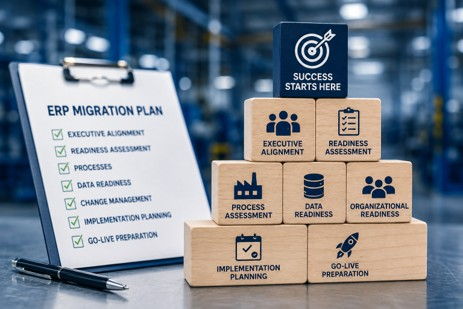
Successful ERP modernization starts with alignment, readiness, and disciplined planning.
Why Does Manufacturing Require More ERP Planning?
Manufacturing is interconnected in ways that can make ERP modernization particularly demanding.
Consider a seemingly simple customer order.
It can affect demand planning, purchasing, material availability, scheduling, production orders, labor and machine capacity, inventory, warehouse activity, shipping, costing, invoicing, and financial reporting.
Now add multiple facilities, subcontracting, complex BOMs, routings, lot or serial tracking, specialized costing requirements, warehouse systems, MES integrations, and years of custom Dynamics GP processes.
That is why manufacturing companies should resist generic implementation thinking.
Microsoft describes production orders as a central component of Business Central manufacturing, using information from items, production BOMs, routings, machine centers, and work centers to help manufacturers plan and control production.
Those connections are exactly why preparation matters.
A decision about item setup may affect planning. A routing decision may affect scheduling and capacity. A warehouse process may affect production consumption. A costing decision may ultimately affect financial reporting.
The more connected your operation, the more valuable disciplined planning becomes.
What Planning Mistakes Should Manufacturers Avoid?
There are several patterns I see repeatedly.
Starting with software demonstrations. Demos are useful, but they should answer business questions rather than define them.
Ignoring current business processes. If you do not understand how work gets done today, it is difficult to design a better future state.
Underestimating change management. A technically successful system that employees do not adopt is not a successful modernization.
Treating ERP as an IT project. IT is essential, but ERP touches the business's operating model. Operations, finance, supply chain, manufacturing, and executive leadership all need ownership.
Weak executive sponsorship. Leadership cannot disappear after the budget is approved. Projects need timely decisions, priority setting, conflict resolution, and visible support.
There is a simple pattern underlying all five mistakes: organizations begin implementation before they are ready.
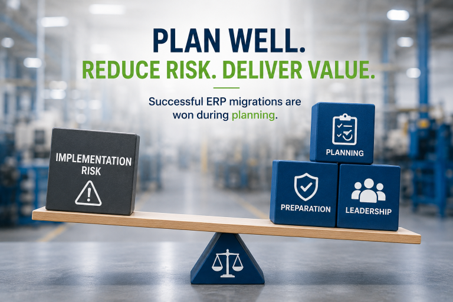
ERP risk is reduced long before go-live through disciplined planning, organizational preparation, and strong executive leadership.
What Does ERP Readiness Look Like in Practice?
Here is a composite example based on a pattern I have encountered in manufacturing assessments.
A manufacturer believes it is ready to move from Dynamics GP to BC. Leadership has discussed the need for modernization, employees are frustrated with reporting, and the company wants to reduce reliance on aging customizations.
At first, the project looks straightforward.
Then the assessment begins.
Production relies on several spreadsheets that are not formally documented. Purchasing uses a workaround created years ago for a business requirement that has since changed. Finance depends on custom reports built around historical account structures. An integration that everyone assumed was minor turns out to be critical to daily warehouse operations.
None of these discoveries mean the company should not modernize.
They mean the company now knows what it is actually modernizing.
That knowledge changes the project.
The team can decide which processes should be redesigned, which integrations should remain, which data requires cleanup, which users should participate in testing, and where change management will matter most.
The assessment did not create complexity. It exposed complexity while there was still time to manage it.
That is exactly what good ERP modernization planning should do.
“The assessment didn’t create complexity. It exposed complexity while there was still time to manage it.” — Andrew Good
What Should Executives Confirm Before Implementation?
Before approving the start of implementation, I recommend that executive teams be able to answer “yes” to most of the following:
- Do we have clearly defined business objectives for modernization?
- Is the executive team aligned on priorities and expected outcomes?
- Have we completed an ERP readiness assessment?
- Do we understand our current manufacturing processes and major workarounds?
- Have we identified critical Dynamics GP customizations, ISVs, and integrations?
- Do we know which processes should be changed rather than recreated?
- Have we established ownership for data cleansing and migration decisions?
- Have we identified process owners and key users?
- Is there a clear ERP governance and decision-making structure?
- Have we planned for change management and user adoption?
- Does the implementation schedule reflect production and business realities?
- Have we defined testing, training, cutover, and go-live readiness criteria?
- Do we know how leadership will measure the success of the project after implementation?
If several answers are “no,” that does not mean the project has failed.
It means you have identified where to focus before implementation begins.
That is valuable information.
Executive Takeaways
For CEOs, CFOs, COOs, CIOs, and manufacturing leaders considering a move from Dynamics GP to Business Central, I would leave you with five points.
First, treat ERP modernization as a business initiative. Technology enables the change, but business outcomes should drive it.
Second, invest in readiness before configuration. Understanding processes, data, integrations, people, and risks early is far less disruptive than discovering them halfway through implementation.
Third, establish executive alignment and ERP governance early. Someone needs to own priorities, decisions, and outcomes.
Fourth, use modernization to improve rather than automatically replicate. Moving every old process and workaround into a new ERP can preserve the very limitations you are trying to escape.
Fifth, remember that planning reduces uncertainty. Preparation reduces risk. Leadership determines success.
“Planning reduces uncertainty. Preparation reduces risk. Leadership determines success.” — Andrew Good
A strong Dynamics GP migration plan does not guarantee that an implementation will never encounter a surprise. Manufacturing is too complex for that.
It does make the organization much better prepared to respond to surprises.
Before You Start Your Migration, Make Sure You’re Ready
Moving from Dynamics GP to Business Central is a significant decision. But the biggest risks often are not found in the software. They are hiding in your processes, data, integrations, customizations, and assumptions about how the business actually operates.
Finding those issues during implementation can be expensive and disruptive. Finding them before implementation gives you options.
That is exactly why we recommend starting with a Manufacturing ERP Readiness Assessment.
At Liberty Grove Software, we help manufacturing leadership teams take an objective look at where they are today, identify potential migration risks and dependencies, and establish the priorities that should shape a successful Dynamics GP migration plan.
The goal is not to rush you into an implementation. It is to give your team the clarity and confidence to make the right decisions before one begins.
If you are considering a move from Dynamics GP to Business Central, talk with our team about a Manufacturing ERP Readiness Assessment. Let’s make sure your organization is ready before the implementation clock starts.
Frequently Asked Questions
How do manufacturers start planning a Dynamics GP migration?
Start with business objectives and an ERP readiness assessment rather than software configuration. Establish why the company is modernizing, identify executive sponsors, assess current processes and technology dependencies, evaluate data readiness, and define the future-state priorities that will guide the migration.
What should be included in an ERP migration plan?
An ERP migration strategy should cover executive alignment, governance, current and future business processes, data readiness, integrations and customizations, organizational change, implementation scope, resources, testing, training, cutover, go-live support, and measures of success.
What is an ERP readiness assessment?
An ERP readiness assessment evaluates how prepared an organization is for modernization. For manufacturers, the examination should cover business processes, Dynamics GP configuration, customizations, ISVs, integrations, data quality, reporting, manufacturing requirements, organizational readiness, and project governance.
Who should be involved in ERP migration planning?
ERP planning should include executive sponsors and leaders from finance, operations, manufacturing, supply chain, IT, warehousing, and other functions affected by the system. Process owners and experienced frontline users should also participate because they understand how work actually happens.
Why do ERP implementations fail?
There is rarely one cause. Common contributors include unclear objectives, weak executive sponsorship, poor governance, insufficient process discovery, underestimated data issues, inadequate testing, limited user involvement, and weak change management. Many implementation problems can be traced to decisions that leadership should have addressed during planning.
How can manufacturers reduce ERP migration risk?
Reduce risk by assessing the current environment early, documenting critical processes and dependencies, cleaning data, defining governance, involving business users, testing realistic scenarios, preparing employees for change, and establishing clear go-live criteria.
Why is executive sponsorship important in ERP modernization?
ERP projects create cross-functional decisions and competing priorities. Executive sponsors provide direction, remove roadblocks, resolve conflicts, reinforce accountability, and keep the organization focused on business outcomes rather than departmental preferences.
What should manufacturers do before a Business Central implementation?
Before implementing Business Central, manufacturers should align leadership, complete an ERP readiness assessment, document current processes, define future-state requirements, evaluate customizations and integrations, assess data, establish governance, identify project resources, and develop plans for change, testing, training, and go-live.
Final Thoughts
I have spent enough time around manufacturing ERP projects to know that implementation gets most of the attention.
Planning deserves more.
The best time to discover that a process is poorly understood is before configuration. The best time to identify bad data is before migration. The best time to resolve conflicting priorities is before they affect the project schedule. And the best time to prepare employees for change is long before go-live.
Successful manufacturing digital transformation does not begin when the new ERP is switched on.
It begins when leadership decides to understand the business it has today and deliberately design the business it wants tomorrow.
If your organization is considering a move from Dynamics GP to Microsoft Dynamics 365 Business Central, a Manufacturing ERP Readiness Assessment can help identify the processes, data, technology dependencies, organizational considerations, and planning priorities to address before implementation begins.
In the next article in this series, I will take a closer look at one of the most consequential parts of that preparation: What Data Should Manufacturers Migrate to Business Central?
We will discuss why “migrate everything” is rarely the best strategy, which manufacturing data typically matters most, what may be better left behind, and how better data decisions can simplify your migration while creating a stronger foundation for BC.
About Andrew Good
Andrew Good, CEO, Liberty Grove Software
Andrew Good, CEO of Liberty Grove Software, a leader in digital transformation, directs the company with strategic insights that deliver impactful results. With over two decades of expertise in Microsoft technologies, Andrew has guided businesses through digital transformation across manufacturing, finance, and healthcare.
Andrew's extensive knowledge comes from personal experiences with various companies. His hands-on operational knowledge comes from Engineering, Maintenance, and operational roles at Unilever and Sony Music. Fourteen years of working with Microsoft Dynamics BC/NAV follows successful projects in ERP, Computerized Maintenance Management Systems (EAM), and quality systems.
His passion for technology is matched by his love for sailing, which inspires his leadership. Andrew parallels the precision of navigating the seas and the challenges of steering a successful company. Under his leadership, Liberty Grove Software thrives, offering tailored solutions to empower clients and optimize operations with innovative Microsoft-based systems.
Connect with Andrew on LinkedIn
Subscribe to Andrew’s Newsletter on LinkedIn
Introduction
For many manufacturers evaluating a move from Microsoft Dynamics GP to Microsoft Dynamics 365 Business Central, the first questions usually focus on production.
Can Business Central support our manufacturing processes?
Will it handle our production orders?
Can it manage planning, scheduling, inventory, and purchasing?
Those are all important questions.
But after years of helping manufacturers modernize their ERP environments, I’ve found that one conversation inevitably rises to the top once executive teams move beyond functionality.
Can we trust the numbers?
For a CFO, manufacturing cost accounting isn’t simply an accounting exercise.
It influences pricing decisions.
It affects profitability.
It determines inventory valuation.
It impacts financial reporting.
And perhaps most importantly, it gives executives confidence that the information guiding business decisions accurately reflects what’s happening on the shop floor.
That is why Business Central manufacturing costing deserves far more attention during ERP modernization than many organizations initially realize.
The encouraging news is that Business Central provides manufacturers with a modern and highly capable manufacturing costing framework.
The challenge isn’t whether Business Central can calculate manufacturing costs.
The challenge is ensuring the organization’s costing methods, Bills of Material, routings, inventory practices, and financial assumptions are ready for a modern ERP platform.
“Manufacturing leaders don’t make decisions based on transactions. They make decisions based on confidence in the numbers. ERP modernization is an opportunity to improve that confidence, not simply recreate yesterday’s accounting processes.” - Andrew Good, CEO, Liberty Grove Software
That distinction is important.
Because the goal of modernization isn’t simply to replace Dynamics GP.
It’s to build a financial foundation that better supports growth, operational visibility, and executive decision-making.
Table of Contents
Why Manufacturing Cost Accounting Deserves Executive Attention
How Does Costing Differ Between Dynamics GP and Business Central?
Standard Costing vs Actual Costing: Understanding the Business Impact
What Happens to WIP and Manufacturing Inventory Valuation During Migration?
How Business Central Handles Manufacturing Variances
What CFOs Should Evaluate Before Migrating
A Story I See Repeatedly
How Manufacturers Can Avoid Costing Surprises During Implementation
Five Questions Every Executive Team Should Ask Before Migration
A Final Thought
Ready to Evaluate Your Manufacturing Costing Strategy?
What’s Next in This Series?
Frequently Asked Questions
Why Manufacturing Cost Accounting Deserves Executive Attention
Manufacturing costing influences far more than month-end financial reporting. Accurate cost data gives executives confidence in pricing, profitability, inventory valuation, production planning, and long-term strategic decisions.
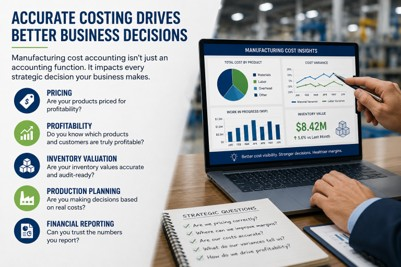
Cost accounting touches nearly every operational and financial decision a manufacturer makes.
Executives often think of costing as something finance owns.
In reality, manufacturing costing influences:
- Product pricing
- Gross margin analysis
- Inventory valuation
- Production planning
- Capacity decisions
- Financial reporting
- Customer profitability
- Executive forecasting
When costing information is inaccurate, every downstream decision becomes more difficult.
Organizations such as the Association for Supply Chain Management (ASCM) emphasize that accurate cost and inventory information is essential for improving operational performance, planning, and supply chain decision-making.
I’ve worked with manufacturers that believed they had a production scheduling problem.
Others assumed inventory accuracy was the issue.
In several cases, neither was true.
The underlying problem was inconsistent costing data that had accumulated over years of process changes, manual adjustments, and evolving business practices.
Once those issues were addressed, the operational challenges became much easier to solve.
That’s why I encourage executive teams to think about ERP modernization as an opportunity to strengthen financial visibility, not simply migrate accounting data.
How Does Costing Differ Between Dynamics GP and Business Central?
This is one of the first questions CFOs ask.
The answer is more nuanced than many expect.
Both Dynamics GP and Business Central support manufacturing costing, but they approach costing from different perspectives.
Dynamics GP has served manufacturers well for many years, particularly organizations with mature costing models that have evolved alongside their business.
Business Central builds on that foundation while providing a more integrated approach to manufacturing, inventory, production, and financial management.
Microsoft provides detailed information on Business Central's manufacturing capabilities, including production management, planning, inventory, and costing functionality that supports modern manufacturing operations.
Rather than viewing costing as an isolated accounting function, Business Central connects manufacturing transactions directly to operational activities across purchasing, production, inventory, and finance.
That integration gives executives greater visibility into how operational decisions influence financial performance.
However, it also means manufacturers should carefully evaluate existing costing practices before migration.
“One of the biggest mistakes I see is assuming costing will work the same way simply because the products are the same. Modern ERP platforms often require organizations to rethink processes before they replicate them.” - Andrew Good
The objective should never be to recreate historical complexity.
The objective should be to improve financial visibility while supporting future growth.
Standard Costing vs Actual Costing: Understanding the Business Impact
One discussion that often surprises executive teams is the difference between standard costing and actual costing.
Both approaches have value.
Both can support successful manufacturing organizations.
The important question is which method best supports your business model and management objectives.
Standard costing provides consistency.
Organizations establish expected material, labor, and overhead costs, then measure manufacturing performance using production variances.
This approach simplifies budgeting, forecasting, and financial analysis while making operational performance easier to evaluate over time.
Actual costing, on the other hand, reflects the true cost of materials, labor, subcontracting, and overhead as production occurs.
For manufacturers experiencing significant fluctuations in material costs or production environments, actual costing may provide greater operational insight.
Microsoft explains the different costing methods available in Business Central and how each affects inventory valuation, cost flow, and financial reporting, helping manufacturers align ERP configuration with their business objectives.
Neither approach is universally better.
The right choice depends on factors such as:
- Product mix
- Production complexity
- Material price volatility
- Financial reporting requirements
- Management objectives
The key is understanding how your existing Dynamics GP costing model aligns with Business Central’s capabilities before implementation begins.
What Happens to WIP and Manufacturing Inventory Valuation During Migration?
One of the biggest concerns I hear from CFOs is straightforward.
“What happens to our inventory valuation during migration?”
It’s a fair question.
Work-in-progress inventory often represents one of the largest assets on a manufacturer’s balance sheet.
If executives lose confidence in WIP accounting or inventory valuation during an ERP implementation, confidence in the entire project can suffer.
Fortunately, Business Central provides strong capabilities for managing manufacturing inventory valuation and WIP accounting.
The challenge isn’t the software.
The challenge is ensuring that the underlying manufacturing data accurately reflects how the business operates.
Bills of Material.
Production routings.
Overhead calculations.
Labor assumptions.
Inventory transactions.
These all influence costing accuracy.
I’ve seen organizations spend weeks debating ERP configuration when the real issue was outdated production routings that no longer reflected actual manufacturing practices.
Once those routings were corrected, costing accuracy improved dramatically.
That experience reinforced something I’ve learned repeatedly.
ERP systems don’t create accurate costs.
Well-designed manufacturing processes do.
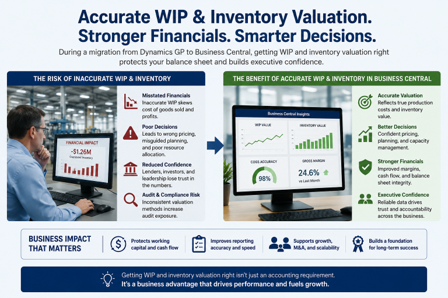
How Business Central Handles Manufacturing Variances
Manufacturing variances tell an important story.
They highlight differences between expected performance and actual operational results.
Business Central allows manufacturers to analyze a range of production variances, helping finance and operations teams identify opportunities for continuous improvement rather than simply explaining month-end results.
These insights may include:
- Material usage variances
- Capacity variances
- Labor variances
- Overhead variances
- Production efficiency variances
The goal is not merely to close the books.
The goal is to understand why performance differed from expectations and use that information to improve future operations.
Manufacturers that embrace variance analysis as a management tool often gain far more value from their ERP investment than organizations that treat it solely as an accounting requirement.
What CFOs Should Evaluate Before Migrating
Successful ERP modernization begins long before software implementation.
I’ve found that finance leaders who ask the right questions early experience far fewer surprises later.
Before migrating from Dynamics GP, I recommend evaluating:
- Current costing methodology
- Bills of Material accuracy
- Production routings
- Overhead allocation methods
- Inventory valuation processes
- WIP accounting practices
- Financial reporting requirements
- Historical manual adjustments
- Spreadsheet dependencies
- Audit and compliance requirements
One CFO I worked with initially believed the migration project would focus primarily on technology.
As we worked through costing workshops, it became clear that years of spreadsheet adjustments had gradually become part of the organization’s month-end close process.
Those spreadsheets weren’t solving ERP limitations.
They were compensating for outdated manufacturing data.
Once the organization corrected the underlying processes, month-end close became faster, reporting became more consistent, and executives spent less time debating numbers and more time discussing strategy.
“ERP modernization should improve financial confidence. If leadership finishes an implementation with the same questions they had before, we’ve missed an opportunity.” - Andrew Good
A Story I See Repeatedly
One experience stands out because it changed the way a leadership team viewed ERP modernization.
A mid-sized manufacturer had postponed moving from Dynamics GP for several years because the executive team was concerned that changing ERP systems would disrupt inventory valuation and manufacturing reporting. Their finance department had spent years refining reports, month-end procedures, and costing adjustments. From their perspective, the current system was working well enough.
As we began documenting their manufacturing costing processes, an unexpected issue emerged.
The biggest source of inconsistency wasn’t Dynamics GP.
It was the collection of manual processes that had gradually become part of their monthly close.
Different plants calculated overhead differently.
Engineering updates to Bills of Material weren’t always reflected in production routings.
Inventory adjustments were often made outside established procedures.
The ERP system wasn’t producing inaccurate information.
It was faithfully reflecting inconsistent business processes.
Once leadership recognized that, the conversation changed completely.
Instead of asking how to preserve every existing costing practice, they began asking how Business Central could help standardize them.
The implementation became more than an ERP project.
It became an opportunity to strengthen financial governance across the organization.
Several months after go-live, the CFO shared something that has stayed with me.
“For the first time, we’re spending our executive meetings discussing profitability instead of debating whether the numbers are accurate.”
That is the real value of ERP modernization: improving the quality of business decisions.
It isn’t simply replacing software.
It’s increasing confidence in the information leaders use to run the business.
How Manufacturers Can Avoid Costing Surprises During Implementation
One of the biggest misconceptions about ERP modernization is that costing decisions are made during software configuration.
In reality, the most successful projects begin long before implementation starts.
They begin with preparation.
Manufacturers that experience the smoothest transitions typically invest significant time understanding their current costing environment before making configuration decisions.
That preparation often includes:
- Reviewing Bills of Material for accuracy
- Validating production routings
- Evaluating overhead allocation methods
- Identifying spreadsheet-based calculations
- Documenting inventory valuation practices
- Confirming WIP accounting procedures
- Reviewing variance reporting requirements
- Aligning finance and operations around common costing objectives
Notice that very little on this list relates to technology.
Most of it relates to understanding how the business actually operates.
“Successful ERP implementations don’t begin with software. They begin with clarity. The more manufacturers understand their costing processes before implementation, the more confident they’ll be in the results after go-live.” - Andrew Good
Five Questions Every Executive Team Should Ask Before Migration
Before committing to a Dynamics GP migration strategy, I encourage executive teams to answer five important questions.
Do we fully understand how our current manufacturing costs are calculated?
Many organizations rely on costing rules that have evolved over many years.
Documenting those assumptions is an essential first step.
Are our Bills of Material and production routings still accurate?
ERP modernization often exposes inconsistencies that have accumulated gradually over time.
Correcting those issues before migration reduces implementation risk and improves long-term reporting.
Which manual processes have become part of month-end close?
Spreadsheets and manual adjustments frequently compensate for outdated processes rather than ERP limitations.
Understanding those dependencies creates opportunities for simplification.
Does our current costing model support where the business is going?
Growth through acquisitions, product expansion, new facilities, or increased automation may require a different level of financial visibility than today’s environment provides.
5. Are we treating migration as a technology project or a business improvement initiative?
This may be the most important question of all.
The manufacturers that achieve the greatest return from ERP modernization are the ones that treat implementation as a business improvement initiative, not simply a software replacement.
A Final Thought
Manufacturing cost accounting is about far more than calculating inventory values or closing the books each month.
It provides the financial foundation for pricing decisions.
It supports operational planning.
It influences profitability analysis.
It gives executives confidence that strategic decisions are based on accurate information.
After working with manufacturers for more than two decades, I’ve become convinced that the most successful ERP modernization projects share one characteristic.
They don’t focus exclusively on technology.
They focus on improving the business.
The National Association of Manufacturers (NAM) continues to highlight digital transformation, operational resilience, and data-driven decision-making as critical priorities for manufacturers seeking long-term competitiveness.
Business Central gives manufacturers an opportunity to modernize costing practices, strengthen financial visibility, simplify reporting, and create greater confidence across finance and operations.
That opportunity should never be wasted by simply recreating yesterday’s processes.
“ERP modernization isn’t about proving that your old system was wrong. It’s about preparing your business for what’s next. When manufacturers improve the quality of their costing information, they improve the quality of every decision that follows.” - Andrew Good
Ready to Strengthen Your Manufacturing Costing Strategy?
Before migrating from Dynamics GP to Business Central, manufacturers should understand how their current costing model supports the business today and whether it will support the business tomorrow.
Liberty Grove Software works with manufacturers to evaluate manufacturing costing, WIP accounting, inventory valuation, production reporting, and financial processes before implementation begins.
Our team helps organizations identify potential costing risks, validate manufacturing data, and develop ERP modernization strategies that improve financial visibility while reducing implementation risk.
Whether you’re evaluating standard costing, actual costing, manufacturing inventory valuation, or Business Central manufacturing costing capabilities, we’ll help you build a roadmap that aligns technology with your long-term business objectives.
Schedule a Manufacturing ERP Costing Assessment with Liberty Grove Software and see how a well-planned migration can strengthen financial confidence across your organization.
What’s Next in This Series?
Throughout this series, we’ve explored the most important questions manufacturers face when evaluating a move from Dynamics GP to Business Central.
We’ve discussed Microsoft’s product roadmap, manufacturing functionality, organizational readiness, ERP change management, customizations, ISV dependencies, technical debt, and now the financial implications of manufacturing costing.
Together, these topics reinforce one important message:
Successful ERP modernization is not about replacing software. It’s about improving the business.
In our final article, we’ll examine one of the most common questions manufacturers ask when considering their long-term ERP strategy:
Should we host Dynamics GP in the cloud, or is it time to move to Business Central?
We’ll explore:
- The advantages and limitations of Hosted GP
- Why cloud hosting is not the same as ERP modernization
- When Hosted GP makes strategic sense
- When Business Central becomes the better long-term investment
- How manufacturers should evaluate cloud ERP strategies based on growth, scalability, and operational objectives
We’ll also help manufacturing leaders distinguish between extending the life of an existing ERP system and preparing the organization for the future.
Read Next
Hosted GP vs. Business Central: What Manufacturers Need to Consider
The final article in this series will help executives evaluate whether hosting Dynamics GP is a practical interim solution or whether Business Central is the stronger long-term strategy for improving modernization, scalability, and competitive advantage.
Frequently Asked Questions
How does Business Central handle manufacturing costing?
Business Central provides integrated manufacturing costing capabilities that connect production, inventory, purchasing, and finance. It supports standard costing, actual costing, manufacturing variances, WIP accounting, and inventory valuation, giving manufacturers greater visibility into production costs and financial performance.
How does costing differ between Dynamics GP and Business Central?
Both platforms support manufacturing costing, but Business Central offers a more integrated approach that connects operational transactions with financial reporting. Many manufacturers also benefit from improved visibility into production variances, inventory movements, and manufacturing performance.
What happens to WIP and inventory valuation during migration?
WIP accounting and inventory valuation do not simply transfer automatically. Manufacturers should validate Bills of Material, production routings, inventory transactions, and costing methods before migration to ensure accurate financial reporting after go-live.
How are manufacturing variances handled in Business Central?
Business Central captures and reports manufacturing variances related to materials, labor, overhead, capacity, and production efficiency. These insights help finance and operations teams identify opportunities to improve profitability and operational performance.
What should CFOs evaluate before migrating from Dynamics GP?
CFOs should review costing methodologies, inventory valuation practices, WIP accounting, Bills of Material, production routings, overhead allocation, reporting requirements, manual adjustments, spreadsheet dependencies, and audit considerations before implementation begins.
How can manufacturers avoid costing surprises during implementation?
The most successful manufacturers begin by documenting current costing processes, validating manufacturing master data, aligning finance and operations, and correcting inconsistencies before ERP configuration starts. Preparation significantly reduces implementation risk.
Is Business Central better than Dynamics GP for manufacturing costing?
For many manufacturers, Business Central provides stronger integration between manufacturing operations and financial reporting. However, the greatest benefits are achieved when organizations use the migration as an opportunity to modernize costing practices rather than simply replicate legacy processes.
Can manufacturers continue using standard costing in Business Central?
Yes. Business Central supports standard costing as well as other costing methods. The appropriate approach depends on your manufacturing environment, financial reporting requirements, and management objectives.
Why is manufacturing cost accounting important during ERP modernization?
Manufacturing costing affects inventory valuation, profitability, pricing, production planning, financial reporting, and executive decision-making. Evaluating costing processes before migration helps ensure that ERP modernization strengthens both operational performance and financial confidence.
About Andrew Good
Andrew Good, CEO, Liberty Grove Software
Andrew Good, CEO of Liberty Grove Software, a leader in digital transformation, directs the company with strategic insights that deliver impactful results. With over two decades of expertise in Microsoft technologies, Andrew has guided businesses through digital transformation across manufacturing, finance, and healthcare.
Andrew's extensive knowledge comes from personal experiences with various companies. His hands-on operational knowledge comes from Engineering, Maintenance, and operational roles at Unilever and Sony Music. Fourteen years of working with Microsoft Dynamics BC/NAV follows successful projects in ERP, Computerized Maintenance Management Systems (EAM), and quality systems.
His passion for technology is matched by his love for sailing, which inspires his leadership. Andrew parallels the precision of navigating the seas and the challenges of steering a successful company. Under his leadership, Liberty Grove Software thrives, offering tailored solutions to empower clients and optimize operations with innovative Microsoft-based systems.
Connect with Andrew on LinkedIn
Subscribe to Andrew’s Newsletter on LinkedIn
When manufacturers begin evaluating a move from Dynamics GP to Business Central, the conversation usually starts with software.
- Can Business Central handle our manufacturing requirements?
- Will it support our production processes?
- What about production planning, inventory control, shop floor operations, scheduling, quality management, engineering change management, inventory costing, and operational reporting.
Those are important questions.
But after years of helping manufacturers modernize ERP systems, I've found that the biggest data migration risks rarely come from Business Central.
They come from years of undocumented decisions, forgotten integrations, custom reports, third-party applications, and business processes nobody realized the company still depended on.
Many executives assume they're replacing an ERP system.
In reality, they're often replacing an ecosystem.
And that distinction changes everything.
"One of the biggest surprises manufacturers encounter during ERP modernization is realizing they're not dependent on Dynamics GP. They're dependent on everything that's been built around it. Before you can plan where you're going, you need to understand what your business actually relies on today." — Andrew Good, CEO, Liberty Grove Software
I've worked with manufacturers who believed they had a straightforward Dynamics GP migration ahead of them. Once we began assessing the environment, we discovered dozens of customizations, multiple GP ISV solutions, legacy integrations, spreadsheets supporting critical processes, and business logic that had evolved over fifteen years.
The software wasn't the obstacle.
The complexity surrounding it was.
That’s why manufacturing customizations and ISV dependencies frequently become the biggest roadblocks in ERP migrations.
Not because they're inherently bad.
But because most organizations don't fully understand how deeply embedded they have become.
Table of Contents
The Dependency Trap Most Manufacturers Don't See Coming
Why Dynamics GP Customizations Become Migration Roadblocks
Executive Insight: Complexity Is Not the Same as Competitive Advantage
Why GP ISV Solutions Frequently Delay ERP Modernization
The Hidden Risk of Dynamics GP Integrations
ERP Technical Debt Is a Business Problem, Not an IT Problem
Should Manufacturers Recreate Every Customization in Business Central?
A Practical Framework for Evaluating Customizations and ISVs
The ERP Modernization Opportunity Most Manufacturers Miss
A Story I See Repeatedly
A Final Thought
Ready to Understand Your ERP Environment?
Frequently Asked Questions
The Dependency Trap Most Manufacturers Don't See Coming
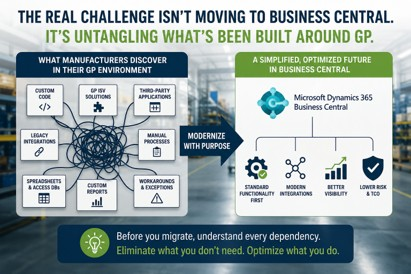
ERP modernization should focus on preserving business value, not preserving complexity. Manufacturers that evaluate customizations, ISVs, integrations, and manual processes individually often discover opportunities to simplify their future ERP environment.
One of the most common discoveries during an ERP assessment is that manufacturers are not actually dependent on Dynamics GP.
They're dependent on everything surrounding Dynamics GP.
The ERP system becomes the hub.
Customizations become the spokes.
Third-party applications fill functionality gaps.
Integrations connect operational systems.
Manual processes compensate for historical limitations.
Over time, these solutions become part of how the business operates.
Nobody questions them.
Nobody documents them.
Nobody evaluates whether they are still necessary.
Then modernization begins.
Leadership starts discussing timelines, budgets, and implementation strategies.
Suddenly, a simple question emerges:
"What happens to everything we've built around GP?"
That is often when project complexity increases dramatically.
"One of the most valuable outcomes of an ERP assessment isn't identifying what needs to be migrated. It's identifying what doesn't. The goal of modernization isn't to preserve complexity. It's to determine which processes still create value and which ones are simply creating maintenance." — Andrew Good, CEO, Liberty Grove Software
Why Dynamics GP Customizations Become Migration Roadblocks
Most Dynamics GP customizations were created for legitimate business reasons.
A production process required additional functionality.
A customer demanded a unique workflow.
A reporting gap needed to be addressed.
An operational challenge required a workaround.
Individually, these decisions made sense.
Collectively, they often create a modernization challenge.
The issue is not the customization itself.
The issue is understanding what depends on it.
I've seen manufacturers discover that a customization originally created to support a customer-specific production workflow was connected to inventory transactions, production orders, reporting systems, warehouse operations, and shipping processes.
On paper, it appeared to be a simple modification.
In reality, it impacted multiple departments and several business-critical processes.
That's the type of dependency that often surprises organizations during ERP modernization.
It has become part of the organization's operating model.
The challenge isn't rebuilding the customization.
The challenge is understanding what breaks if you don't.
That is what transforms a customization into a migration roadblock.
Executive Insight: Complexity Is Not the Same as Competitive Advantage
One of the most common assumptions I hear from leadership teams is:
"We've customized GP because our business is unique."
Sometimes that's true.
Sometimes it isn't.
I've seen manufacturers maintain custom functionality for years because it solved a problem that existed a decade ago.
The business evolved.
The technology evolved.
But the customization remained.
Over time, familiarity becomes mistaken for necessity.
One of the most valuable questions executives can ask during ERP modernization is:
If we were implementing an ERP system today, would we choose to build this customization again?
The answer often reveals opportunities to simplify rather than replicate.
Why GP ISV Solutions Frequently Delay ERP Modernization
For many manufacturers, the biggest surprise is not the number of customizations.
It's the number of third-party solutions supporting critical business processes.
Over the years, organizations have added GP ISV solutions to address specific operational needs.
- Warehouse management
- EDI and supplier collaboration
- Quality management
- Advanced production scheduling
- Engineering change management
- Shop floor data collection
- Production reporting
- Product configuration management
Each solution solves a problem.
The challenge is that every solution introduces another dependency.
I've seen manufacturers delay ERP projects by months while trying to answer a simple question:
"What happens to all of our ISVs?"
Some GP ISV solutions have Business Central versions.
Some have modern alternatives.
Some are no longer actively developed.
Some have become so deeply embedded in operations that replacing them feels riskier than staying on GP.
At that point, the discussion shifts from software to business continuity.
That's why early ISV assessments are crucial in any ERP modernization strategy, helping organizations identify potential delays and plan accordingly.
As manufacturers evaluate their long-term ERP strategy, it's important to understand Microsoft's ongoing support plans and product direction for Dynamics GP.
The Hidden Risk of Dynamics GP Integrations
Integrations are often where migration complexity becomes most apparent.
Most manufacturers have spent years connecting Dynamics GP to other operational systems.
Common examples include:
- Manufacturing Execution Systems (MES)
- Warehouse Management Systems (WMS)
- EDI platforms
- Shipping systems
- CRM applications
- Quality management software
- Product lifecycle management systems
- Business intelligence platforms
- CAD systems
- Engineering systems
- Product configuration tools
- Automated production equipment
Every integration serves a purpose.
The challenge is that many organizations lack full visibility into how their integrations function, risking operational disruptions during migration.
I've seen manufacturers discover undocumented integrations supporting critical processes.
I've also seen key integrations maintained by a single employee approaching retirement.
Those situations create risk that extends far beyond ERP migration.
They create operational dependency.
Before discussing future-state architecture, organizations need a clear understanding of their current environment, empowering IT managers to lead the migration with confidence and control.
ERP Technical Debt Is a Business Problem, Not an IT Problem
What Complexity Is Really Costing You
Most manufacturers understand that complexity creates challenges. What they often underestimate is the financial impact. Every customization, ISV dependency, integration, and manual workaround carries a cost that extends far beyond the IT department.
Consulting Costs
The more customized an ERP environment becomes, the more specialized expertise is required to maintain it. Organizations often find themselves dependent on consultants who understand legacy code, aging integrations, and custom business logic, increasing both support expenses and project costs.
Support Costs
Every customization and third-party solution introduces another component that must be monitored, maintained, tested, and supported. As environments become more complex, support requirements increase, consuming both internal resources and external support budgets.
Delayed Upgrades
Legacy customizations and ISV dependencies can make upgrades significantly more difficult. Manufacturers often postpone modernization initiatives because of concerns about what might break, creating a cycle in which aging technology becomes increasingly expensive and risky to maintain.
Lost Productivity
Complex ERP environments often rely on manual workarounds, spreadsheets, duplicate data entry, and undocumented processes. While these inefficiencies may seem minor individually, they can collectively consume hundreds of employee hours each year and reduce operational efficiency across the organization.
Cybersecurity Exposure
Unsupported customizations, outdated integrations, and aging third-party applications can create security vulnerabilities that are difficult to identify and remediate. As cyber threats continue to evolve, older ERP ecosystems often present a larger risk profile than many organizations realize.
Employee Dependency
Many manufacturers rely on a small number of long-tenured employees who understand how customizations, integrations, and manual processes work. When that knowledge resides with only a few individuals, employee turnover, retirement, or organizational change can create significant operational risk.
Industry Perspective
According to Gartner, technical debt represents the future cost organizations incur when short-term technology decisions create long-term complexity. For manufacturers, that complexity often appears in the form of legacy customizations, unsupported integrations, and aging third-party solutions that make ERP modernization more difficult.
The cumulative impact of these costs is often substantial. What appears to be a stable ERP environment may actually be limiting agility, increasing risk, and making future modernization efforts more expensive than necessary.
Technical debt is often treated as a technology issue.
Manufacturing executives should view it differently.
Technical debt impacts business agility.
It affects scalability.
It increases risk.
It slows decision-making.
For manufacturers pursuing growth through acquisitions, facility expansion, or new product lines, technical debt can become a significant barrier to scalability.
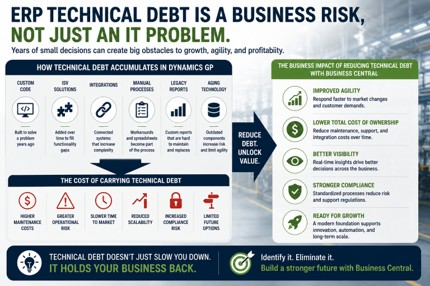
ERP technical debt accumulates over time through customizations, ISV dependencies, integrations, manual workarounds, and aging technology. While often viewed as an IT issue, technical debt ultimately impacts agility, scalability, profitability, compliance, and long-term business growth.
Over time, technical debt accumulates through:
- Legacy customizations
- Manual workarounds
- Spreadsheet-driven processes
- Unsupported integrations
- Aging ISV solutions
- Outdated reporting tools
Individually, each item seems manageable.
Collectively, they create a level of complexity that can significantly increase migration risk.
"Technical debt rarely appears all at once. It accumulates through years of reasonable decisions made to solve immediate business challenges. The problem isn't that those decisions were wrong. The problem is that eventually complexity begins limiting growth, agility, and the organization's ability to move forward." — Andrew Good, CEO, Liberty Grove Software
One CFO recently described it perfectly:
"The software still works. What worries me is how much of the business depends on things nobody fully understands anymore."
That's the real issue.
Should Manufacturers Recreate Every Customization in Business Central?
In most cases, no.
One of the biggest mistakes manufacturers make is assuming modernization means rebuilding everything exactly as it exists today.
That approach often preserves complexity rather than eliminating it.
Modernization should be an opportunity to challenge assumptions.
Questions worth asking include:
- Does this customization still support the business?
- Does Business Central already provide this functionality?
- Is there a simpler way to achieve the same outcome?
- Is this process still relevant to future business goals?
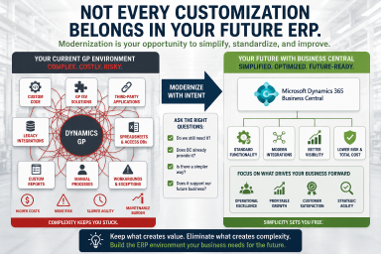
ERP modernization should focus on preserving business value, not preserving complexity. Manufacturers that evaluate customizations, ISVs, integrations, and manual processes individually often discover opportunities to simplify their future ERP environment.
I've seen manufacturers spend months planning how to recreate custom functionality only to discover Business Central already addressed the requirement through standard capabilities.
The goal should not be replication.
The goal should be optimization.
A Practical Framework for Evaluating Customizations and ISVs
I recommend that manufacturers classify every customization, ISV, and integration into one of three categories.
Strategic Differentiators
These directly support how the business competes.
Examples may include:
- Proprietary production processes
- Specialized manufacturing workflows
- Engineering-to-order requirements
- Product configuration capabilities
- Industry-specific compliance processes
Operational Enhancements
These improve efficiency but do not necessarily create a competitive advantage.
Examples include:
- Reporting improvements
- Workflow automation
- Productivity enhancements
Historical Artifacts
These exist because they have always existed.
They may no longer provide meaningful business value.
In many assessments, this category is larger than executives expect.
And it often represents the greatest opportunity for simplification.
In many cases, standard functionality available within Microsoft Dynamics 365 Business Central can replace custom solutions that were originally developed to address historical limitations.
Manufacturers are often surprised by how much functionality is now available through Business Central’s standard manufacturing capabilities.
The ERP Modernization Opportunity Most Manufacturers Miss
Many organizations approach ERP migration as a technology replacement project.
The most successful manufacturers approach it as a business simplification initiative.
Every customization.
Every ISV.
Every integration.
Every workaround.
Every manual process.
Should be evaluated through the lens of future business objectives.
The goal is not preserving complexity.
The goal is to reduce it.
Manufacturers that embrace this mindset often discover that modernization becomes less intimidating and significantly more valuable.
A Story I See Repeatedly
During a recent assessment, a manufacturer believed its production scheduling and warehouse management customization was mission-critical.
Once documented, the team discovered that most of the functionality was already available through modern Business Central capabilities.
What initially appeared to be a major migration obstacle became a simplification opportunity.
Leadership assumed every customization was mission-critical.
Every integration was essential.
Every ISV was irreplaceable.
Then we began documenting the environment.
What we discovered surprised everyone.
Several customizations solved problems that no longer existed.
Some integrations were no longer actively used.
A few ISV solutions had already been replaced by standard Business Central functionality.
Only a handful of dependencies were truly strategic.
The lesson wasn't that customizations are bad.
The lesson was that visibility matters.
Most manufacturers don't have a customization problem.
They have a visibility problem.
Until you understand why a customization exists, it's impossible to determine whether it deserves a place in your future ERP environment.
"The manufacturers that navigate ERP modernization most successfully aren't the ones with the fewest customizations or integrations. They're the ones with the clearest understanding of why those dependencies exist and whether they still support the future business." — Andrew Good, CEO, Liberty Grove Software
A Final Thought
After years of helping manufacturers modernize ERP systems, I've come to believe that customizations themselves are rarely the problem.
The real challenge is dependency.
Dependency creates risk.
Dependency increases cost.
Dependency slows modernization.
Dependency makes change feel more difficult than it often needs to be.
The manufacturers that achieve the best outcomes aren't the ones with the fewest customizations.
They're the ones that understand their environment well enough to make informed decisions about what belongs in the future and what should remain in the past.
Before asking how to migrate every customization, ask a different question:
Which of these dependencies still support our future business?
The answer may dramatically simplify your ERP modernization journey.
Ready to Understand Your ERP Environment?
Before committing to a Dynamics GP migration strategy, manufacturers need a clear understanding of the customizations, ISVs, integrations, and technical debt shaping their current environment.
Liberty Grove Software helps manufacturers identify hidden dependencies, evaluate modernization risks, and build practical ERP roadmaps that support long-term business goals.
If you're considering a move from Dynamics GP to Microsoft Dynamics 365 Business Central, let's start with a conversation.
Our team can help you:
- Assess Dynamics GP customizations
- Evaluate GP ISV solutions
- Identify integration risks
- Reduce ERP technical debt
- Develop a practical ERP modernization strategy
Before investing in migration planning, make sure you understand what your business truly depends on.
Schedule a Manufacturing ERP Assessment with Liberty Grove Software to identify hidden dependencies, reduce modernization risk, and build a roadmap aligned with your long-term business objectives.
What's Next in This Series?
In this article, we've explored one of the most overlooked aspects of ERP modernization: the human side of change. We discussed why manufacturers often hesitate to move away from Dynamics GP, the fears that drive resistance to modernization, and how ERP change management, user adoption, leadership alignment, and risk mitigation play critical roles in long-term project success.
The key takeaway is simple: successful ERP modernization is not just about technology. It's about helping people navigate change with confidence.
But once manufacturers address concerns about disruption, adoption, and organizational readiness, another important question emerges:
Can Business Central actually handle the complexity of a manufacturing environment?
In the next article in this series, we'll explore:
- Whether Business Central can support complex manufacturing operations
- Common misconceptions about manufacturing functionality in Business Central
- How manufacturers should evaluate ERP capabilities beyond feature lists
- What production, inventory, planning, and operational leaders should consider during ERP selection
- Why many manufacturers underestimate the evolution of Microsoft's ERP platform
We'll also examine the difference between recreating existing processes and modernizing them, helping manufacturing executives evaluate whether Business Central is prepared to support future growth, scalability, and operational complexity.
Read Next: Can Business Central Really Handle Manufacturing Complexity?
This next article shifts the conversation from organizational readiness to platform readiness, helping manufacturing leaders evaluate whether Business Central can support the realities of modern manufacturing operations.
What's Next: The Real Fear Behind Leaving Dynamics GP in Manufacturing
In this article, we've explored one of the most overlooked challenges in ERP modernization: the hidden complexity surrounding Dynamics GP. We discussed how customizations, GP ISV solutions, integrations, and ERP technical debt can become significant migration roadblocks when manufacturers don't fully understand the dependencies supporting their operations. We also examined why modernization should focus on optimization rather than simply recreating the past.
But technical complexity is only part of the story.
Even when manufacturers understand their customizations, integrations, and migration requirements, many organizations still hesitate to move forward.
Why?
Because the biggest challenge is often not technical.
It's human.
In the next article, "The Real Fear Behind Leaving Dynamics GP in Manufacturing," we'll explore the organizational and leadership concerns that frequently delay ERP modernization initiatives, including:
- What manufacturers are actually afraid of when leaving Dynamics GP
- Why operations teams often resist ERP projects
- How leaders can reduce ERP migration risk
- The role of ERP change management in successful implementations
- How manufacturers can improve ERP user adoption and business readiness
We'll also discuss why many modernization projects struggle not because of technology limitations, but because organizations underestimate the importance of communication, training, stakeholder engagement, and change management.
Read Next: The Real Fear Behind Leaving Dynamics GP in Manufacturing: Why ERP Success Depends on More Than Technology
This next article shifts the conversation from technical readiness to organizational readiness, helping manufacturing leaders understand how to navigate the people side of ERP modernization with confidence.
Frequently Asked Questions
Why do Dynamics GP customizations become ERP migration roadblocks?
Dynamics GP customizations become migration roadblocks when organizations no longer understand how many business processes depend on them. The challenge is often determining what operational impact occurs if the customization is modified, replaced, or removed.
What Should Manufacturers Assess Before Migrating from Dynamics GP?
Manufacturers should assess their Dynamics GP customizations, GP ISV solutions, integrations, business processes, data quality, and ERP technical debt before migration. Understanding these dependencies helps reduce risk, control costs, and build a more effective ERP modernization strategy.
What happens to GP ISV solutions when moving to Business Central?
Some GP ISV solutions have Business Central equivalents, while others may be replaced by native functionality or alternative applications. Each ISV should be evaluated individually as part of the migration planning process.
Why are ISV dependencies a risk during ERP modernization?
ISV dependencies can increase migration complexity because they often support critical operational processes. Organizations need to understand whether those solutions can be migrated, replaced, or retired before modernization begins.
How do Dynamics GP integrations affect migration projects?
Integrations frequently connect ERP systems to manufacturing, warehouse, quality, and customer-facing applications. Undocumented or poorly understood integrations can significantly increase migration risk and project timelines.
What is ERP technical debt?
ERP technical debt is the accumulated complexity created by customizations, integrations, manual workarounds, spreadsheets, and legacy technologies that increase maintenance costs and modernization risk.
Should manufacturers recreate every customization in Business Central?
No. ERP modernization should include evaluating whether existing customizations still support business objectives and whether standard Business Central functionality can provide a simpler alternative.
What is the first step in an ERP modernization strategy?
The first step is understanding your current environment, including customizations, ISV dependencies, integrations, manual processes, and technical debt. Without that visibility, modernization planning becomes much more difficult.
Can Business Central Replace Most Dynamics GP ISV Solutions?
In many cases, yes. Business Central now includes functionality that often reduces or eliminates the need for some GP ISV solutions. However, each ISV should be evaluated individually to determine whether standard Business Central capabilities, a Business Central-compatible solution, or a different approach can replace it.
How Do I Know Which Dynamics GP Customizations Are Still Needed?
Start by identifying the business process each customization supports and the impact of removing it. Ask whether the customization still delivers value, creates a competitive advantage, or addresses a requirement that Business Central cannot handle natively. Many manufacturers discover that some customizations are no longer necessary and can be retired during modernization.
About Andrew Good
Andrew Good, CEO, Liberty Grove Software
Andrew Good, CEO of Liberty Grove Software, a leader in digital transformation, directs the company with strategic insights that deliver impactful results. With over two decades of expertise in Microsoft technologies, Andrew has guided businesses through digital transformation across manufacturing, finance, and healthcare.
Andrew's extensive knowledge comes from personal experiences with various companies. His hands-on operational knowledge comes from Engineering, Maintenance, and operational roles at Unilever and Sony Music. Fourteen years of working with Microsoft Dynamics BC/NAV follows successful projects in ERP, Computerized Maintenance Management Systems (EAM), and quality systems.
His passion for technology is matched by his love for sailing, which inspires his leadership. Andrew parallels the precision of navigating the seas and the challenges of steering a successful company. Under his leadership, Liberty Grove Software thrives, offering tailored solutions to empower clients and optimize operations with innovative Microsoft-based systems.
Connect with Andrew on LinkedIn
Subscribe to Andrew’s Newsletter on LinkedIn
For years, Dynamics GP has been a reliable platform for manufacturers.
It processes orders.
Supports production.
Manages inventory.
Runs financials.
Generates reports.
The business knows how it works.
The team knows where to find information.
Processes have been built around it.
People trust it.
Which is why so many manufacturers hesitate when the conversation turns to modernization.
At first glance, it appears to be a technology decision.
Should we move to Business Central?
Can the new Business Central platform support our manufacturing environment?
Will the functionality meet our requirements?
Those questions matter.
But after helping manufacturers evaluate and execute ERP modernization initiatives, I've learned that the biggest challenge is rarely the software itself.
The real challenge is uncertainty.
Manufacturers are not usually afraid of Business Central.
They are afraid of what might happen to the business during the transition.
Will operations be disrupted?
Will employees embrace the change?
Will production slow down?
Will critical data be lost?
Will customers feel the impact?
Will the project succeed?
Those concerns are understandable.
They are also exactly why successful ERP modernization requires more than technology planning.
It requires leadership, communication, and change management.
Microsoft's Dynamics 365 Business Central platform continues to evolve as the company's primary cloud ERP solution for small and midsized organizations.
As Andrew Good often says:
"Manufacturers rarely resist new technology. They resist unnecessary risk. The organizations that modernize successfully are the ones that reduce uncertainty before asking people to change."
That distinction is important.
Because the real fear behind leaving Dynamics GP is not the software.
It is the fear of disrupting the business.
Table of Contents
Why Manufacturers Hesitate to Leave Dynamics GP
What Are Manufacturers Actually Afraid of When Moving Off GP?
How Much Operational Disruption Should Manufacturers Expect?
Why ERP Projects Face Resistance From Operations Teams
The Hidden Cost of Waiting Too Long
How Manufacturers Can Reduce ERP Migration Risk
What Role Does Change Management Play in ERP Success?
A Story I See Repeatedly
Manufacturing Digital Transformation Is Ultimately About Confidence
A Final Thought
Ready to Reduce ERP Migration Risk?
Why Manufacturers Hesitate to Leave Dynamics GP
Executives often tell me the same thing.
"We know we need to modernize."
I've sat in dozens of executive planning sessions where leadership teams agree that modernization is necessary. The challenge isn't recognizing the need for change. The challenge is deciding when and how to make it happen without disrupting the business.
Yet months or even years pass before a decision is made.
Why?
Because Dynamics GP still works.
The business has adapted to it.
Processes have been built around it.
Employees understand it.
Leadership knows its limitations.
There is comfort in familiarity.
Even when executives recognize that modernization is necessary, familiarity often feels safer than change.
The challenge is that familiarity can create a false sense of security.
Many manufacturers assume that staying on a familiar platform reduces risk.
Manufacturers might also consider Microsoft's published Dynamics GP lifecycle roadmap when evaluating long-term modernization plans.
In reality, delaying modernization can introduce new risks:
- Increasing technical debt
- Rising support costs
- Aging integrations
- Cybersecurity concerns
- Limited scalability
- Reduced visibility
- Difficulty attracting modern ERP talent
The decision is not whether change will happen.
The decision is whether the organization will manage change proactively or react to it later.
As manufacturers evaluate aging technology environments, cybersecurity risk has become an increasingly important consideration for executive leadership teams.
What Are Manufacturers Actually Afraid of When Moving Off GP?
In my experience, manufacturers are not afraid of software.
They are afraid of consequences.
Specifically:
Production Disruption
Manufacturing leaders worry that implementation challenges will impact production schedules, customer commitments, and operational performance.
For manufacturers, concerns often center around production schedules, inventory accuracy, shipping commitments, quality processes, and customer service levels.
Employee Resistance
Managers know that change creates uncertainty.
If users struggle to adopt new processes, productivity may suffer.
Loss of Institutional Knowledge
Long-tenured employees often understand critical processes, reports, and workarounds.
Organizations fear losing that knowledge during modernization.
Project Failure
ERP implementations require investment.
Executives want confidence that the project will deliver business value.
Customer Impact
Manufacturers work hard to build trust with customers.
No leadership team wants ERP disruption to affect service levels or delivery performance.
Andrew often frames it this way:
"Most manufacturers are not worried about learning new software. They're worried about protecting the business while change is happening."
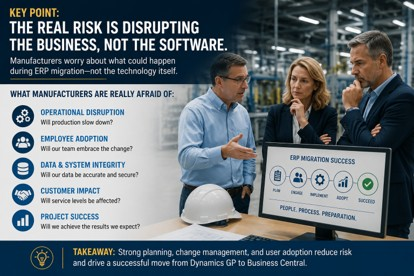
That is the real concern.
How Much Operational Disruption Should Manufacturers Expect?
This is one of the most common questions executives ask.
The answer surprises many leaders.
One of the biggest misconceptions I encounter is that ERP modernization automatically means months of operational disruption.
The manufacturers that experience the smoothest transitions are usually the organizations that spend the most time preparing before implementation begins.
Well-managed ERP modernization projects typically involve far less disruption than organizations expect.
The key phrase is well-managed.
Successful projects do not rely on luck.
They rely on planning.
Strong implementations include:
- Process documentation
- Data preparation
- User training
- Pilot testing
- Executive sponsorship
- Change management
- Clear communication
Organizations that invest in these activities generally experience smoother transitions than those focused exclusively on technical deployment.
The goal should not be avoiding disruption entirely.
The goal should be to manage disruption so the business continues to operate effectively throughout the transition.
Why ERP Projects Face Resistance From Operations Teams
Operations teams are measured on performance.
Production output.
Inventory accuracy.
Customer delivery.
Quality metrics.
Downtime.
Efficiency.
When ERP modernization is introduced, operations leaders often view it through a different lens than executives.
Executives see opportunity.
Operations teams see risk.
Both perspectives are valid.
One experience stands out from a manufacturing ERP assessment I led several years ago.
The executive team was eager to modernize and viewed the project as a necessary step toward growth and improved visibility.
However, the operations team was hesitant from the beginning. Leadership initially interpreted that hesitation as resistance to change.
What we eventually discovered was something very different.
The operations managers weren't resisting modernization; they were protecting production schedules, customer commitments, inventory accuracy, and delivery performance.
They understood exactly where disruptions could occur because they lived with those processes every day.
Once those leaders were brought into planning discussions, their concerns became valuable input rather than obstacles. In fact, several of the safeguards that ultimately contributed to a successful implementation came directly from the operations team.
I've seen this pattern repeated many times. The people who appear most resistant to ERP change are often the people who understand the business best.
One manufacturing executive shared a lesson that has stayed with me.
When leadership announced an ERP modernization initiative, operations managers immediately started listing potential problems.
Executives initially interpreted the reaction as resistance.
In reality, it was expertise.
The operations team understood exactly where disruptions could occur.
Once leadership involved operations teams early in planning, the conversation shifted from resistance to collaboration, significantly reducing risk and increasing the likelihood of project success.
The managers who initially seemed resistant became some of the strongest advocates for the project.
The lesson is simple.
People support what they help create.
ERP change management is not about convincing people to accept change.
It is about involving them early enough that they become part of the solution.
The Hidden Cost of Waiting Too Long
Many manufacturers believe delaying ERP modernization reduces risk.
Sometimes the opposite is true.
I have seen organizations postpone decisions for years because they were worried about implementation challenges.
During that time:
- Technical debt increased
- Integrations became harder to support
- Customizations became more complex
- Reporting challenges multiplied
- Talent gaps widened
Eventually, the business faced even greater modernization risk than it would have encountered years earlier.
Legacy ERP environments often create costs that are not immediately visible to leadership.
Support expenses increase, decision-making slows, and scalability becomes more difficult as technical debt accumulates.
Growth initiatives such as acquisitions, new facilities, product expansion, or operational automation can become harder to execute because systems and processes were never designed to support the next stage of the business.
What initially feels like a strategy for avoiding risk can ultimately become a barrier to profitability, agility, and long-term growth.
Andrew often tells clients:
"The cost of change is visible. The cost of delay is often hidden until it becomes impossible to ignore."
That is an important leadership consideration.
One manufacturer delayed modernization for three years because leadership was concerned about disruption. During that period, the company completed two acquisitions and struggled to integrate reporting, inventory visibility, and financial processes across locations. By the time modernization began, the project scope and cost had grown significantly beyond what would have been required earlier.
How Manufacturers Can Reduce ERP Migration Risk
Reducing ERP migration risk starts with preparation.
The strongest projects focus on business readiness as much as technical readiness.
Key areas include:
Executive Alignment
Leadership teams must agree on objectives, priorities, and expected outcomes.
Process Assessment
Document how work is performed today and identify opportunities for improvement.
Data Readiness
Clean, accurate data reduces implementation complexity.
User Engagement
Involve users early and often.
Training Programs
Invest in practical, role-based education.
Change Management
Build a structured plan to support adoption and communication.
Partner Selection
Work with implementation partners who understand manufacturing operations, not just software.
ERP migration risk is rarely reduced by technology alone.
It is reduced through preparation.
What Role Does Change Management Play in ERP Success?
Change management is one of the most overlooked drivers of ERP success.
Research consistently shows that projects with strong change management practices are significantly more likely to achieve their objectives.
Many organizations treat ERP implementation as a technology project.
The most successful manufacturers treat it as a business transformation initiative.
Technology enables change.
People determine whether change succeeds.
Strong change management helps organizations:
- Build trust
- Reduce uncertainty
- Increase user adoption
- Improve communication
- Strengthen training outcomes
- Support leadership alignment
Without change management, even technically successful implementations can struggle.
With it, organizations are far more likely to realize the business benefits they expected.
Andrew summarizes it perfectly:
"ERP success isn't determined by go-live. It's determined by what happens after go-live. Adoption is where the real return on investment is created."
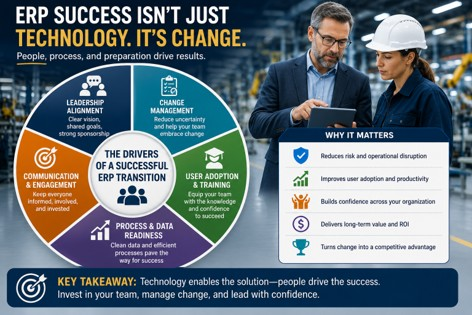
A Story I See Repeatedly
One manufacturer spent nearly two years debating whether to move forward with ERP modernization.
The leadership team worried about disruption.
Operations leadership worried about productivity.
Finance worried about risk.
Everyone agreed that change was necessary.
No one wanted to be responsible for making the decision.
Eventually, leadership conducted a formal ERP assessment.
What they discovered was surprising.
The greatest risk was not migration.
The greatest risk was standing still.
Aging technology, unsupported processes, growing technical debt, and increasing operational complexity posed a larger threat to the business than modernization itself.
Once leadership understood the actual risks, the conversation changed.
The project moved forward.
The focus shifted from fear to preparation.
That shift made all the difference.
Manufacturing Digital Transformation Is Ultimately About Confidence
Successful manufacturers do not modernize because technology changes.
One thing I've learned over the years is that the strongest modernization initiatives are rarely driven by technology alone.
They are driven by business leaders who recognize that future growth, visibility, scalability, and competitiveness require a different foundation than what worked ten years ago.
Manufacturers modernize because business requirements change.
Growth.
Visibility.
Scalability.
Customer expectations.
Workforce challenges.
Competitive pressure.
Digital transformation is not about replacing software.
It is about creating confidence in the future.
Confidence that systems can scale.
Confidence that teams can adapt.
Confidence that operations can support growth.
Confidence that leadership can make better decisions.
The manufacturers that succeed are not the ones that eliminate uncertainty.
They are the ones who manage it effectively.
Digital transformation initiatives are increasingly focused on creating organizational agility, operational visibility, and long-term scalability.
A Final Thought
The biggest challenge in Dynamics GP migrations is rarely technology.
It is fear.
Fear of disruption.
Fear of failure.
Fear of operational impact.
Fear of making the wrong decision.
Those concerns are understandable.
But they should not prevent manufacturers from evaluating what is best for the future business.
Modernization succeeds when organizations replace uncertainty with preparation, communication, and leadership.
As Andrew Good often reminds manufacturing executives:
"The goal is not to avoid change. The goal is to create enough clarity that change becomes manageable."
That is where successful ERP modernization begins.
Ready to Reduce ERP Migration Risk?
If your organization is evaluating a move from Dynamics GP to Microsoft Dynamics 365 Business Central, Liberty Grove Software can help.
We work with manufacturers to assess readiness, identify migration risks, support ERP change management, and develop modernization strategies aligned with long-term business objectives.
Before investing in migration planning, make sure you understand what your business truly depends on.
Schedule a Manufacturing ERP Assessment with Liberty Grove Software to better understand your current environment, future requirements, and the path forward.
What's Next in This Series?
In this article, we've explored one of the most overlooked challenges in ERP modernization: the human side of change.
We discussed why manufacturers often hesitate to leave Dynamics GP, the fears that drive resistance to modernization, and how leadership, communication, user adoption, and ERP change management play critical roles in reducing risk and improving project outcomes.
The key takeaway is simple:
Most ERP modernization challenges are not technology challenges. They are business challenges.
Successful manufacturers replace uncertainty with preparation, involve stakeholders early, and recognize that organizational readiness is just as important as technical readiness.
But once leadership teams understand the risks, align stakeholders, and build confidence in the future, another important question emerges:
What does a successful Dynamics GP to Business Central migration actually look like?
In the next article in this series, we'll explore:
- How manufacturers should prepare for a Dynamics GP migration
- Common mistakes that create unnecessary project risk
- What should happen before implementation begins
- How to evaluate data, processes, integrations, and reporting requirements
- Best practices for reducing disruption during ERP modernization
- What successful manufacturers do differently during migration planning
We'll also discuss how organizations can move beyond simply replacing software and use ERP modernization as an opportunity to improve processes, increase visibility, and create a stronger foundation for future growth.
Read Next:
From Planning to Execution: How Manufacturers Can Successfully Migrate from Dynamics GP to Business Central
This next article will focus on the practical side of ERP modernization, helping manufacturing leaders understand how to reduce risk, avoid common pitfalls, and build a migration strategy that supports long-term business success.
Frequently Asked Questions
What are manufacturers actually afraid of when moving off GP?
Most manufacturers are concerned about operational disruption, employee adoption, project risk, customer impact, and business continuity during ERP modernization.
How much operational disruption should manufacturers expect?
With proper planning, training, testing, and change management, operational disruption is often far less significant than organizations initially expect.
Why do ERP projects face resistance from operations teams?
Operations teams are responsible for daily performance. Resistance often reflects concern about business impact rather than opposition to modernization itself.
How can manufacturers reduce ERP migration risk?
Manufacturers can reduce risk through executive alignment, process assessment, data readiness, user engagement, training, structured change management, and experienced implementation partners.
What role does change management play in ERP success?
Change management helps improve communication, increase user adoption, reduce uncertainty, and support long-term business outcomes after go-live.
What are the risks of moving from Dynamics GP to Business Central?
Potential risks include operational disruption, user adoption challenges, data migration issues, and project delays. However, these risks can be significantly reduced through proper planning, stakeholder engagement, and change management.
About Andrew Good
Andrew Good, CEO, Liberty Grove Software
Andrew Good, CEO of Liberty Grove Software, a leader in digital transformation, directs the company with strategic insights that deliver impactful results. With over two decades of expertise in Microsoft technologies, Andrew has guided businesses through digital transformation across manufacturing, finance, and healthcare.
Andrew's extensive knowledge comes from personal experiences with various companies. His hands-on operational knowledge comes from Engineering, Maintenance, and operational roles at Unilever and Sony Music. Fourteen years of working with Microsoft Dynamics BC/NAV follows successful projects in ERP, Computerized Maintenance Management Systems (EAM), and quality systems.
His passion for technology is matched by his love for sailing, which inspires his leadership. Andrew parallels the precision of navigating the seas and the challenges of steering a successful company. Under his leadership, Liberty Grove Software thrives, offering tailored solutions to empower clients and optimize operations with innovative Microsoft-based systems.
Connect with Andrew on LinkedIn
Subscribe to Andrew’s Newsletter on LinkedIn
In my experience, this question is rarely about functionality.
It is usually about confidence.
Manufacturing leaders want to know whether Business Central can support the realities of their operation: production schedules that cannot slip, inventory that must be accurate, customer commitments that must be met, and teams that depend on reliable information every day.
The concern isn't whether Business Central has manufacturing features. The concern is whether those features can support the business when complexity increases.
In the first article, "Why Manufacturers Using Dynamics GP Are Hesitant to Move to Business Central," we explored why manufacturers tend to approach ERP modernization differently from other Dynamics GP customers.
The conversation was never really about Microsoft Dynamics GP.
It was about risk.
Manufacturing executives rely on ERP systems to orchestrate production, inventory, scheduling, procurement, cost control, quality assurance, and fulfillment of customer commitments. Given this centrality to daily operations, any platform change is a strategic move.
That is why one question comes up in almost every manufacturing ERP assessment:
Can Business Central really handle manufacturing complexity?
Most manufacturers are not simply asking about Business Central's manufacturing functionality.
They have a more important concern.
Can it support how we operate today and where we need to go tomorrow?
Can it enable our targeted growth and evolving strategies?
One operations leader recently told us:
“We’re not worried about replacing GP. We’re worried about replacing everything we’ve built around GP.”
That concern is understandable.
Many manufacturers have spent years building processes, customizations, reports, integrations, and workarounds around Dynamics GP. The ERP system is only part of what is being evaluated.
The good news is that many perceptions about Business Central's manufacturing capabilities are based on outdated information.
Microsoft has invested heavily in Business Central manufacturing functionality, and the platform has evolved significantly over the last several years.
Before making a decision, executives should understand Business Central’s capabilities within a broader, long-term manufacturing technology strategy.
What We See Most Often
Most manufacturers do not begin ERP evaluations by asking whether Business Central can create a production order.
They begin by asking whether it can support the operational complexity they have accumulated over years of growth.
We frequently hear concerns about:
- multi-site production
- custom scheduling processes
- production costing
- quality management
- warehouse operations
- engineer-to-order requirements
In many cases, the concern is not that Business Central lacks functionality. It is uncertainty about how current processes will translate into a modern ERP environment.
One manufacturer we worked with was particularly concerned about production costing. Over the years, the company had built custom reports, spreadsheets, and review processes around Dynamics GP to analyze product profitability and monitor cost variances across multiple product lines.
Their leadership team initially assumed those processes would be difficult to replicate in Business Central. However, after evaluating the requirements more closely, they discovered that much of the complexity was not tied to the ERP platform itself. It was tied to reporting practices and manual processes that had evolved over time.
That realization shifted the conversation from "Can Business Central handle our costing requirements?" to "Which parts of our costing process actually create value today?"
Table of Contents
What We See Most Often
Four Questions Every Manufacturer Should Ask Before Evaluating Business Central
Can Business Central Support Make-to-Stock, Make-to-Order, and Engineer-to-Order Manufacturing?
How Does Business Central Handle Production Orders and Routings?
Can Business Central Provide Shop Floor Visibility?
What Manufacturing Functionality Is Native Versus Requiring ISVs?
Is Business Central Robust Enough for Complex Manufacturing Operations?
Why Manufacturers Should Stop Comparing Business Central to GP Feature-by-Feature
What Manufacturers Should Do Next
The Bottom Line
Frequently Asked Questions
Four Questions Every Manufacturer Should Ask Before Evaluating Business Central
The Wrong Question
Many manufacturers ask:
"Can Business Central do what GP does?"
A better question is:
"Can Business Central support where the business needs to go next?"
The most successful ERP modernization projects focus less on replicating existing processes and more on creating a platform that supports future growth.
When evaluating Business Central, executive discussions should start with strategic business objectives rather than features.
It should begin with a strategy.
Leadership teams should examine four essential questions before focusing on software capabilities.
1. Are We Solving for Today’s Processes or Tomorrow’s Growth?
Many ERP evaluations focus on recreating current workflows.
The more powerful consideration is whether those workflows will support the business’s strategic direction over the next five years.
2. Which Manufacturing Capabilities Truly Differentiate Our Business?
Not every customization creates value.
Some drive competitive advantage.
Others simply preserve historical habits.
Many manufacturers assume every customization is mission-critical. During assessments, we often discover that only a small percentage of custom processes actually create competitive advantage.
The goal is to separate what truly differentiates the business from what has simply become familiar over time.
3. Which Customizations Have Become Technical Debt?
Many manufacturers discover that years of modifications have created complexity that slows innovation rather than enabling it.
Over the years, many ERP environments accumulate reports, integrations, spreadsheets, and custom workflows that were created to solve legitimate business problems.
The challenge is determining which of those solutions still provide value and which now create unnecessary complexity. What once improved efficiency can eventually make modernization more difficult and expensive.
4. What Is the Cost of Waiting?
The risk is rarely that Dynamics GP suddenly stops working.
The greater executive risk lies in postponing modernization until operational bottlenecks translate into business constraints.
These questions guide executive decision-making more effectively than a functionality checklist.
Most organizations evaluate the cost of modernization. Far fewer evaluate the cost of waiting. Delaying decisions can mean continuing to invest in aging customizations, manual workarounds, and increasingly complex support requirements.
The earlier organizations begin planning, the more options they typically have available.
Can Business Central Support Make-to-Stock, Make-to-Order, and Engineer-to-Order Manufacturing?
One of the most common misconceptions we encounter is that Business Central only supports simple manufacturing environments.
The reality is far different.
Business Central supports multiple manufacturing models, including make-to-stock, make-to-order, and many engineer-to-order environments.
Make-to-Stock Manufacturing
Manufacturers operating a make-to-stock model rely on forecasting, inventory optimization, and production planning to meet customer demand.
- Demand forecasting
- Inventory replenishment planning
- Production scheduling
- Material requirements planning
- Capacity management
- Supply chain visibility
These capabilities help manufacturers balance inventory investment with customer service requirements.
Make-to-Order Manufacturing
A make-to-order environment requires close alignment between customer demand and production activity.
Business Central supports:
- Sales-order-driven production
- Demand linking
- Material allocation
- Production scheduling
- Order tracking
This enables manufacturers to maintain visibility into customer-specific production while managing inventory and capacity constraints.
Engineer-to-Order Manufacturing
Engineer-to-order environments often represent the highest level of manufacturing complexity.
Business Central can support many engineer-to-order requirements, particularly when paired with complementary engineering, configuration, or product lifecycle management solutions.
The key takeaway is straightforward.
Business Central supports multiple manufacturing models.
The more strategic question is whether it aligns with your operating model and vision.
During one assessment, a manufacturer assumed Business Central would struggle with its engineer-to-order environment because of the number of custom processes involved.
After mapping the workflows, we discovered that most of the complexity was not in the ERP system itself. It existed in approvals, spreadsheets, reporting processes, and engineering handoffs that had evolved around the ERP over time.
Once the team separated true ERP requirements from historical workarounds, the Business Central evaluation became much more straightforward.
How Does Business Central Handle Production Orders and Routings?
Production management sits at the core of every manufacturing ERP platform.
Without strong production controls, manufacturers struggle to maintain efficiency, visibility, and profitability.
Business Central provides native support for:
- Planned production orders
- Firm planned production orders
- Released production orders
- Finished production orders
- Work centers
- Machine centers
- Routing management
- Capacity planning
Manufacturers can build routings that reflect real-world production processes while tracking labor, machine time, and operational progress.
For many organizations moving from Dynamics GP, these capabilities exceed expectations.
One plant manager recently summarized the issue this way:
“I don’t need another report. I need to know what’s happening on the floor before the shift ends.”
That expectation is becoming increasingly common across manufacturing organizations.
Can Business Central Provide Shop Floor Visibility?
Manufacturing leaders want more than historical reporting.
They want operational visibility while decisions can still influence outcomes.
Business Central provides access to:
- Production status
- Inventory availability
- Material consumption
- Capacity utilization
- Work center performance
- Order progress
However, Business Central is not a manufacturing execution system.
One misconception is that ERP systems should perform every manufacturing function.
Modern manufacturing technology strategies increasingly rely on connected platforms. ERP, MES, quality systems, warehouse systems, and analytics tools each play distinct roles.
The goal is not to force Business Central to become everything. The goal is to ensure it serves as the operational and financial foundation connecting those systems.
Organizations requiring advanced machine monitoring, automated data collection, barcode-driven reporting, or detailed production execution often supplement Business Central with MES solutions.
This is not a weakness.
It reflects a modern technology strategy.
Business Central serves as the operational and financial foundation, while specialized solutions extend functionality where necessary.
What Manufacturing Functionality Is Native Versus Requiring ISVs?
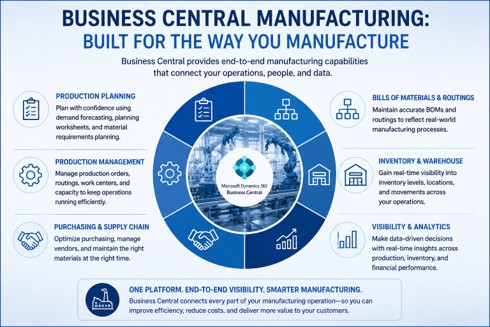
One of the most important ERP evaluation questions is understanding what is included natively and what may require third-party solutions.
Native Business Central Manufacturing Features
Business Central includes:
- Bills of materials
- Routings
- Production orders
- Inventory management
- Warehouse management
- Planning worksheets
- Capacity planning
- Demand forecasting
- Supply planning
- Standard costing
For many manufacturers, these capabilities satisfy most operational requirements.
Where ISVs Extend Functionality
Independent software vendors commonly enhance Business Central in areas such as:
- Advanced planning and scheduling
- Quality management
- Product configuration
- Manufacturing execution
- Compliance management
- Warehouse automation
This flexibility allows manufacturers to create a solution ecosystem aligned to their specific needs.
Manufacturers can also leverage Microsoft's AppSource ecosystem to extend Business Central with industry-specific manufacturing capabilities when required.
Is Business Central Robust Enough for Complex Manufacturing Operations?
The answer depends on how complexity is defined.
Complex manufacturing environments may include:
- Multiple facilities
- International operations
- Engineer-to-order workflows
- Highly regulated industries
- Large product catalogs
- Complex supply chains
- Automation initiatives
Business Central successfully supports manufacturers operating in each of these environments today.
Success is determined by strategy and leadership, not just software capabilities.
Implementation strategy matters.
Business process design matters.
Organizational readiness matters.
Manufacturers that view ERP modernization as a business transformation initiative often achieve stronger outcomes than those treating it as a software replacement project.
Why Manufacturers Should Stop Comparing Business Central to GP Feature-by-Feature
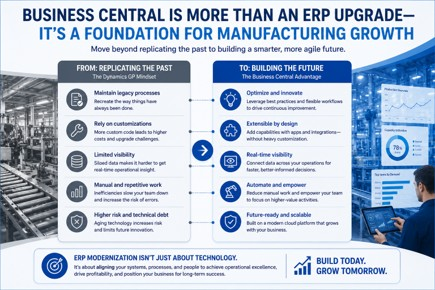
This is one of the most important lessons manufacturers learn during ERP evaluations.
Many organizations begin by comparing every screen, report, customization, and workflow between GP and Business Central.
At first, this feels logical.
In practice, it often creates unnecessary limitations.
Feature comparisons feel objective because they can be measured.
Unfortunately, they often focus attention on the past rather than the future.
The manufacturers that achieve the best outcomes rarely ask whether every screen looks the same. They ask whether the new platform enables better decisions, greater visibility, and stronger scalability.
One CFO recently told us:
“We’re spending too much time asking whether Business Central has the same features as GP and not enough time asking whether our current processes still make sense.”
That observation captures the challenge perfectly.
ERP modernization should not focus on rebuilding the past.
It should focus on building the future.
The manufacturers that gain the most value from Business Central are often the ones willing to challenge assumptions, simplify workflows, reduce customization debt, and embrace better ways of operating.
Business Central provides an opportunity to:
- Simplify workflows
- Reduce customization debt
- Improve visibility
- Increase automation
- Enhance reporting
- Improve decision-making
Modern capabilities such as AI-assisted workflows, automation, and cloud-based analytics are increasingly becoming part of manufacturing technology roadmaps.
The goal is not to recreate Dynamics GP in a new environment.
The goal is to create a more agile foundation for long-term growth.
What Manufacturers Should Do Next
If you're evaluating Business Central, begin by documenting your manufacturing processes rather than your software requirements.
Identify which capabilities create competitive advantage, which customizations create complexity, and which operational challenges are limiting growth today.
The objective is not to determine whether Business Central can replicate the past.
The objective is to determine whether it can support the future.
The Bottom Line
Can Business Central handle manufacturing complexity?
For many manufacturers, yes.
Business Central supports make-to-stock, make-to-order, and many engineer-to-order environments. It provides production planning, inventory management, routing control, capacity management, and operational visibility while integrating effectively with specialized manufacturing technologies.
The better question is not whether Business Central can support manufacturing.
The better question is whether your organization is prepared to take advantage of what ERP modernization makes possible.
Manufacturers that approach Business Central strategically often discover the platform supports both current requirements and future growth.
Ready to Evaluate Business Central for Your Manufacturing Operation?
Every manufacturer is different.
The right ERP strategy depends on your operational complexity, growth objectives, production model, and long-term vision.
At Liberty Grove Software, we help manufacturers assess manufacturing ERP modernization capabilities against real-world business requirements so they can make informed decisions with confidence.
Schedule a Manufacturing ERP Assessment with Liberty Grove Software today and discover whether Business Central is the right platform to support your next stage of growth.
Coming Next in This Series: The Real Fear Behind Leaving Dynamics GP in Manufacturing
Technology is rarely the biggest obstacle to ERP modernization.
People are.
In the next article, we’ll explore what manufacturers are afraid of when considering a Dynamics GP migration. We’ll examine concerns about operational disruption, employee resistance, implementation risk, user adoption, and change management.
More importantly, we’ll discuss why some manufacturing ERP implementation projects succeed while others struggle, and what leaders can do to reduce risk before migration begins.
Frequently Asked Questions
Can Business Central handle manufacturing?
Yes. Business Central includes native manufacturing functionality for production orders, routings, bills of materials, inventory management, capacity planning, and forecasting.
Is Business Central good for manufacturing?
Business Central is a strong manufacturing ERP platform for many small- and mid-sized manufacturers, particularly when combined with industry-specific extensions as needed.
Can Business Central support make-to-order manufacturing?
Yes. Business Central supports make-to-order manufacturing through sales-order-driven production, demand linking, scheduling, and material planning.
Can Business Central integrate with MES systems?
Yes. Business Central integrates with many manufacturing execution systems to provide enhanced shop floor visibility and operational control.
What manufacturing functionality is native in Business Central?
Native capabilities include bills of materials, routings, production orders, planning worksheets, inventory management, warehouse management, forecasting, and capacity planning.
Is Business Central better than Dynamics GP?
Business Central offers modern cloud architecture, continuous innovation, enhanced Microsoft integration, and greater scalability. The right choice depends on your organization’s requirements and long-term strategy.
How difficult is a Dynamics GP migration?
Migration complexity varies based on customizations, integrations, data quality, manufacturing processes, and organizational readiness. Proper planning significantly reduces risk.
About Andrew Good
Andrew Good, CEO, Liberty Grove Software
Andrew Good, CEO of Liberty Grove Software, a leader in digital transformation, directs the company with strategic insights that deliver impactful results. With over two decades of expertise in Microsoft technologies, Andrew has guided businesses through digital transformation across manufacturing, finance, and healthcare.
Andrew's extensive knowledge comes from personal experiences with various companies. His hands-on operational knowledge comes from Engineering, Maintenance, and operational roles at Unilever and Sony Music. Fourteen years of working with Microsoft Dynamics BC/NAV follows successful projects in ERP, Computerized Maintenance Management Systems (EAM), and quality systems.
His passion for technology is matched by his love for sailing, which inspires his leadership. Andrew parallels the precision of navigating the seas and the challenges of steering a successful company. Under his leadership, Liberty Grove Software thrives, offering tailored solutions to empower clients and optimize operations with innovative Microsoft-based systems.
