
What Does a Successful Dynamics GP Migration Look Like?
There’s a moment in almost every ERP project when everyone wants to celebrate.
The new system is live.
Orders are being entered. Production is running. Invoices are going out. Finance can post transactions. The implementation team has survived the weekend. People are tired, relieved, and understandably ready to call the project a success.
I understand that feeling.
But after working with manufacturers and ERP systems for more than two decades, I have developed a different view of what success looks like.
Go-live is a milestone. It is not the finish line.
A successful Dynamics GP migration to Microsoft Dynamics 365 Business Central is not defined by whether the system went live on schedule. It is defined by what happens to the business afterward.
Are people using the system properly?
Is management getting better information?
Have manual workarounds actually disappeared?
Can finance close more efficiently?
Can operations see what is happening on the plant floor?
Can the company grow without recreating the same complexity it was trying to leave behind?
Those are much harder questions than “Did we go live?”
They are also much more important.
In the previous three articles in this phase of our Manufacturing ERP Modernization series, we looked at how manufacturers can plan a Dynamics GP to Business Central migration, determine what data deserves to migrate, and build the executive business case for modernization.
Those decisions bring you to implementation.
Now comes the test of whether all that preparation produces lasting value.
“A successful ERP implementation isn’t the one everyone stops talking about after go-live. It’s the one the business is still benefiting from years later.” – Andrew Good, CEO, Liberty Grove Software
Table of Contents
What Does ERP Migration Success Really Mean?
Why Does Executive Leadership Matter After the Project Begins?
What Does Strong ERP Governance Look Like?
Why Is Testing a Business Issue, Not Just an IT Task?
How Should Manufacturers Prepare Employees for Business Central?
Why Does ERP Change Management Determine User Adoption?
What Should Happen After Business Central Go-Live?
How Should Executives Measure ERP Success?
What Do Successful Manufacturers Consistently Do Differently?
Executive Takeaways
Turn Go-Live Into Long-Term Business Value
Final Thoughts
Frequently Asked Questions
What Does ERP Migration Success Really Mean?
ERP projects tend to be managed around visible milestones.
Requirements complete. Configuration complete. Data converted. User acceptance testing complete. Training complete. Cutover. Go-live.
Those milestones matter.
But none of them, on its own, proves ERP implementation success.
For a manufacturer, success should be defined in operational and financial terms.
Did inventory accuracy improve?
Are production schedules more reliable?
Can employees get information without maintaining parallel spreadsheets?
Can leadership see margin, inventory, production, purchasing, and financial performance more clearly?
Are processes standardized?
Has the organization reduced dependency on customizations and tribal knowledge?
Are employees actually using Business Central as intended?
Most importantly, did the manufacturing ERP implementation solve the problems leadership approved the investment to solve?
That definition changes the conversation.
The project is no longer about replacing GP. It is about improving the company's operating capability.
Why Does Executive Leadership Matter After the Project Begins?
One of the biggest misconceptions about ERP modernization is that executives provide sponsorship at the beginning, approve the budget, and then hand the project to IT.
Successful projects don’t work that way.
Executive sponsorship has to remain visible.
Why?
Because ERP implementation creates decisions that cross departmental boundaries.
Finance may want one thing. Operations may want another. Sales has its priorities. Warehousing has practical realities. IT has technical considerations.
Someone needs to make decisions based on what is best for the company, not simply what is easiest for one department.
That is leadership’s job.
Executives also send signals through their behavior.
If the CEO, CFO, and COO keep asking for reports from old spreadsheets instead of the new environment, employees notice.
If leaders allow departments to opt out of agreed processes, employees notice that too.
I have seen leadership teams say they want standardization and then approve exception after exception because changing an old process feels uncomfortable.
Eventually, the new ERP starts looking remarkably like the old ERP.
“Executive sponsorship isn’t approving the ERP project. It’s continuing to lead when the project starts asking the organization to change.” – Andrew Good
For C-Suite leaders, that distinction is critical.
What Does Strong ERP Governance Look Like?
Good ERP governance answers three basic questions:
Who decides? Who owns? Who is accountable?
A strong governance structure typically includes an executive sponsor, steering committee, project leadership, functional owners, technical resources, and clear escalation paths.
But governance is not about creating meetings.
It is about accelerating good decisions.
When an issue affects costing, who decides?
When operations requests a customization, who determines whether it is truly necessary?
When testing exposes a gap, who determines whether it blocks go-live?
When data quality is insufficient, who owns remediation?
When the project begins to drift from scope, who has authority to bring it back?
Without clear governance, decisions wait. Small issues become large issues. Teams work around unresolved questions.
And project risk quietly increases.
Some of the most important ERP best practices are far less glamorous than the technology. Clear accountability is one of them.
Microsoft's guidance on effective ERP project governance similarly emphasizes aligning project goals with business objectives, establishing clear roles and responsibilities, and embedding governance in areas such as solution design, testing, and deployment.
Why Is Testing a Business Issue, Not Just an IT Task?
I sometimes hear people talk about testing as if its purpose is to prove that Business Central works.
Microsoft already knows whether the software can post an invoice.
Your testing needs to determine whether your business can operate successfully in the configured environment.
Microsoft's Dynamics 365 implementation guidance likewise treats testing strategy as a core implementation discipline alongside solution design, data migration, integration, cutover, and training.
For manufacturers, that means testing real business scenarios from beginning to end.
Don’t test only whether someone can create a sales order.
Test what happens when that order drives demand, purchasing, production, inventory movement, shipping, invoicing, costing, and financial posting.
Test exceptions.
What happens when material is short?
What happens when production quantity changes?
What happens with scrap?
What happens when a purchase arrives differently than expected?
What happens when an order is expedited?
What happens at month-end?
Testing is where assumptions meet operations.
Years ago, I learned that the most valuable test scripts are often the ones that make experienced users uncomfortable. They know where the business gets complicated.
Listen to them.
A smooth demonstration proves very little. A realistic manufacturing scenario that survives contact with your actual processes tells you much more.
“Testing isn’t about proving the software works. It’s about proving the business will work when the software becomes real.” – Andrew Good
How Should Manufacturers Prepare Employees for Business Central?
Training should not begin with, “Here are the buttons you need to click.”
Employees need context.
What is changing?
Why is it changing?
What will their job look like?
What process are they now responsible for?
What happens downstream when they enter information incorrectly?
This is particularly important in manufacturing because transactions are connected.
An inventory decision can affect production.
A production transaction can affect costing.
A purchasing decision can affect availability.
Inaccurate routing or bill of materials data can affect planning, capacity, and financial results.
Good training therefore teaches process, not simply software navigation.
Microsoft also links training and user adoption directly to business outcomes, emphasizing that adoption turns new technology into part of the organization's everyday work.
I also recommend role-based training using realistic scenarios.
A production planner does not need the same training as a controller. A warehouse employee doesn’t need the same experience as a purchasing manager.
Train people for the work they actually perform.
Then allow them to practice before the pressure of go-live.
Why Does ERP Change Management Determine User Adoption?
Technology changes quickly.
People don’t always change at the same speed.
That is not resistance for the sake of resistance. Employees have spent years learning how to get work done. Some workarounds exist because they solved real problems.
When we ask them to stop using those methods, we need to explain what is replacing them and why.
Good ERP change management begins long before training.
Microsoft's implementation guidance also treats change management as a lifecycle activity spanning initiation, implementation, go-live preparation, and ongoing operations.
It involves communication, participation, expectation setting, process ownership, leadership visibility, and listening.
I once worked with an organization where a process looked unnecessarily complicated during assessment. The obvious reaction would have been to eliminate it.
But when we spoke with the people doing the work, we discovered why it existed. They had created the workaround years earlier to compensate for a legitimate system limitation.
The limitation no longer needed to exist in the future environment.
That conversation mattered.
We weren’t telling employees, “You’ve been doing this wrong.”
We were saying, “There was a reason you had to work this way. Now we have an opportunity to remove the reason.”
That is a very different change-management conversation.
Respect the history, but don’t automatically preserve it.
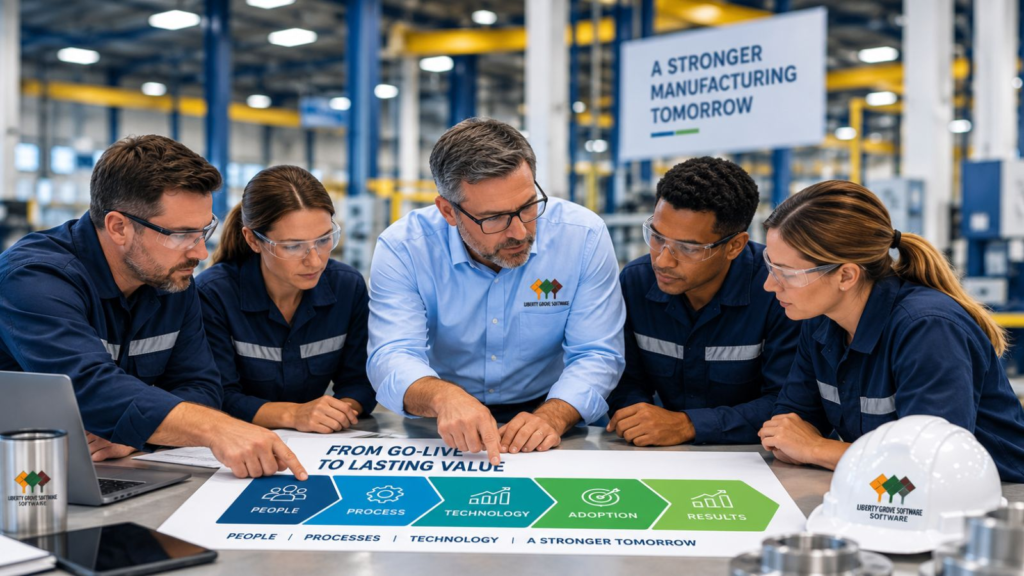
ERP success depends on more than technology. Communication, training, change management, visible leadership, and user adoption turn a successful go-live into lasting business value.
What Should Happen After Business Central Go-Live?
The first days and weeks after Business Central go-live deserve their own plan.
This period is often called hypercare.
Hypercare means providing focused support while users encounter the new system under real operating conditions.
Issues will emerge.
That does not necessarily mean the implementation failed.
A user may forget a step. A process may need clarification. A report may need refinement. A real-world scenario may expose something testing did not.
The important question is how quickly the organization identifies, prioritizes, owns, and resolves those issues.
I recommend tracking them visibly.
Separate genuine defects from training questions, process issues, enhancement requests, and future opportunities.
Otherwise, everything becomes “an ERP problem,” making it hard to understand what is actually happening.
And don’t end hypercare simply because the calendar says four weeks have passed.
Exit when the business demonstrates stability.
Microsoft's go-live guidance similarly emphasizes the transition to operational support, including a plan to monitor, maintain, and improve the solution once it becomes operational.
How Should Executives Measure ERP Success?
This brings us back to the most important question.
How do you know the investment worked?
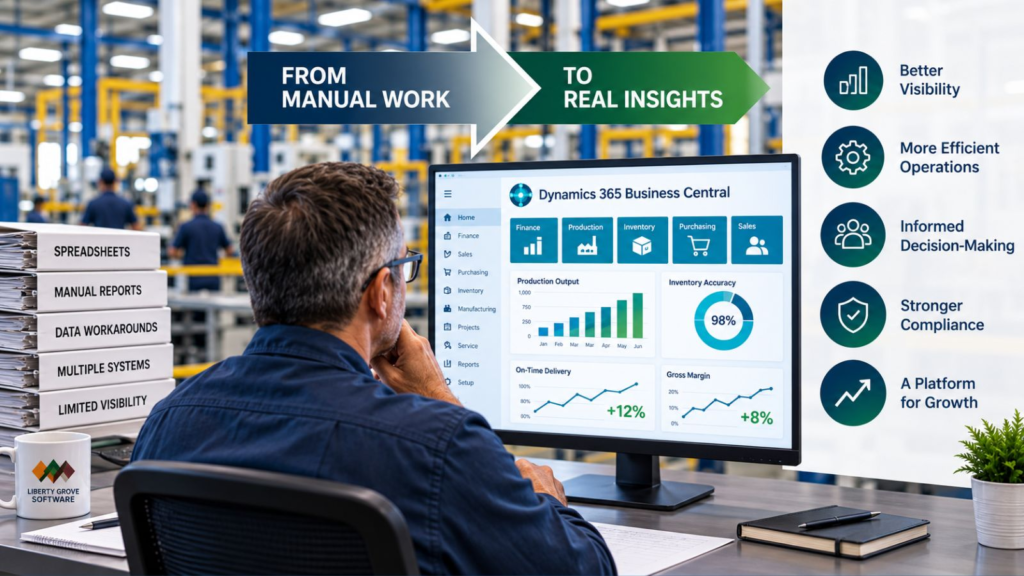
Go back to the business case.
If faster reporting was an objective, measure reporting cycle time.
If inventory accuracy mattered, measure it.
If manual processes were supposed to disappear, count how many actually disappeared.
If leadership wanted greater operational visibility, determine whether executives and managers are using the new information to make decisions.
Possible KPIs include:
- Financial close time
- Inventory accuracy
- Schedule adherence
- Order fulfillment performance
- Production reporting accuracy
- Manual hours eliminated
- Spreadsheet processes retired
- User adoption
- Transaction accuracy
- Support-ticket trends
- System utilization
- Reporting availability
- Number of legacy applications retired
- Time required to onboard new employees or locations
Not every manufacturer needs every KPI.
Choose the measures tied to the outcomes you promised when the project was approved.
Then keep measuring after the implementation team moves on.
Continuous improvement is where a modern ERP can begin producing additional value.
ERP success is not measured by replacing one system with another. It is measured by whether better information leads to more efficient operations, stronger decisions, and measurable business improvement.
What Do Successful Manufacturers Consistently Do Differently?
When I look at successful ERP projects, the pattern is remarkably consistent.
They don’t treat ERP as an IT installation.
They treat it as a business transformation with technology at the center.
One manufacturing organization I think of had many of the ingredients that make migration difficult: experienced employees, established processes, custom requirements, years of accumulated data, and legitimate concerns about disrupting operations.
The difference wasn't that they encountered no problems.
They did.
The difference was how they handled them.
Leadership stayed involved.
Business owners made decisions.
Employees participated in testing.
They dealt with data issues rather than hiding them.
Training focused on real work.
They prioritized go-live issues instead of letting them become a source of blame.
And after stabilization, leadership kept asking what could be improved.
That last point matters.
The organization did not view implementation as the end of modernization.
It viewed implementation as the point where it finally had a better platform from which to keep improving.
That is ERP project success.
Executive Takeaways
After this entire modernization series, I would leave manufacturing leaders with seven principles.
First, begin with business outcomes. Decide what needs to improve before deciding how technology will improve it.
Second, maintain executive ownership. ERP decisions affect the whole organization and cannot be delegated entirely to IT or the implementation partner.
Third, establish governance early. Decision rights, ownership, escalation, and accountability reduce uncertainty.
Fourth, test the business, not just the software. Real manufacturing scenarios and exceptions reveal operational risk.
Fifth, prepare people for process change. Training and ERP change management are investments in adoption, not optional project expenses.
Sixth, plan beyond go-live. Hypercare, measurement, and continuous improvement belong in the implementation strategy.
Seventh, measure what matters. The ultimate test is whether the organization is operating better because of the investment.
Turn Go-Live Into Long-Term Business Value
A Business Central implementation can be technically successful and still fail to deliver the value executives expected.
That is why Liberty Grove Software approaches ERP modernization from a business-first perspective.
Our Manufacturing ERP Readiness Assessment helps leadership teams evaluate not only technology readiness, but also processes, data, governance, organizational readiness, implementation risk, and the business outcomes that should define success.
If you are considering a move from Dynamics GP to Business Central, the best time to identify those issues is before they become implementation problems.
Schedule Your Manufacturing ERP Readiness Assessment
Let’s determine what a successful modernization should look like for your business before the project begins.
Final Thoughts: Success Starts Before Go-Live and Continues Long After It
This four-part phase began with a simple idea: successful ERP migrations are won during planning, not implementation.
We then looked at data and argued that migration should preserve business value, not historical clutter.
In our last article, “How to Build a Business Case for Moving from Dynamics GP to Business Central,” we examined the executive business case and why modernization should be justified by future capability rather than simply replacing aging software.
Now we arrive at the logical conclusion.
Planning matters.
Data matters.
The business case matters.
But ultimately, the value of each decision is demonstrated by what happens after the system is live.
Are your people more effective?
Are your processes stronger?
Is your information more trustworthy?
Can executives make better decisions?
Can the business adapt and grow?
Those are the measures I care about.
“ERP success isn’t measured on implementation day. It’s measured in the months and years afterward, when you can see whether the business became better because you made the change.” – Andrew Good
A successful Dynamics GP migration is not a technology destination.
It is the beginning of a better operating model.
And that is the standard I believe manufacturing executives should set from day one.
Frequently Asked Questions
What makes a Dynamics GP migration successful?
A successful Dynamics GP migration delivers the business outcomes established before implementation. Success typically depends on executive sponsorship, ERP governance, clean data, realistic testing, employee training, change management, strong post-go-live support, and ongoing measurement rather than simply meeting a go-live date.
Why do ERP implementations fail?
ERP implementations can struggle when organizations treat them primarily as technology projects. Common causes include unclear objectives, weak executive sponsorship, inadequate governance, poor data, insufficient testing, unrealistic timelines, limited user involvement, inadequate training, and failure to manage organizational change.
What should happen before ERP go-live?
Before go-live, manufacturers should validate data, complete end-to-end business-process testing, resolve critical issues, confirm integrations, train users, finalize cutover responsibilities, establish support procedures, define escalation paths, and ensure leadership agrees that the organization is operationally ready.
What is ERP hypercare?
ERP hypercare is a period of enhanced support immediately following go-live. The project and business teams closely monitor operations, help users, identify issues, prioritize problems, and stabilize the new environment. Hypercare should continue until the business reaches an agreed level of operational stability.
How do manufacturers prepare users for Business Central?
Preparation should combine early communication, employee involvement, role-based process training, realistic practice, documentation, and accessible post-go-live support. Employees should understand not only how to perform transactions in Business Central, but also why processes are changing and how their work affects other areas of the business.
What KPIs measure ERP success?
Useful KPIs vary according to the original business case. Still, they can include financial close time, inventory accuracy, schedule adherence, order fulfillment, manual hours eliminated, reporting availability, user adoption, transaction accuracy, support issues, retired spreadsheets and applications, and measurable operational improvements.
How important is ERP testing?
Testing is critical because it validates whether real business processes will operate successfully in the new environment. Manufacturers should test complete scenarios and exceptions across sales, purchasing, inventory, warehousing, production, costing, and finance rather than testing individual transactions in isolation.
How do manufacturers improve ERP user adoption?
User adoption improves when employees understand why the change is happening, participate in the implementation, receive role-relevant training, have opportunities to practice, and receive effective post-go-live support. Visible leadership commitment and consistent use of the new processes are also essential.
About Andrew Good

Andrew Good, CEO, Liberty Grove Software
Andrew Good, CEO of Liberty Grove Software, a leader in digital transformation, directs the company with strategic insights that deliver impactful results. With over two decades of expertise in Microsoft technologies, Andrew has guided businesses through digital transformation across manufacturing, finance, and healthcare.
Andrew's extensive knowledge comes from personal experiences with various companies. His hands-on operational knowledge comes from Engineering, Maintenance, and operational roles at Unilever and Sony Music. Fourteen years of working with Microsoft Dynamics BC/NAV follows successful projects in ERP, Computerized Maintenance Management Systems (EAM), and quality systems.
His passion for technology is matched by his love for sailing, which inspires his leadership. Andrew parallels the precision of navigating the seas and the challenges of steering a successful company. Under his leadership, Liberty Grove Software thrives, offering tailored solutions to empower clients and optimize operations with innovative Microsoft-based systems.
